

Software
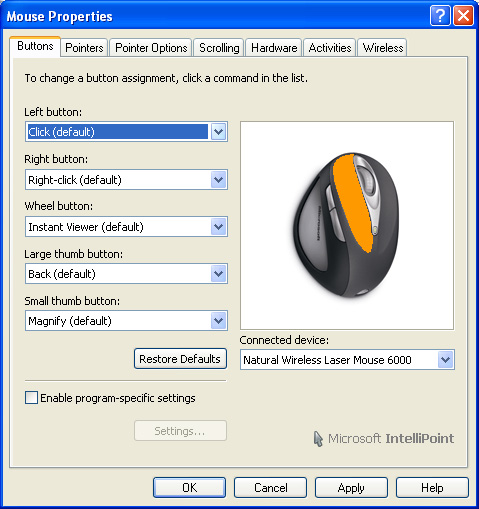
This new mouse comes with some new software. Microsoft’s Intellipoint software hasn’t changed much over the years, adding small touches every now and then. The two new major features of this Intellipoint version oare the Magnifier Tool and Instant Viewer.
The New Magnifier
By default, the front side button spawns a display window around your cursor and enlarges everything within proximity to the cursor. This can be helpful when editing images or when you need to actually read text on those high-resolution LCD displays, but it isn’t the same as zooming in. You can very much see any pixelization, without any smoothing. As mentioned before, most people are used to this button being used as the “browse forward” button, which I, and many other people, are already used to.
The Instant Viewer
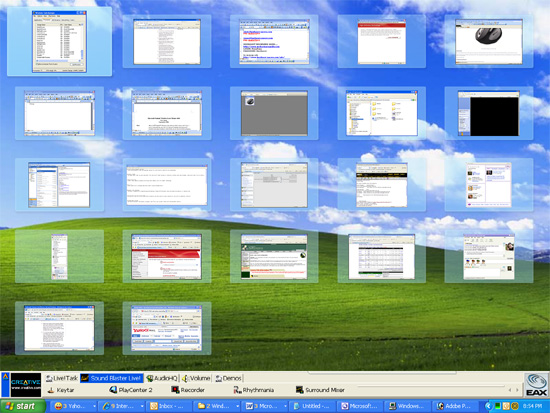
When this new feature is activated (using the middle mouse button by default), your current window minimizes and your screen is populated with thumbnails of all active programs. Hovering over a thumbnail window magnifies it, and clicking on one selects it. This is almost identical to the “Flip 3d” ability of Windows Vista, but without the 3d. What perplexes me about this feature is that there is no support for Flip3d in the Intellipoint software… and it would make so much sense (use middle click to bring up Flip 3d, and then scroll through the windows using the scroll wheel). The Instant viewer is neat, but most people are used to using ALT+TAB to switch between programs that they’re not likely to use this. Flip 3d is way cooler and serves the same functionaly, and is a native function built into the OS, so why was it left out?
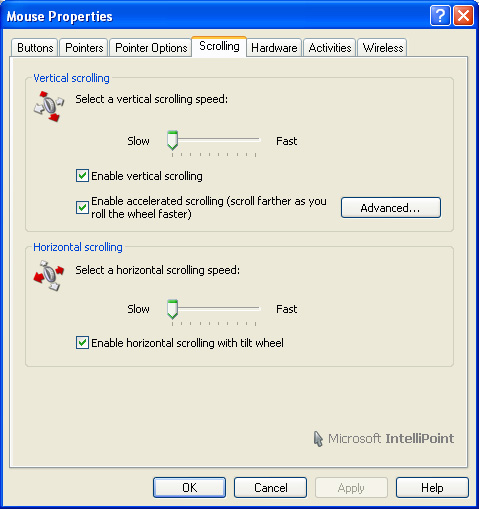
You can assign just about any feature you can think of to any button using the IntelliPoint mouse software. One great feature present in IntelliPoint has now been removed: the ability to dynamically assign program buttons depending on the application in focus. One added feature is the “Gaming Toggle”, which lets you program a macro series of keystrokes on the fly (up to 16 keypresses). Just hold down the button assigned to the gaming toggle, press the sequence keys, and release. This feature is almost pointless, because the keys are played back without delay, rendering it useless.
Some mice can change their DPI sensitivity on the fly, and the new IntelliPoint has a similar feature called the “precision booster”. This allows you to trim down the sensitivity between 10% and 90%, which is rather useful in Photoshop or using a sniper rifle in your favorite FPS. Again, it would be great if there were a dedicated button for this feature, as other gaming mice do.
While these new software features can be handy, there should be dedicated buttons for them. Many of us would probably use these nifty mouse features if we didn’t have to our existing buttons to do so. I cann’t live without my “browse forward” and “middle click”. Microsoft may have concentrated so hard on ergonomics, that they may have ignored some rather serious usability issues.



2 comments
i need an new natural wirelees laser mouse 6000 resiever plase help my!
Before using the Natural Wireless Laser Mouse 6000, I used to have shoulder pain. It has been a month since I am using it, and my shoulder pain stoped. Now, my pain are in my shoulder and my fingers!!! This mouse didn't suit me at all!
Comments are closed.