

Upon first look the tablet is very nice to look at. It has a nice white rubberized coating that helps keep a grip. This finish also repels fingerprints, unlike sleek plastic that many tablets have. It has a single power button on the top left side, and has a volume control on the top right side. The bottom features a micro SD card slot and has a connector that looks surprisingly like an iPod connector.
Setting the tablet up is relatively easy as long as you are the primary user. A first-time wizard walks you through connecting to a wireless access point. The Nook HD then downloaded an update and installed, which took about five minutes in total.
Setting up the Nook for a child however, is a nightmare. You can have three different profiles: the main account (created when in the setup wizard, which must have a credit card attached to it), an Adult profile, and a Child profile. If you want to prevent your kids from charging stuff to your account, then you have to set them up as a Child account and check a box that requires a password when making purchases. Unfortunately this also means you have to put in your password whenever they want to download any free apps or books, which is very annoying for the parent. Oh, and Child accounts apparently can’t have email, either. You can let them use the Primary account and then just check the box in Settings that requires a password to purchase, but they could just uncheck that requirement.
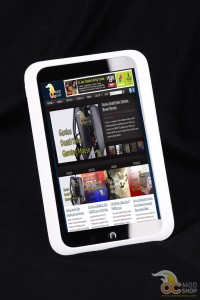
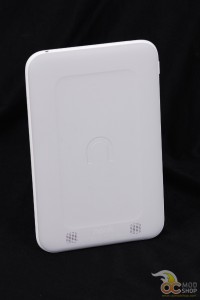
The Nook requires you to create a Barnes & Noble account, rather than a Google account as most Android devices do. As such, email is not part of the set up wizard, but can be easily done by launching email (as long as you’re on the primary account).
Once everything was set up I was astonished as to how little was on the desktop. You have a few options: library, web browser, email, and store. Any recently-opened apps or books appear on the desktop.
All of the pre-installed apps are very plain-Jane. The Nook HD does come with a decent web browser, but the email client, calendar, and music apps do not have any bells and whistles. If the Nook had access to Google Play then I would recommend any number of free replacements, but alas Barnes & Noble have a short leash on what apps you can install.


