
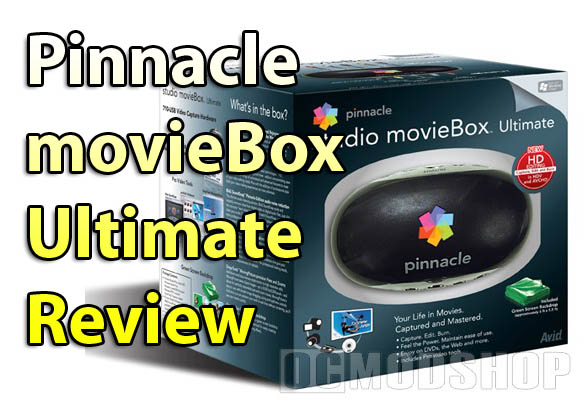
Okay then, let’s crack this egg and see what’s cooking. For this test drive I’m going to be using an Athlon 64 X2 3800+ Dual Core Processor, 1GB of system memory, a 256MB ATI Radeon video card, and a Western Digital 320GB HD. Alrighty, now that you know what I’m rolling in, let’s open the box and see what comes in this fine set of videographer’s tools.
What’s included:
- Video Input/Output Hardware to convert your movies to digital
- Chroma Key Green Screen Backdrop
- IEEE 1394 Firewire cable
- USB cable
- Two DVDs full of software
- A whole package of installation, quick start, and warranty papers
- A 315-page User Guide, which is damned near a novella.
- Inspiration
When I was younger, back when I was writing my first screenplays and short stories, I became intrigued with Chroma Key Green Screen. Back then it wasn’t in as widespread use as it is today, mostly because of the cost. Some films that use more advanced techniques, such as “Polar Express”, used green screen rooms and full body suits that tracked every movement, and cost about one million dollars per minute to make. Now, you’re not going to get that kind of quality out of this product, but you can make some pretty interesting things happen.

What I decided to do with this review is shoot video in my in-home studio, but make it appear as though I am somewhere a little more exotic. Maybe a Thai bordello? You could fool your friends into thinking you were actually there, but the real proof is in the V.D. Tests, so if you don’t have the papers there’s probably no point in faking it. Okay, enough screwing around. Let’s get started.
I put the Green Screen up on the wall, and set one of my cameras up on a tripod. A little arranged lighting, and we have the makings of a masterpiece. I shot a little video in front of the Green Screen to show you that even with mediocre lighting in your living room you can create very nice footage with just your video camera and MovieBox.


Next I installed the included copy of Pinnacle Studio 12, which I reviewed a few months ago (read the review). I suggest that you check out that review if you want information on the software, its performance, and how it works. I also installed the included Plug-Ins that come on a separate CD. You know you’re getting all kinds of goodies when there are so many add-ons that they have to shove them onto another disc.
With everything installed, I proceeded to hook up the included hardware and transfer my video over to my hard drive. On the front of the converter box there is a place where you can plug in Firewire and use this to transport your video to your hard drive via USB. Personally, I’m not a big fan of USB when it comes to video capture. The video loses quality and is slower to transfer. USB 2.0 is rated at a higher speed than Firewire, but that is its speed limit, not a guaranteed speed. USB still tends to go at its own pace, depending on what hardware and software you are using.


If you have a Firewire card installed on your PC, I would recommend that you just plug your camera in directly, and transport your pure digital video that way. If you only have the USB option, then by all means go for it. If all you have is analog, please join us in the new millennium. We have auto-mo-biles now. Either way, the main objective is to get your video onto the computer. If you want to opt for more hardware, a good piece of machinery to go along with your Pinnacle collection is the Pinnacle MovieBoard. You can transfer analog directly to your PC via this card. I have hopes of reviewing this soon as well. You hear that Pinnacle? Hook a reviewer up!



2 comments
Hello, Will pinnacle 11 movie box ultimate work with the new version windows- 7?
Pls is the Pinnacle Studio MovieBox Ultimate an external or internal device.
Thanks.
Comments are closed.