

At first glace the Razer Imperator looks like a small black laptop mouse. Once it is plugged in, the scroll wheel lights up with blue light, and the once hidden Razer logo starts its trademark “breathing”. The mouse has two types of plastic, a matte rubbery texture for the main part, and a shiny slick black texture for the left and right.
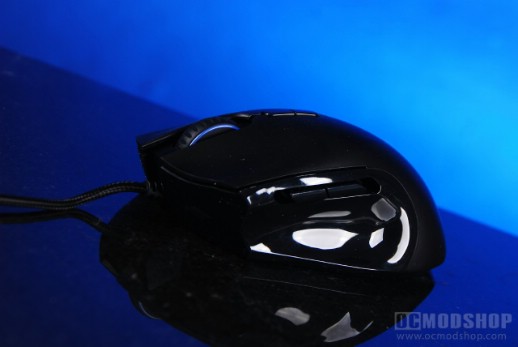
The mouse has a small form factor when compared to other gaming mice. The shape is more accessible as it doesn’t have a lot of slopes or flanged buttons. The plastic scroll wheel is notched and gives a very satisfying click with each turn. Below the scroll wheel are two configurable buttons, which are by default set to DPI increase and DPI decrease.
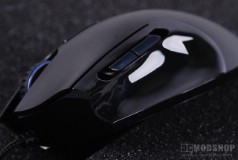
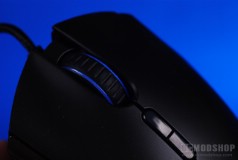
As mentioned before, the left side of the mouse has a shiny texture, and is formed with a small thumb rest. Above the thumb rest are two thumb buttons, but the position of these buttons can be adjusted to fit your thumb. Nearly every mouse I have ever tried usually has the “forward” button too far forward, which usually causes one to test how far they can stretch their thumbs. This adjustability is one of the greatest features of this small mouse.
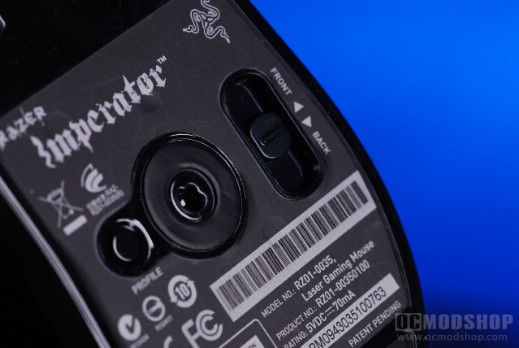
The bottom of the mouse has three teflon pads (two in each front corner, and one larger one at the back). Within the center area is a profile-switching button, 5600dpi laser sensor, and a slider to adjust the position of the thumb buttons. The slider can be moved to one of five different positions, and is notched to keep its place until you move it again.
 |
 |
 |
||||||||||||||||||||||||||||||||||||||||
|
Gaming Mouse Weight Comparison
|
|
||||||||||||||||||||||||||||||||||||||||
 |
|
 |
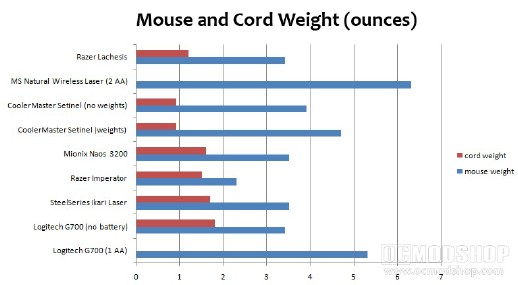
The Imperator is easily one of the lightest full-size mice we’ve ever tested. Weighing in at 2.3 ounces, it is more than a full ounce lighter than the SteelSeries Ikari or Mionix Naos, both of which are already pretty light. If weight (or the lack of it) is your primary concern in a full-featured mouse, then you just can’t beat the Imperator.
Although the mouse is very powerful and configurable (as you’ll see when you start using the software), the minimalist approach to this mouse is a bit too minimal. There are no LED indicators to show the current DPI position or profile selected. You either have to use your memory or look at the Razer software.

