

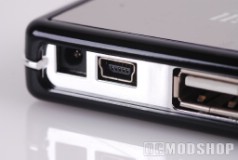
The hub itself is beautiful; a real work of art. Its body is black with a sleek, glossy finish (prone to fingerprints, I dare warn), with the company logo scrawled across vertically. The ports are arranged vertically, with four on one side and three on the other. The side with three also houses the plug-ins for the DC adapter and the USB to the computer. The hub supports itself with a small stand, also black, but not glossy. Etched onto the face near each port is a number, 1-7. This seems redundant, but the numbers are so small that they could be considered negligible.
The hub is designed with four ports on one side, and three ports on the other. The side with 3 ports also hosts the USB input (mini-USB input plug) and optional DC in. With this configuration, the 3-port side effectively becomes the “rear”, and you’ll probably want to attach semi-permanent devices (such as a USB mouse or web camera) here. That leaves the 4-port side facing forward, allowing you to hot-plug devices straight in, such as a USB flash drive.
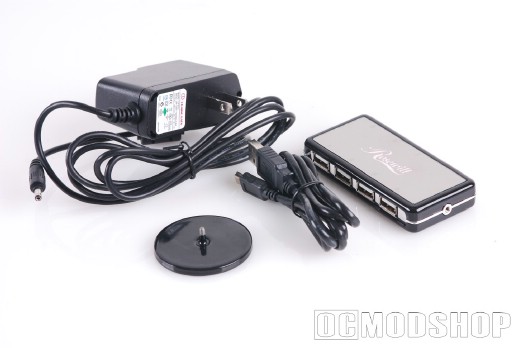
Compared to the Boynq Haspel USB hub that we also reviewed, the Rosewill hub is just as speedy. Topping out at 480 Mbps, this hub never slows down. Even with all seven ports running, I never noticed a slowdown with file transfers from flash drive or iPod to my laptop, nor printing, picture uploading, USB fan speed, or mouse.
This hub also comes with a DC adapter, which is pretty neat for those hefty gadgets that need more power than your laptop or desktop can provide, such as the CoolIT Beverage Chiller reviewed here.
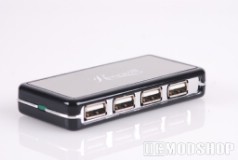
The Rosewill hub is also very portable due to its small and compact size. It fits in the palm of your hand and could also easily fit into a nook or cranny of a laptop case.
Unfortunately, because the hub is so lightweight, gadgets and cords need to be distributed proportionately along its slight frame to keep it from being pulled over due to the weight. Also, space can get a little tight because the ports are all so close together.

