
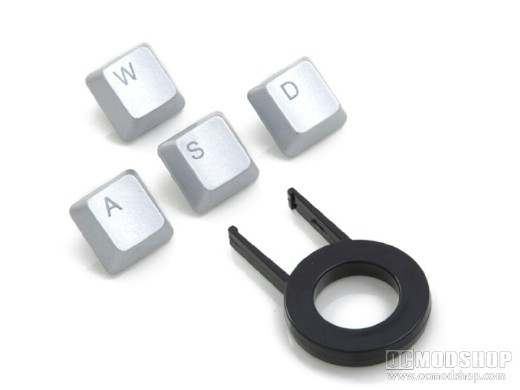
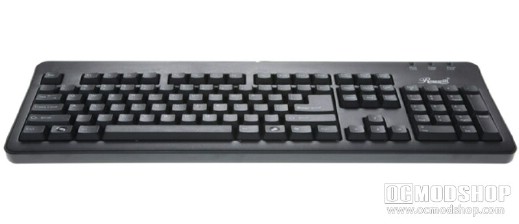
Once you open the box you are met with the keyboard itself (wrapped in a plastic bag), four silver WASD replacement keys, and a key-pulling tool. Of course, the tool is meant so you can replace the standard WASD keys with the shiny silver ones to make your keyboard the envy at the next LAN party (or not). There isn’t anything rather noteworthy about the keyboard layout. The Home/Pageup row is the classic two-row horizontal style rather than the vertical elongated style that has become popular over the past few years. The keyboard LEDs appear at the top right of the keyboard, and the F1-F12 keys are grouped in three groups of four keys each. The Rosewill logo appears above the numeric keypad, which also appears standard.
The underside of the keyboard doesn’t house anything unusal either. It has standard tabs to change the keyboard tilt, and have rubber tips to help prevent slippage. The edges of the keyboard have been rounded, as well. One thing you’ll notice is that at the end of the cord is a purple PS/2 connector rather than the standard USB most people are used to. The keys feel rather decent, and have a little bit more “clickiness” than other keyboards, but still manages to be rather quiet. The keys are of standard height, so there is no extra-long or extra-short reach. Anyone should be able to pick this keyboard up and have a good experience with it. The absense of a wrist-rest may make it uncomfortable to use during long sessions, but if you’re already used to going without one then I doubt you’ll notice.
The one true “gaming” feature that Rosewill engineered into this keyboard is the ability to press 11 keys at once without conflict. This sounds great on paper, but there are only eleven SPECIFIC keys that do not conflict with each other; the remaining 93 keys do not have this ability. These keys are: Q, W, E, A, S, D, space, up, left arrow, right arrow, down In most PC games, the arrow keys perform the same function as the WASD keys (movement), and even then it doesn’t make any sense to press more than two movement keys at the same time (you will never press left and right at the same time). You could program your arrow keys to perform like a D-pad (change weapon, toggle comm, etc). It would have been great if SHIFT or CTRL were included, as many PC gamers use these to toggle their stance or walk/run. In all practicality this “anti-conflict” gaming feature is essentially a moot point. So what else? Click on the next page to see our conclusion…
