Okay, enough of their pitch to get you to buy it. Let’s see what it’s made of. I have a couple of games I want to use this on. I was thinking that a racing game as well as an FPS would be perfect for this review, so I’m going to go with Left 4 Dead, PURE and Bioshock for PC. Here is my test machine:
- Radeon 4670 graphics w/ 512MB DDR3
- Athlon 64 X2 3800+ Dual Core Processor
- 2GB Samsung PC6400 RAM
- Seagate 320GB 7200RPM SATA HD
- Left 4 Dead
- Bioshock
- Saitek Cyborg Force Rumble PC Gamepad
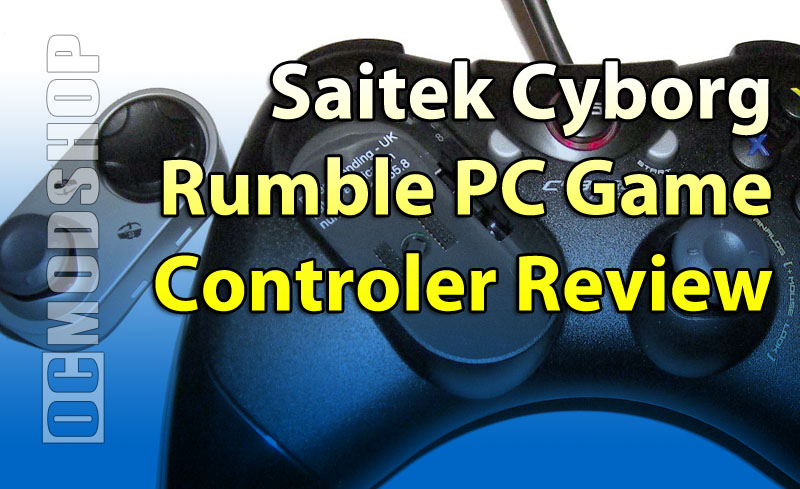
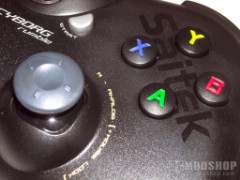
The overall design of the pad is very nice; it fits nicely in my hands with easy access to all the buttons in both modes. The only thing visual I could find that didn’t tickle my fancy was the large, bright X,Y,A, and B lettering on the buttons. I find this kind of obtrusive for a gaming pad. I would expect this on something from Leapfrog, but not Saitek. Although, I must say it is easy to see them in low light, so I guess there is a rainbow here afterall.

I guess my biggest pet peeve with gamepads is the amount of stress involved with setting them up for games. If this gamepad has any advantage at all, it will be the ability to mimic both the Xbox and PS3 controllers. I’ll begin with loading the pad’s included software and checking out all the setup options included. The first screen is basically to test that your buttons and analog joysticks are working properly. What’s cool about it is that it has the option to test the rumble feature with each button push. There is the sound of a motorcycle driving by, and the rumble fades in and out with it. Footsteps walking away, a machine gun, and the feeling of hitting or being hit. The Cyborg has some pretty nice 3D effect built in, I can’t wait to see what it feels like in a game.


The other screens show your deadzones, gain force, precision mode, analog trigger pressure and precision, as well as the About tab, where you have the option to download the SST programming software for greater programming and usability of your gamepad. Which I opted to download for further testing. They are nice enough to put the link right there in the menu as well. Aren’t they just spiffy? Except that after clicking on the link I was lead to an Error 404, Page Not Found. Further investigation on the official Saitek site lead to no option to download the software for my gamepad. Isn’t that just a bunch of fun? But then when I exited out of the testing software, it gave me the closing option of installing the software from a disc. A little irritating after spending that time looking for it, but whatever. The SST software is fairly straight-forward compared to a few of the profiling wares out there. It comes with many profiles already built in, and you can customize each button or analog to correspond to a mouse button or keyboard key. Easy even for a complete newbie. Okay, enough of the boring stuff. On with the gaming.


Setting up the gamer profile for Left 4 Dead was a bit challenging in the beginning, considering that I only play on PC. It took several accounts of trial and error before I got the controls assigned to buttons that were comfortable enough for me to play. Using the right analog as the mouse freelook and the left analog as movement was alien to me, but once I got the hang of it I was able to make it through the first chapter of NO MERCEY without losing much health. I still didn’t have my normal aiming precision, and i got confused frequently as to which button did what, but that has nothing to do with the pad’s performance. With some practice I could be playing effeciently with this pad on this game. I also figured out that by pressing the FPS button, most of the hard work was done for me. That’s what happens when you don’t read instructions.

Since I’m in the mood to kill stuff, I’m going to continue my escapade o’ slaughter with a little Bioshock. I figure since this game came from the 360 to the PC, it should have better acceptance of the controller. Also, I was able to locate the official Saitek profile for Bioshock on the site. The forums are rumored to have more, but I wasn’t able to gain access due to server problems on their site. So I used the profile editor to load the Bioshock profile, and proceeded to play. Most of the controls were ready and willing, but for some reason I couldn’t get my energy powers to change nor my guns. I seemed to be stuck with what I had. So I went to the options screen, and the option to play with an Xbox controller was grayed out. Apparently, Bioshock doesn’t see this as an Xbox controller and the profiler is what is controlling everything during gameplay. I tried downloading the Xbox 360 PC controller drivers from Microsoft, but this did nothing as well. I could not get the rumble to work for either Bioshock or Left 4 Dead either. This was pretty disappointing considering that is one of the main attractions of this controller.


Since I’m no longer in such a great mood over the Xbox module of this gamepad, I’m going to switch it over to Playstation Dual Shock and give that a try with Pure. Hopefully I get a little more entertainment out of this thing that way.