As mentioned before, you should set the RAID mode via the 7-way switch on the back panel before inserting any drives. Many users will either want the sheer throughput of RAID 0, or the data redundancy of RAID 1. Since this enclosure only takes two drives, advanced RAID modes like RAID 5, RAID 6 and RAID 10 are not possible. Once you have selected the RAID mode you want, press the Reset button to confirm the changes, but once you do, any existing data will be lost.
Drives are mounted to the internal drive trays. The trays have little pinhole “locks” which unlock little handles which allow the tray to be pulled out. This locking mechanism is not secure in any way, as anyone can just insert a paperclip and run off with your drives. But then again, any would-be theif would just unplug the whole unit and take off with it. This method does prevent accidental tray removal, but a little plastic pinhole key seems unnecessary.
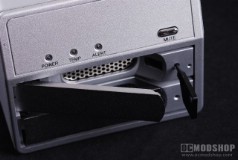
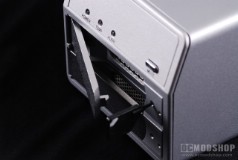
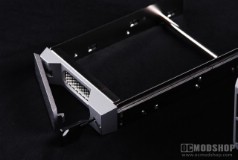
Once the trays are pulled out, you can secure your SATA hard drives to them. Drives are secured with low-profile screws (to reduce interferance with the rails) to the sides of the drive. Once the drive is mounted to the rails, the tray can be inserted back in the enclosure, and locked by pressing the handle back into position.
Once the drives are installed, you can use the enclosure almost immediately, but you won’t get full protection of RAID 1 or SAFE modes until the drives have been built. During the building process you may not experience the full speed of this unit.
As mentioned previously, you can customize your volumes using GUI mode, but basically this just allows you to make more partitions, and/or select the different modes of your drives. You can have several combinations of RAID 1, BIG and RAID 0, and can create as many volumes of each as you like. Keep in mind though, that more than one volume will limit the drive’s usage to USB only. This limitation is due to eSATA’s limitations, and you can get around it by using a SATA port replicator, but most users won’t go that far. If you really need an advanced configuration such as this, then you are probably barking up the wrong tree with this enclosure. It’s nice that the features are available, but there are too many caveats to make them useful.