
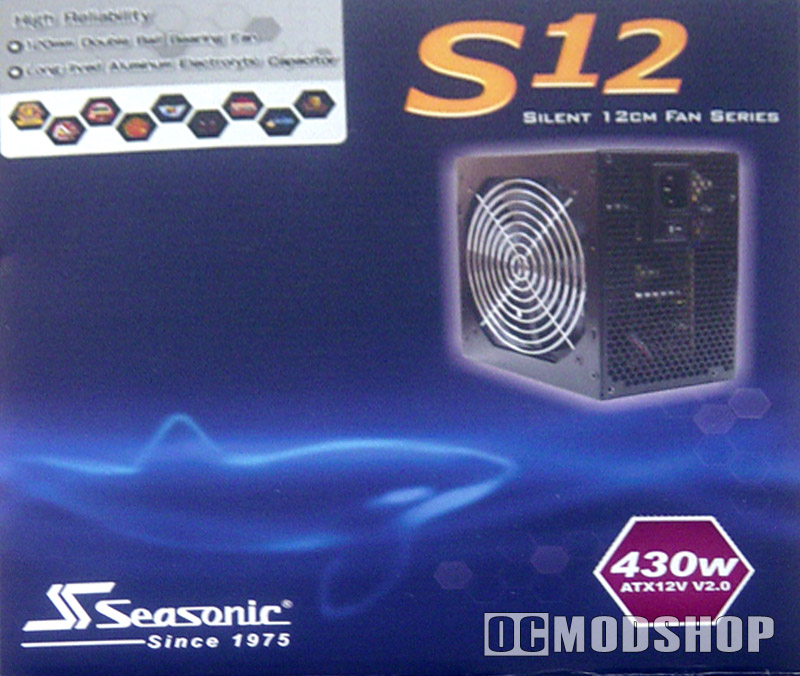
Installation of the power supply was fairly straight forward and simple. The pre-twisted wires made routing the cables extremely easy. All the cables were plenty long enough even for this full tower case. The easy swap connectors are very helpful, especially when switching drives. They work by squeezing the tabs on both sides of the connector, and then it just pops out of the drive or other object that it is plugged into.
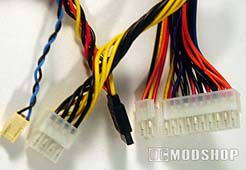
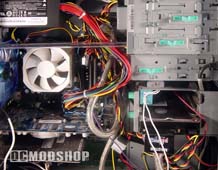
Sea Sonic included Dr. Cable with their power supply, which is a cable management system for their power supply; it includes 2 sizes of split tubing (or cable wrap), 1 cable mount, and a bundle of cable ties (or zip ties). The directions to install Dr. Cable are straight forward, which are included in detail in the user manual for the power supply. It did help out with the wires in the case, even with the long cables and the number wires already in the case. When the split tube was put onto the ATX motherboard connector, it did make the wire a lot stiffer and harder to move.
Now let’s test this thing and see what it can really do.
 |
 |
 |
|
|
System specs
|
|
|
 |
|
 |
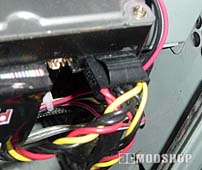
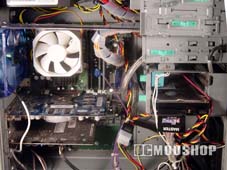
When the computer was first booted with the S12-430 installed, there was a noticeable difference in the loudness of the computer. With the two 120mm fans connected to the external fan control function on the low setting, the system was much quieter.
Motherboard Monitor v. 5.3.7 was used to gather all voltage data. At default CPU speed, all the voltages were in their normal range and not fluctuating.
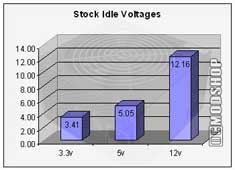
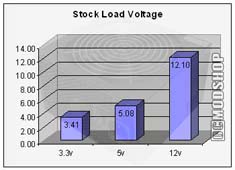
Prime95 was then used to test the CPU at full load. The 5v went up very slightly while the 12v dropped slightly, even though they changed it wasn’t significant enough to be concerned about.
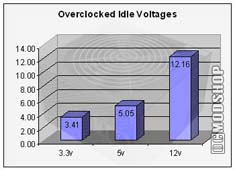
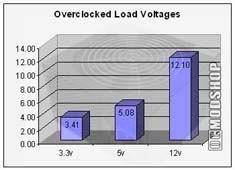
The computer was then overclocked from 2.25 GHz to 2.41GHz. When the system was rebooted there was no changed in the readings from the stock idle voltages to the overclocked idle voltages.
Prime95 was run once again to test the overclocked CPU at full load. Again, the values of the PSU did not change from the stock full load voltages.


