
Some gaming mice have powerful features but look like normal mild-mannered desktop mice, but not the SilverStone Raven. It has killer looks that scream for attention.
There are so many external features that it is hard to begin. The mouse has a total of ten buttons. You have your normal left click, right click and middle click that you expect to see on every mouse today. The thumb side of the mouse has three buttons: the normal Forward and Back thumb buttons in addition to a large profile-switching button on this huge-ass thumb scroll wheel (but more on that later).
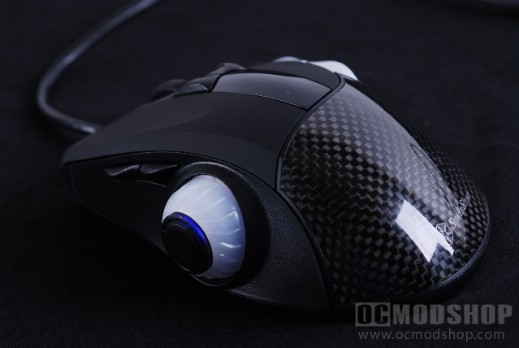
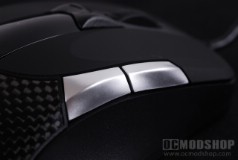
The center of the mouse features a rubberized notched scroll wheel. Below this are Left and Right scroll buttons (since the scroll wheel does not tilt). Below these buttons is an acrylic screen that protects a bright OLED display. On the right side of the mouse are two silver programmable buttons. The mouse cord is of adequate length, but does not have a meshed sleeve like other high-end gaming mouse come with.
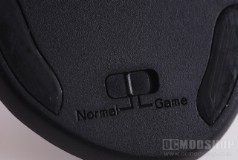
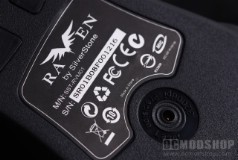
The only changable feature on the bottom of the mouse is a small switch that toggles between Normal and Game mode, which greatly affects how the mouse (and OLED) respond. The mouse also has several teflon sliders in additon to a sticker with the mosue information and Phillips twin-eye 3200dpi laser sensor.
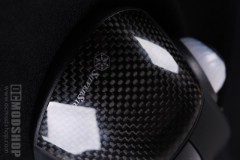
The one feature that stands out the most (other than the thumb wheel) is the woven carbon fiber back. Carbon fiber is used in many professional applications for its great weight to strength ratio and its acoustic properties (they even make violins and cellos out of the stuff). Carbon fiber is usually placed in a mold and solidified with resin to make the cloth hold its shape, and when dried is popped out. In this case, it looks like a piece of the cloth is just cut and stuck under an acrylic window. It looks nice, but serves absolutely no purpose whatsoever. Since your hand is touching acrylic rather than resin then the part of your hand that touches this mouse gets rather sweaty, which is a feature that many gamers try to avoid.

The big elephant in the room is the thumb scroll wheel and accompanying thumb button. In “normal” mode this scroll wheel uses the Flip3d feature of Windows Vista, which in many reviewer’s opinion is one of the most useless features of the OS. The thumb button changes the DPI in Normal mode, and changes profiles in Game mode. This button is just way too sensitive, and your thumb will most certainly click it accidentally. Changing your profile or DPI is not something that you switch frequently, so why make it so accessible that the user actually clicks it on accident?


