The side panel was easily removed to expose the inside of the case where there is plenty of room. With the side panel removed I removed the two thumbscrews holding the 3.5″ hard drive cage in place and easily pulled it out. The smaller 3.5″ bay is also removable after unscrewing two screws and pushing a button to release the cage. It would have been nice to have all screws be thumbscrews since this case does claim to be tool-less.


The top and other side of the case uses a single piece design which I personally dislike. The front bezel is held on by 6 screws, 5 of which are accessible by removing the side panel. There is however one screw that is covered by the upper 5.25″ bay which forced me to remove the top and other side panel. To remove this panel I needed to unscrew 7 screws all of which were not tool-less. With these screws removed the panel easily pulled off the case. With both panels and the bezel removed the same 80/92/120mm design is used for the intake fan. Rather than keeping the 120mm fan they provided in the front of the case I removed it for later watercooling use. The single panel which was removed to remove the bezel has a high quality paint job and is very reflective. SilverStone obviously took time to make sure their paint job was pristine for their customers.


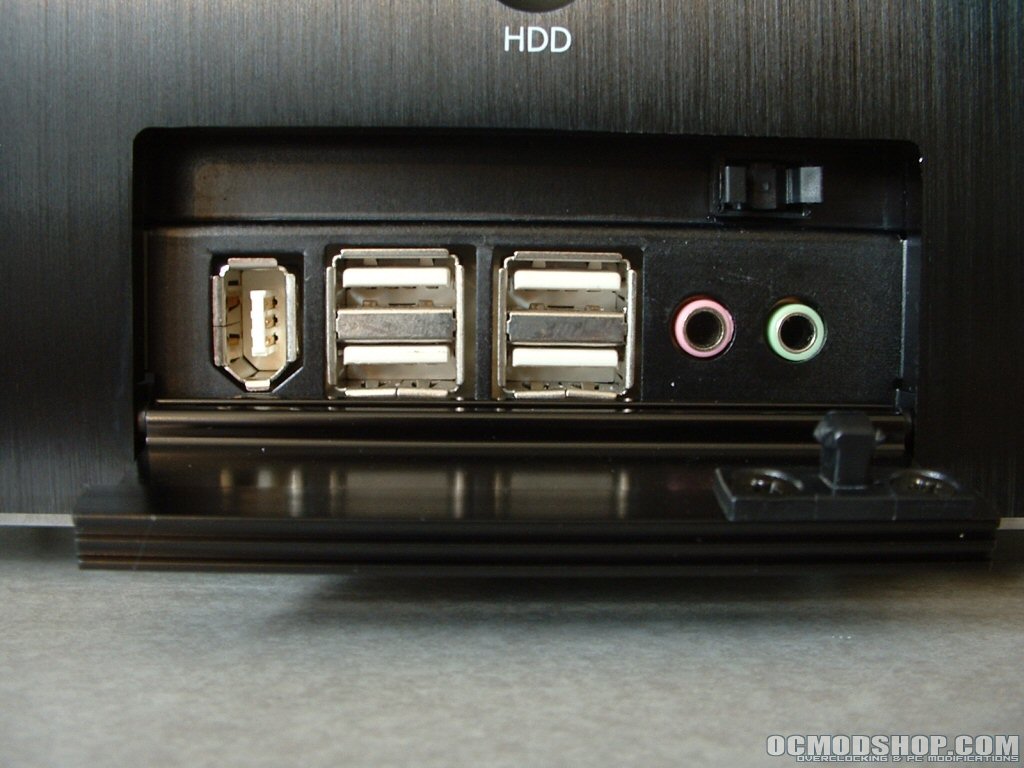
With the front I/O bay comes a lot of cables and jumpers to hook to your motherboard. Unfortunately like most with almost all cases the pins are broken up individually to be sure they will work with your motherboard. This means you will need your motherboard manual, patients, and nimble fingers. As seen in the previous set of pictures a SilverStone 120mm fan is provided for cooling. This fan would do nicely for a watercooling setup but I would suggest putting it on a rheostat to control the CFM and noise. Below are the specifications of the 120mm fan that were pulled from SilverStones website.
|
Model
|
Dimensions
|
RPM
|
CFM
|
Noise
|
|
R121225BL
|
120x25mm
|
2000
|
54.4
|
27dB
|


Installation of my system to this case was a fairly good experience. Everything went right into place and having the ability to remove the 3.5″ cages made drive installation simple. The only thing missing is a motherboard tray which would have made installation even easier. The tool-less design that the 5.25″ and 3.5″ cages use is easy to use and I would change a thing with them. Most of the edges within the case were pretty smooth but you will still want to be careful because they are sharp enough to cut you. With my system installed I closed up the case, connected everything, and booted it up.

Conclusion
Cases have come a long way since the days of the AT form factor and many advancements have been made. Ascetics are also play a large part in peoples decision on what case to buy. Though the way a case looks is obviously subjective there are certain designs and features that are typically looked for.
On the outside this case is a beauty with its high quality paint finish and brushed aluminum bezel. The front I/O connections and security offered by the side panel lock are also huge benefits. The quality of the outside continues to the internal design with its almost fully tool-less design.
Watercooling is also becoming more mainstream and available for the typical user. One of the biggest problems encountered with setting up a watercooled system is case space. With the two 120mm fans cutouts provided this case will work perfectly for just about any system.
I really do like this case a lot and though it lacks a motherboard tray and did not fully meet their tool-less claim, there is little to dislike about this case in the overall picture.
Taking everything into consideration minus the shipping damage this case deserves a 9/10 earning the OCmodshop Seal of Approval. I would like to thank SilverStone for making this review possible.
Pros

- High quality paint finish
- Brushed aluminum bezel
- Semi-toolless design
- Bright blue power and HDD LEDs
- Tool-less drive bays
- Thumbscrews used for side panel and HDD cage
- Front I/O panel
- 120mm intake and exhaust fan
- Side panel lockable for security
Cons
- Damage in two places
- No removable motherboard tray
- Bezel difficult to remove
- Not 100% tool-less