
I started messing around with computers right around the time that Windows 98 was making its debut. The most I could do back then was download and play around with this little digital sheep that would wander around your screen and occasionally fall off your icons if you pick him up and put him on there. I was absolute moronic at checking email. And most certainly there was no such thing as hot-swapping the PATA hard drive inside this monster of a case. But what I know now still doesn’t calm my fears when it comes to HDD hot-swapping.
Nothing gives me the jitters like the thought of unplugging a hard drive while my computer is still running. I did it once with a parallel ATA drive about eight years ago and ended up with a rather expensive paperweight holding down the receipts for my new hardware. Even with SATA being the standard and being totally hot-swappable, I still don’t like opening my case while it’s running.
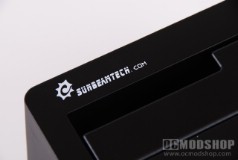
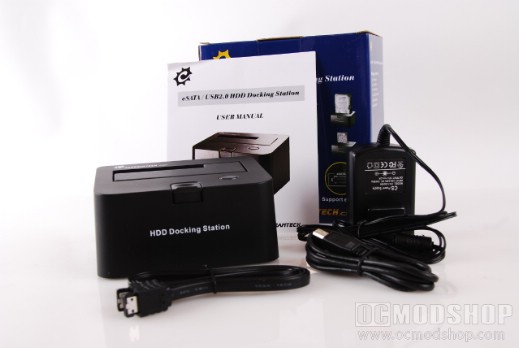
But the SunBeamTech HDD Dock does away with the fears of electrostatic discharge and a violent death by electrocution at the hands of your open PC case. It’s completely compatible with all 2.5” and 3.5” SATA drives, so you can inspect HDDs from your desktop and from your laptop without changing docks or taking apart enclosures and losing all those little screws. And the dock’s spring-loaded door even has a notched guide so you can easily slide your 2.5” SATA drive right down in there without having to try and line it all up by eye. Score.
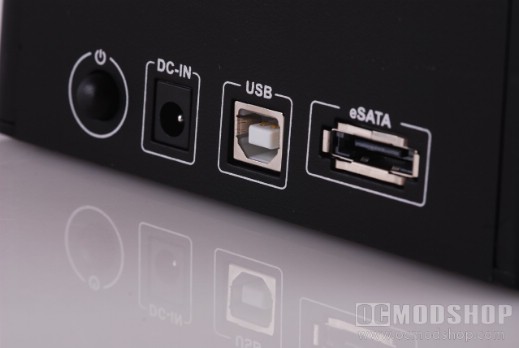
I’m going to test this thing with a 160GB Seagate Barracuda that I use for backing up my info. It’s a usual driver for me, so I know it’s a good drive. Here’s are the specs on my test machine:
- AMD Athlon 64 X2 3800+ Processor (latest AMD CPU prices)
- 2GB (2x1GB) of Samsung 800Mhz System Memory (latest memory prices)
- 160GB 7200.11 Seagate Barracuda SATA HDD (more Seagate hard drives)
- Windows Vista 32-Bit with SP1 (see the other versions)
I could include my designer Linda Lovelace case sticker in those specs, but what good would that do us? It’s pretty hot though. Let’s get our test on. Setup is extremely easy with this docking station, as all you have to do is plug in the power adapter, connect either the eSATA or USB cables to the dock and your PC, plug in a HDD, and power it on. It’s PnP, so there’s no driver installation. Windows does all the work of finding and installing for you.
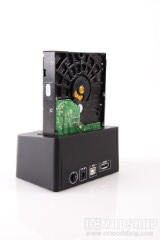
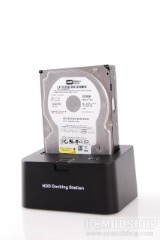
I started with the eSATA connection, and using SiISandra I am comparing it to four other drives on the market. These include the Western Digital 2500KS and Maxtor DiamondMax. The dock enabled a speed of nearly 46Mb/s. This speed was rated number three in the rating system based on Mb/s speeds. For the USB test, I am trading the Maxtor in for the Western Digital 2100JS. I like to keep things fresh.

3 comments
For SATA one-click hot-swapping, check out http://www.SafelyRemove.com. I have no affiliation with them.
SATA is itself hot-swappable, not just eSATA. Sounds like you got a deal for your particular dock. The extra USB ports would have been nice on this one.
Microdirect do the same but with 3x USB ports and a USB 'power only' port for about £18. I bought mine a few weeks ago, as a USB drive it's great, eSATA is fine too but not hot-swappable (could be my PC as it has the eSATA port is wired to one of the mobos SATA skts, so may not be eSATA.
still, well worth the price
Comments are closed.