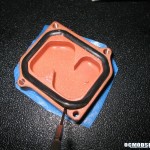
AMD cores are rather venerable, and a really heavy sink such as this requires preventative measures. Thermalright has included four cushioned pads to be placed on the corners of the processor, to prevent clipping a chip off the processor core. Installation of these pads are highly recommended even though this sink’s installation is the most protective of any other.
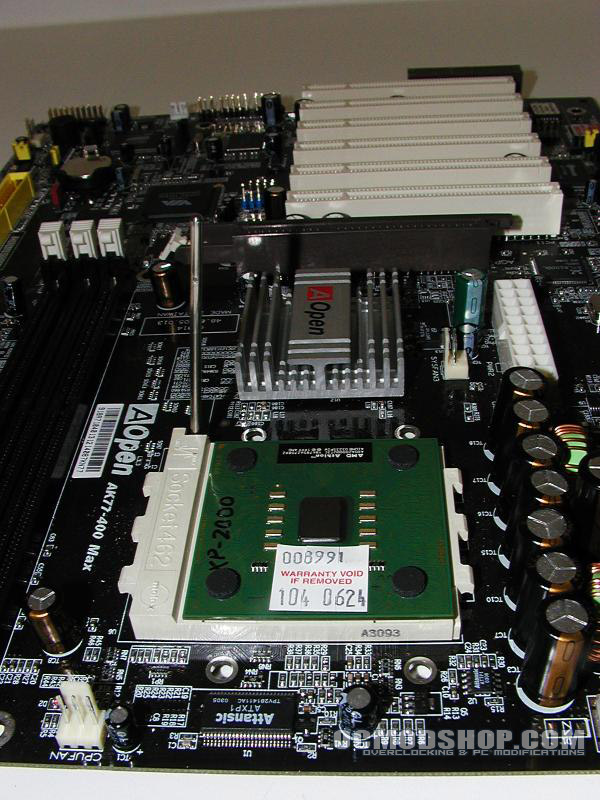
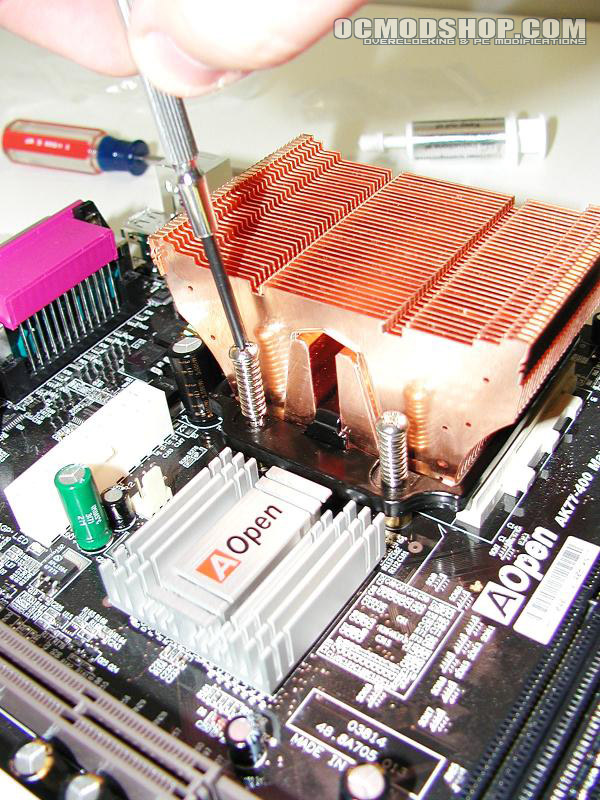
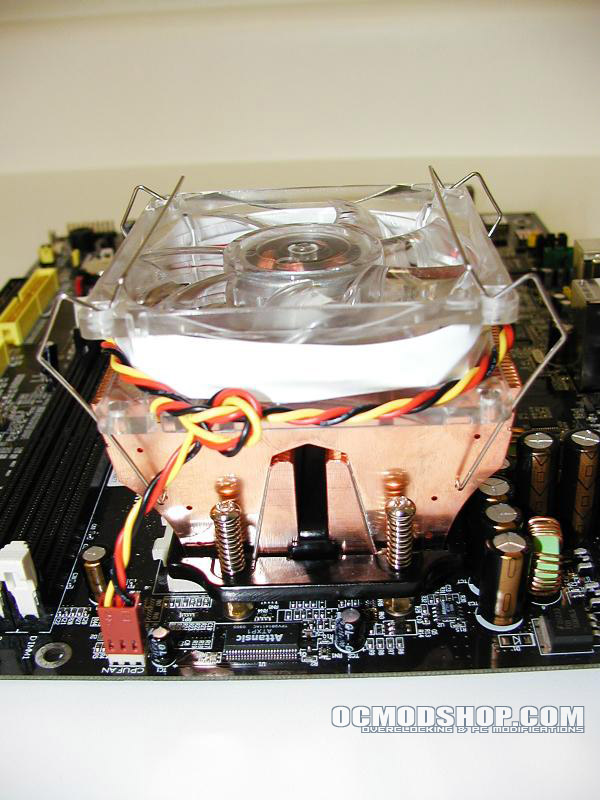
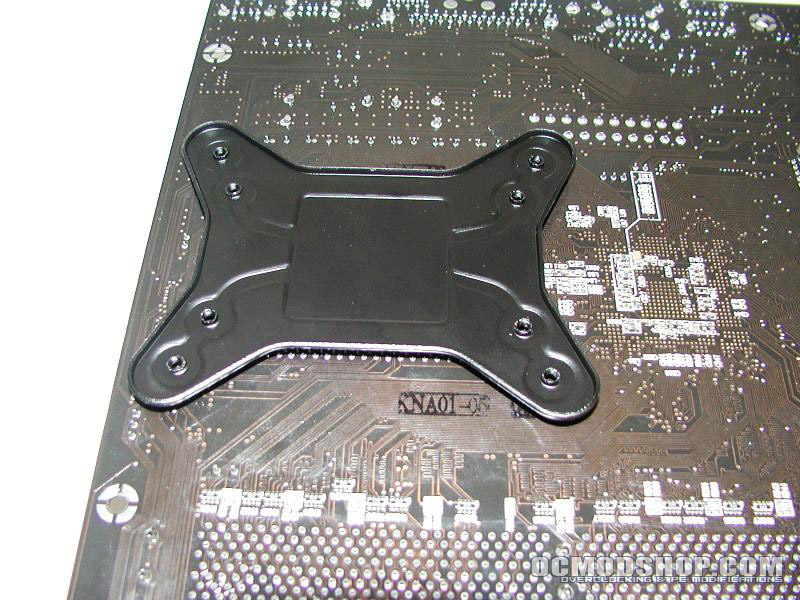
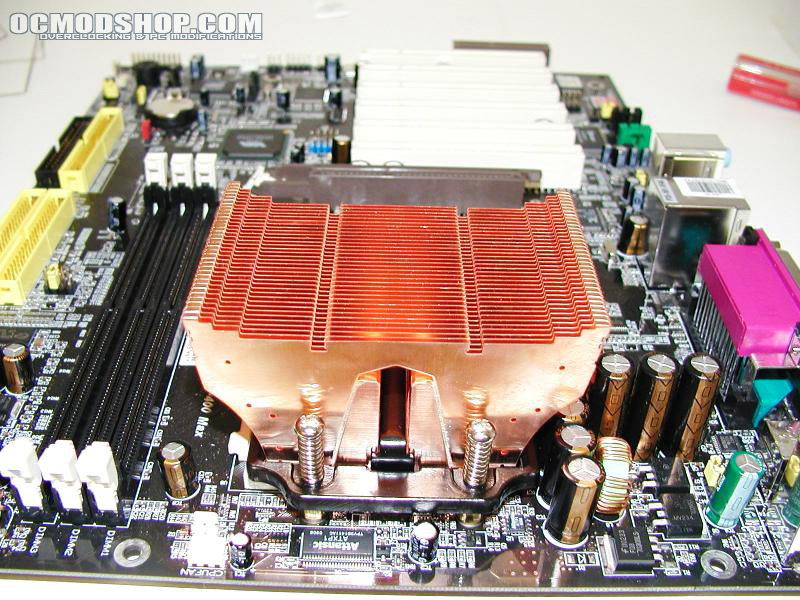
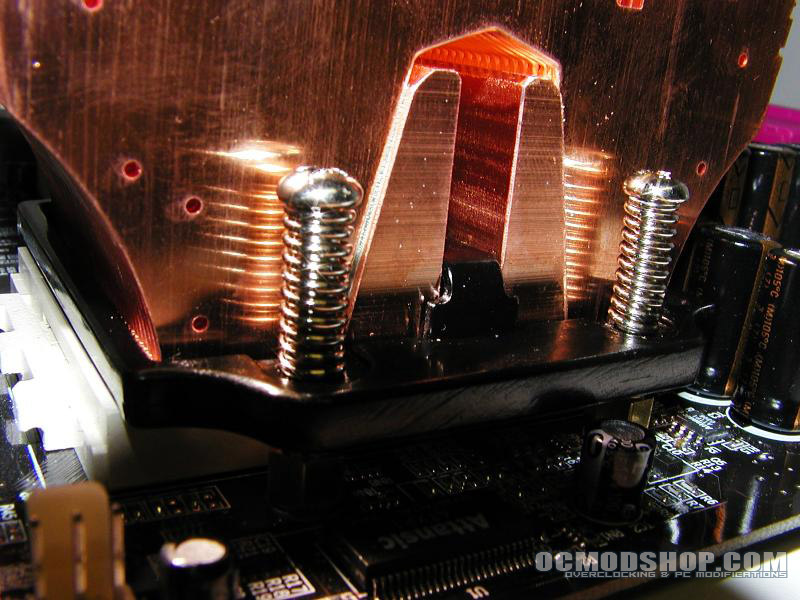
AMD installation requires an X-bracket on the underside of the motherboard. Two sets of four screws and a set of brass standoffs are then attached through holes to affix the sink to this bracket. The screws are spring-loaded and tighten the grip on the heatsink as they are secured to the underside backplate. This method offers more stability and virtually eliminates wobble, but also makes the installation semi-permanent. Upgrading to another heatsink will require removing the motherboard from the case to retrieve the bracket. Be wary of case size, as this may interfere with motherboard components or hit the side of your power supply.
Pentium 4 installation
The Intel installation is much simpler. You can use the AMD installation method on an Intel motherboard, but why go through all that trouble? The installation is almost the same as any other Pentium4 heatsink. Place the sink on the processor core, affix the included clips to the base, and then fasten the edges of the clips to the motherboard’s retention housing.
Testing
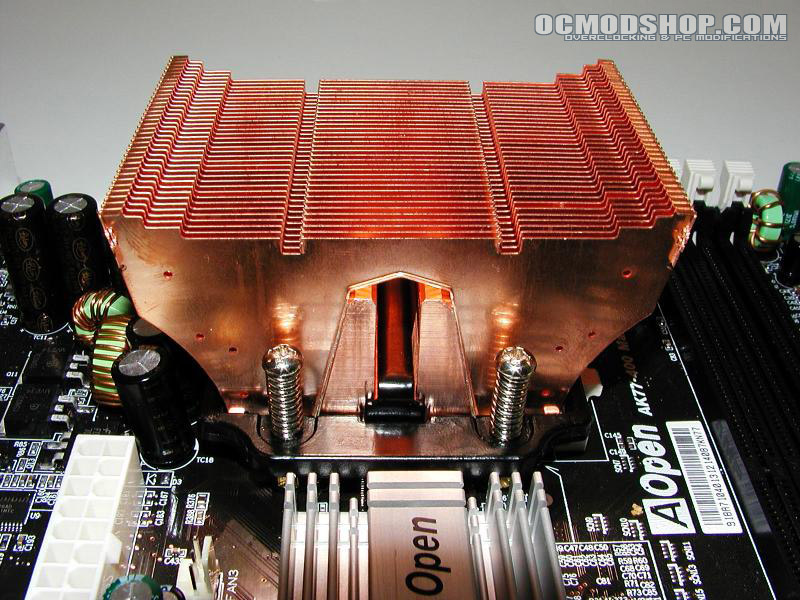
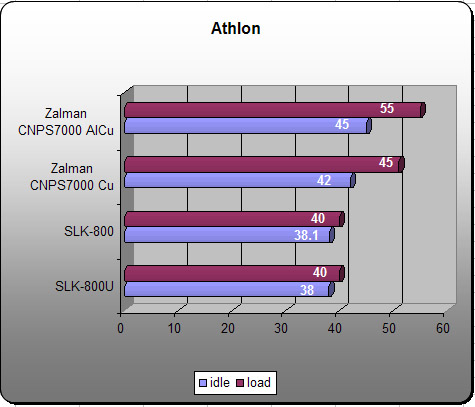
Now that the cooler is installed, we can finally see how it performs. Testing will be performed on both AMD and Intel machines, and will be compared with another popular copper sink, the Zalman CNPS7000. Temperatures are measured using thermal sensors on the motherboard at idle and full load. Load was synthesized under SiSoft Sandra’s Burn-in wizard for 20 minutes. The included generic thermal paste was used for testing, but you may achieve higher performance using higher quality silver compound.
| AMD | Intel |
|---|---|
| Aopen AK77-400 motherboard AMD Athlon XP 2000+ 1024 DDR PC3200 Western Digital 120GB HDD Liteon DVD rom Windows XP Pro |
Abit IC7-G Max motherboard Pentium 4 2.8Ghz HT 1024 PC3200 DDR Western Digital 120GB HDD Liteon DVD Rom Windows XP Pro |
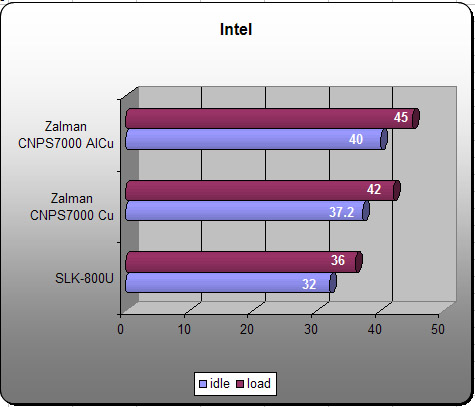
From the charts it can be seen that the SLK-800U performs better than other copper heatsinks. The SLK-800U performs similarly to its sister product, the SLK-800, which is an Athlon-only product. A standard 80mm LCD fan was used on the SLK-800U and produces very little noise. The extra weight of this heatsink apparently keeps the idle and load temps closer together than other lighter sinks. Most users will use a standard 80mm case fan and should have no problems.
Conclusion
Dual installation possibilities give this cooler a big advantage, as it will work with the most popular processors on the market. It performs really well no matter what your PC’s architecture, but one must be aware that the size of this heatsink may limit installation on some motherboards. You can check thermalright’s website to see a compatibility list.
No installation instructions are included, and installation is not very intuitive for AMD motherboards. It has the same thermal properties as other pure copper heatsinks, but its sheer weight allows it to edge ahead of lighter competition. The flexibility of using any fan further adds to its value, as you can make it as quiet as possible, or install a hurricane for enhanced performance. This is an excellent choice for aggressive CPU cooling and is a worthwhile purchase.
We crown this multi-purpose King of Copper with a hefty 9 out of 10 and award it the OCmodshop Seal of Approval.
Pros
- Works with both AMD and Pentium 4
- Can use any fan
- Pure copper for superior thermal dissipation
- Compatible with any fan
Cons
- No mounting instructions
- AMD installation semi-permanent