

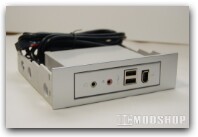
The case is huge, and has room for 5 5.25” drive bays, 2 3.5” bays, 5 slots for 3.5” hard disks, and 7 rear slots for AGP/PCI/PCI-E cards. The front bezel is very interesting in that not only can you close the front door giving your computer a seamless look, but the entire bezel also swings out if you unlock a hinge, giving you quick access for installing optical drives, etc. For those of you who would prefer to have access to your drives all the time, you can also remove the front door without damaging the case.
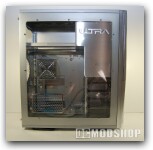
The side window is certainly striking. It is made from clear acrylic, and is really, really large! It also has two vents built-in: an adjustable one for providing outside air directly to the CPU, and another ostensibly for bringing cool air to the video card or other add-in cards. With the CPU vent, you can attach a fan to draw cool air into the case, but the VGA vent is simply a vent. Now on my other cases, my strategy for good airflow was to have specific intake and exhaust ports governed by fans, trying to limit any air leakage. Just having an empty hole down there seems that it could cause a loss of managed airflow…we’ll have to see. It would be nice if there were some filters on these air vents too.
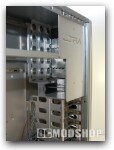
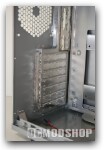
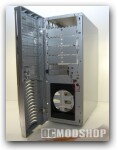
Internally, there is a lot of open space to work with, which is very nice. Since we are obviously not going with the Small Form Factor case today, big and roomy is good. The Hard disk drive bays are oriented perpendicularly to the case, allowing you to just slide a drive right in, making it unnecessary to take off both sides of the case. The tool-less design of the bays is not really completely tool-less, you still have to screw some rails onto your drives, but once that is done you don’t need to screw them into the case itself. There is a catch though – if you have a non-standard piece of hardware that you cannot attach the rails to, you are going to have trouble securing it, because there are no holes for screws anywhere on the drive bay frames. Also, the perpendicular nature of the hard disk bay means that while standard PATA/SATA/SCSI connections will fit just fine, and kind of bulky adapters such as ATA>USB or PATA>SATA adapters simply will not fit; they are too long.
There is also a motherboard tray, which turns out to be quite handy. Instead of manhandling your mobo into the case and putting your flexible wrists and opposable thumbs to their limit trying to screw everything in, you simply screw the board onto the try – while outside the case – and then effortlessly drop the tray into the case, and slide in into place. It is truly an ease.

