
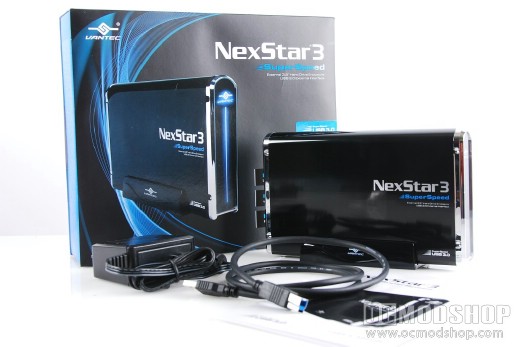
Once you open the box you are met with the drive enclosure itself. Underneath a layer of cardboard are the additional accessories: a shiny plastic vertical stand, black USB 3.0 cable, AC power adapter, a small bag of screws and a small manual. The exterior of the drive enclosure is made of aluminum, which has been painted black and given a shiny topcoat.. The trim of the unit is plastic, but has been given a faux chrome finish. The power adapter breaks off 5v and 12v leads at the plug, rather than using a simple 12v DC adapter.
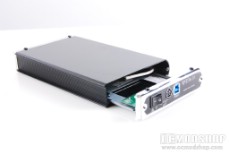
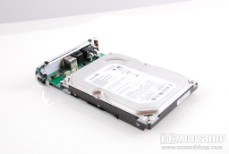
Pulling out the drive tray and fitting a hard drive
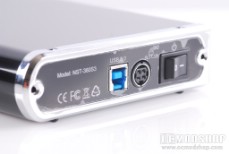
The front of the unit has a Ventec logo with a vertical line running down its length, which is actually transparent to allow the blue activity LED to shine though. The back of the unit has a power switch, blue USB 3.0 connector, custom power adapter (5V + 12V), a power switch, and screw holes to secure the assembly together.
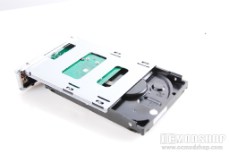
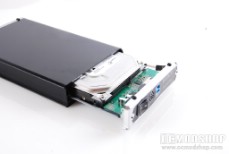

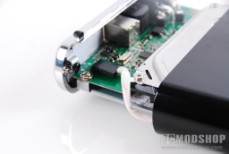
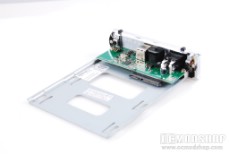
Installing a hard drive into the NexStar 3 SuperSpeed
The hard drive tray has been slid inside the enclosure, and slides out easily by pulling on the back of the unit. Tethered to the controller board is a small cable that attaches to the front LED. The controller board is screwed into a small steel drive tray. The hard drive is secured at the bottom using standard drive screws, and the tray is then inserted into slots on the inside of the main chassis. The front LED plug is reconnected and the assembly fits together. Two screws at the back secure the tray within the aluminum case.


2 comments
[…] Vantec NexStar 3 SuperSpeed 3.5″ SATA to USB 3.0 Hard Drive Enclosure @ Review The Tech. You can read OCModShop’s article on the same product right here. […]
When you states "all" hard drive, you mean IDE drives are included? Some reviewers are
not clear. They states sata-drives for this 3.0 usb super speed enclosure.
Comments are closed.