

Wait, did Duke Nukem even use the mouse for free-look? Who the Hell cares…. If for no other reason than the sweet $35.00 price tag and the DPI switch button I would find it hard not to want this mouse. But nicities do not necessarily negate necessity. If it does cool stuff, awesome. If it has multiple purposes that would impress MacGyver, much more better. So I’m going to focus on the functionality of the mouse with Photoshop and Left 4 Dead, rather than simply going for game and calling it a day.


Detailing a photo, like adding color to a picture of your great-great-grandparents, requires a certain finesse. Trying to get that kind of precise movement out of a mouse with a set high resolution DPI can be daunting, and a pain in the ass trying to lower the mouse’s speed in the Control Panel. While searching for a picture to play with, I turned on the mouse’s Rapid Fire button to 2. One click, and you can open folders. Pretty cool, but if you do actually use this for this purpose you are probably a pretty lazy person. God forbid your finger gets exercise. It’s a fun button, but not useful outside of a game.
What I do find useful in multiple ways is the 800DPI setting, which allowed more precise movement when adding a Fu Manchu to a picture of Alan. With the ability to switch the DPI in and out of the game, there’s no need to manually adjust the speed of the mouse. If you didn’t notice, I like stuff that has multiple uses. That’s why we keep El Pato around. Oh, snap. And now, I’m going L4D with this bitch.
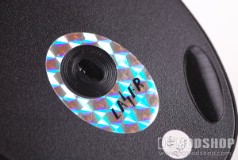

At the lowest DPI setting, gameplay is about the same as playing with a typical optical mouse. Laggy, imprecise, and annoying. Maybe the Duke Nukem name-drop isn’t so out of place anymore. But with the push of a button, things get quicker and much more precise. Think of that DPI button as a syringe filled with steroids. Start with weak, go to medium, and then to uber powerful doses. One click, and you go from Bill Gates to Barry Bonds. One more click, and you have the speed and power of a classic George Carlin one-liner. Very fast and in your face. I dare you to deny the convenience of this button.
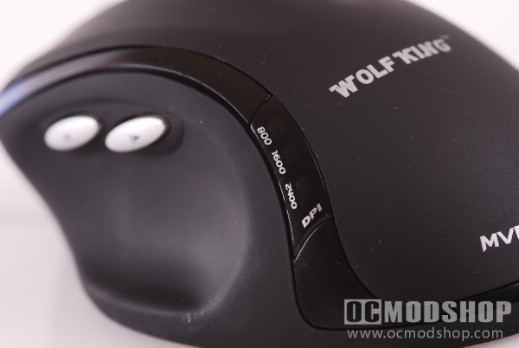
So while blowing away zombie hordes, I switched back and forth between DPI settings to check responsiveness. I found that at L4D’s default mouse sensitivity, the Medium 1600 DPI resolution gave me optimal performance. My aiming reflexes were complimented by exact targeting without overshooting the target and blowing Francis’ brains out. At the highest 2200 DPI setting the aiming was a little eratic and hard to control. Maybe it’s because I was hopped up on Mountain Dew, but it just seemed a little to hard to get a good aim at such a high setting. Playing the game in Extreme Mode, the game’s hardest setting, I found the rapid-fire button a lifesaver. During massive zombie attacks, I could take down half the horde with a few shotgun blasts. One click of the button, and I could blow them away with one left click.
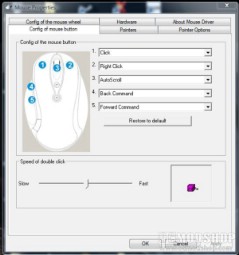

And if you don’t like the way things are set up by default, configuration is just as easy for you to optimize with the included software and drivers. In no time I had my mouse set up for some hardcore World of Warcraft time. So while this mouse is cheaper than others, and has many of the same conveniences of the higher-end mice, I see no reason not to own this one. Well, I guess those were two very good reasons right there. Now leave me alone… I have to frag some aliens with Duke.
 |
 |
 |
|||||||||||||||||||||||||||
|
|
|
|||||||||||||||||||||||||||
 |
|
 |
|||||||||||||||||||||||||||


2 comments
Not to impune your intelligence… but did you install the XP drivers on your desktop for this thing? Also, make sure you're not plugged into a hub but directly to the USB bus.
Hi: I bought an mvp gaming mouse several months ago and hooked it up to my desktop running xp pro and downloaded drivers and the mouse pointer stops and freezes as I'm moving it then stops all together! tried everything still does same thing. works on my laptop though running vista. can anybody help me
Comments are closed.