Since testing with a product like this is very subjective some of you might disagree with what I am saying. So just keep it in the back of your mind that some of what I am saying is just my personal preference.
Thunder8
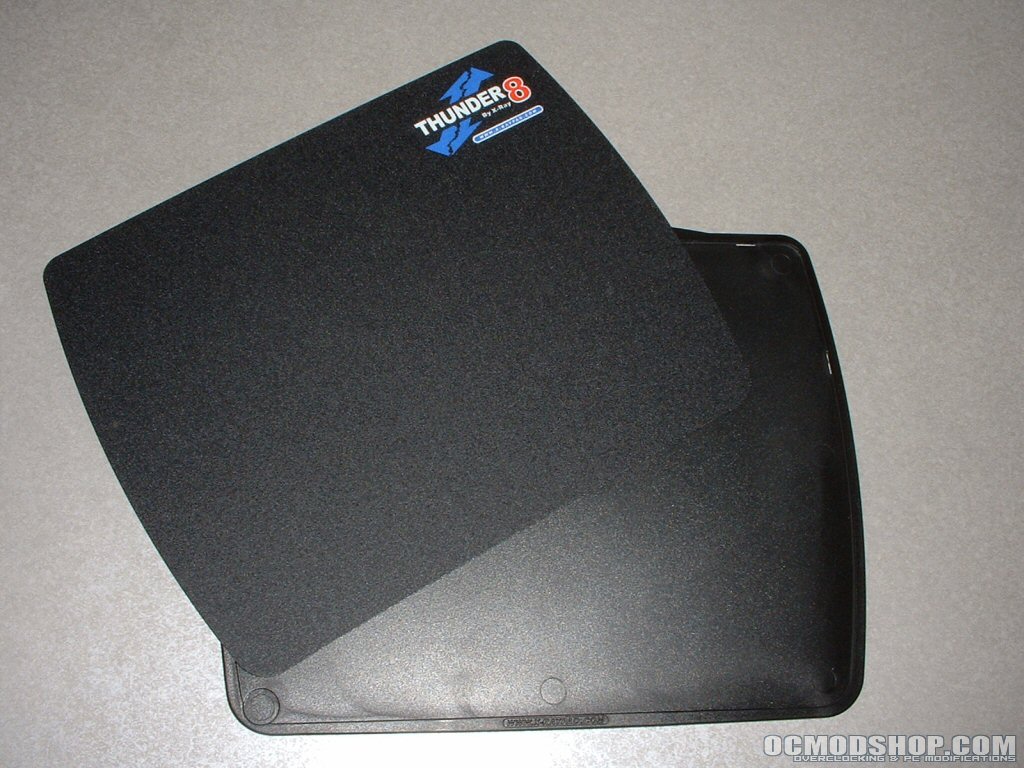
Since I am using an optical mouse I found the rough side of the Thunder8 to be too rough and switched it to the smooth side. The smooth side was much nicer and my mouse felt much better than it did on the rough side. Compared to a generic mousepad the difference was like night and day.
I installed the cord clip and put my mouse cord in it and used it for a while but after a few minutes I got annoyed with it. When I would move my mouse close to the clip and took my hand off it the resistance from the cord being bent would move my mouse. I also noticed resistance while using the mouse if I would move it too close to the clip.
I decided to remove the clip and not to use it. You may have different feelings about the clip but I did not like using it. The one thing I do dislike about the Thunder8 is the fact that the piece in the middle that can be switched did not stay fully in place.
Near the easy lift corner the plastic would start to pull away from the base leaving an edge which I found a little irritating. This kept happening even after being sure to press hard around the entire perimeter of the mousepad. The Thunder8 stayed in place very well and did not slide around during gaming. Other than the middle piece moving a little there is really nothing to dislike about this mousepad.
Thunder9
Initially I felt that the Thunder9 was a little big for me even with a large desk. Since I use high sensitivity with my mouse I don’t have to move it very far to get all the way across my screen. Because of this only a small amount of the actual space that the Thunder9 provides was used.
I got a smooth version of this mousepad but it felt a little rougher than the thunder8’s smooth side. The difference is almost unnoticeable and is completely subjective. The Thunder9 is also slightly thinner and much lighter than the Thunder8. The edges of this mousepad are curved more than the Thunder8 which make it more comfortable to use.
The cord clip has also been removed from this version which is a good thing in my opinion since I found it to be more of a hindrance with the Thunder8. The feet on this mousepad kept the Thunder9 in place during gaming and normal usage even during those exciting moments when gaming.
Aqua3
When I first looked at the Aqua3 I thought it looked more like a placemat than a mousepad. This is the biggest mousepad that I have ever seen and would not fit on my desk the way I have it setup.
I was able to fit it onto another desk that had more room but even then it was pretty intrusive. The surface is indeed much smoother than that of your run of the mill cheap mousepad and is thin which makes it very comfortable to use. Since this mousepad was so big and way too much space than I needed I tested it with a generic optical mouse with a lower sensitivity setting.
After using the mousepad for a while I do think that is a good product for someone who needs a large area due to low sensitivity or just moving the mouse long distances for whatever reason. I would not suggest this mousepad to everyone but I think there are users out there who would appreciate the large size, the fact that it is thin, and the smooth surface.
Zero Friction mouseskates
I tested all three mousepads without the mouseskates at first to get a good baseline. After adequately testing the mousepads I installed the mouseskates on my Logitech MX510. I didn’t think there was going to be much of a difference since the MX510 is the best mouse on the market in my opinion and mine is only a few month old.
After getting the five skates installed on the bottom of my mouse movement was even smoother and I experienced less friction. I also installed four of the circular mouseskates onto a generic optical mouse which is now using the Aqua3. The difference with and without the mouseskates is tremendous and is much more noticeable than with the Logitech MX510. On all of the mousepads the movement felt much smoother and would be worth while investment for an avid gamer or someone who’s mice feet are worn.
Size comparison
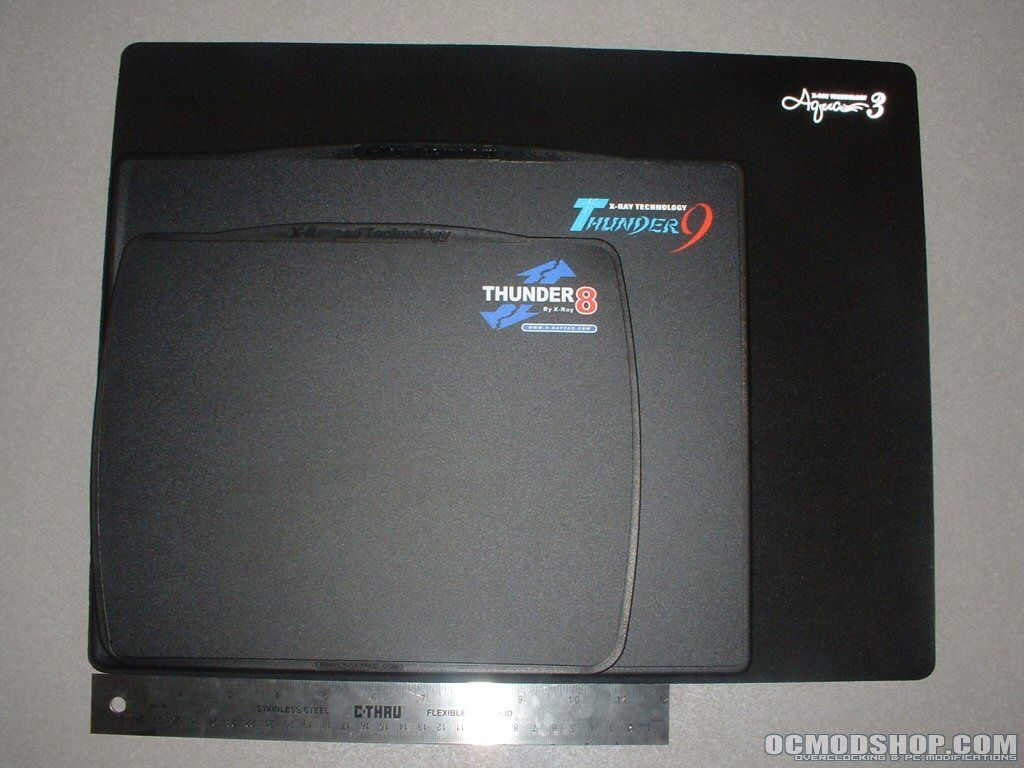
Since its a little hard to tell how big these mousepads really are individually in pictures I put them on top of each other to give you an idea. I also put a ruler at the bottom so you could see how big they really are. The comparison is setup in the following order from bottom to top: Aqua3, Thunder9, Thunder8.
Conclusion
I have always just used generic mousepads that have come my way since I didn’t think that gaming mousepads would really do much. Well I couldn’t have been more wrong about that, I don’t think that I will ever use a regular mousepad again if I can help it.
All of these mousepads were really smooth and were much better than any generic mousepad I have ever used. Combined with a superior mouse like the Logitech MX510 or similar mouse your gaming should improve. The mouseskates also did a good job reducing friction and helped my mouse slide noticeably better.
I liked all of these mousepads but I found the Thunder8 to be the best.
The Thunder8 gets a 9.5/10, the Thunder9 gets a 9/10,
the Aqua3 gets a 9/10, and
the Zero Friction mouseskates get a 9/10.
Since everything got a 9 or higher I am also awarding everything with the OCmodshop Seal of Approval. I would like to thank X-Ray Technology for sending over everything for review, head on over and pick a mousepad up.
Pros

- All of the mousepads are very smooth
- All mousepads do not move much during use
- All mousepads are large
- Thunder8/9 can be cleaned with alcohol
- Thunder8 has a rough and smooth surface
- Thunder8 comes in a very nice tin case
- Thunder9 does is thinner than 8
- Thunder9 edges are rounded
- Aqua3 surface very smooth
- Aqua3 is very thin
Cons
- Thunder8 middle piece did not stay firmly in place
- Thunder9 maybe a little expensive
- Aqua3 may be a little too big