
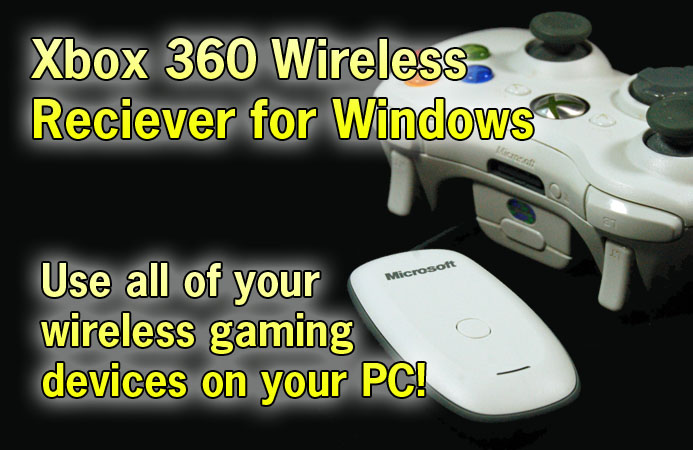
The package comes with the wireless receiver, which is permanently attached to an 8 foot USB cable, a quick-start guide, a small manual, and the driver CD. There is a paper label stapled on the USB connector reminding you to install the software CD before plugging the unit in.


This message is repeated on the quick-start instruction guide. When I put the CD into the drive and ran Setup, I was greeted with a message that this software “does not work on your version of Windows”. I am running Microsoft’s latest and greatest (Windows Vista Ultimate), so I was surprised at this message. The dialog box does redirect you to a download page with the drivers for the Vista versions (both 32-bit and 64-bit) of the software.


I figured that since Vista was brand new, that it probably had native support for Xbox 360 peripherals, including this Wireless Receiver. I plugged it in, and Vista immediately recognized the Receiver. Now devices must be “paired” with the Wireless Receiver by pressing the single button on the Receiver, then pressing the sync button on the controller. The Controller’s “ring of light” flickered and after a few seconds displayed a solid light on the “player 1” position, meaning the pairing procedure was successful.
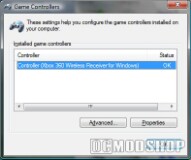
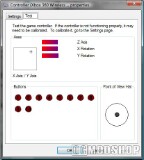
I checked the Control Panel’s Gaming Controllers, and indeed the controller was there. After running a quick test, it appears that the controller was working fine. The only thing that didn’t work was the Guide button on the controller (the big X button in the middle). After downloading and installing the latest drivers for the Wireless Receiver, the Guide button now works, displaying the controller’s player position, battery life, and an option to minimize or get more detailed information. This information isn’t shown while playing a game in full-screen mode, however.
I have had good experience with the wired Xbox 360 Controller for Windows, and use it for voice chat all the time, because it requires no configuration and just works. I plugged in the headset to the Wireless Controller, and all of my chat programs saw the new device. I was able to chat flawlessly, the only problem is that the wireless controller shuts itself off after 10 minutes, which totally crashed Skype, and required running Skype again, and configuring the audio devices again. The Xbox 360 wireless headset would probably do better for audio chat purposes.
Pairing a wireless gaming peripheral to the Wireless Receiver “marries” the device to the receiver, and un-pairs it with any previous host. This assures that you have have a room FULL of working Xbox 360s and PCs with Wiress Receivers, and they won’t conflict with each other. I was afraid that turning on my Wireless Controller (which was already paired with my Xbox 360) would turn on the console, but this did not happen. The side affect of this is that you must re-pair any device with your Xbox 360 after using it with the Wireless Receiver. The whole point of this receiver is so that share your controllers between your PC and your console, but pairing them every time you want to switch is a pain, even though the pairing process takes less than 10 seconds).


My Xbox 360 and my PC are on two different floors, probably about 100 feet apart (as the signal flies). I brought the Wireless Contoller down the the living room to see if the controller work conflict with the Xbox 360. There were no lights on the Xbox 360, and turning the controller off and on would not connect to the Xbox 360. It was married to my PC, and when the controller went out of signal range, the “ring of light” would flicker, and then go out. Once it was back in range, the “player 1” LED came back on. There is no chance of “floating” between hosts… once you connect it to a particular host, it will only work with that host until you pair it with something else.

2 comments
Make sure you are buying the right one and not some third party brand. The Real ones will say Microsoft on the front where third party will say Xbox 360
In 1 year i have gone through 4 controllers and 3 receivers. I recommend not getting one of these. The people I play with online are reporting the same with their receivers and xbox360s. If you do purchase the device expect to have to replace it atleast once within the first year, I don't know anyone who hasn't had to return theirs.
Comments are closed.