Now for the time we’ve all been waiting for: how well does this baby overclock, and how does it improve performance. The default core/memory speeds for this card are 240/500, the 500 giving it the name Ti500 (as a side note, the Ti200 is named after its core clock speed of 200 MHz, not the memory speed.) Well, I fired up coolbits and did a lot of stress testing, and the highest stable overclock I could get was 260/560, which isn’t bad at all considering that this card already stresses the boundaries of the GeForce3 core. It was also only using the default cooling, so it you throw on a Crystal Orb and some ramsinks you might be able to get it even higher, although the GeForce3 Ti500s aren’t really known to be great overclockers due to their already high speeds. To test the overclocked speed, I ran all the same tests as before, so you can compare the different scores. Here are the results:
Again, we’re starting off with Quake 3 Arena. I’ve noticed Quake 3 to be pretty good in telling how much of a performance boost you can expect from an overclocked card:
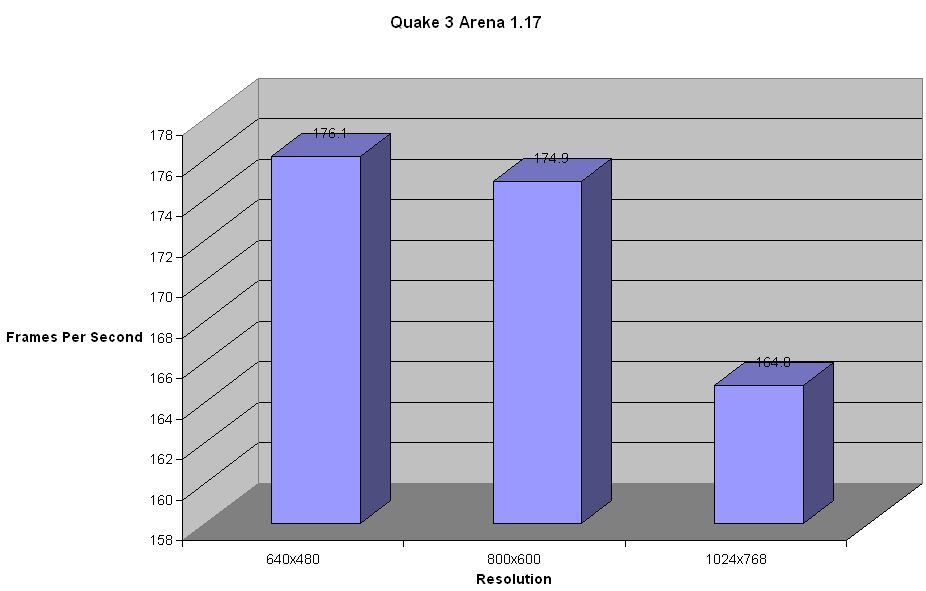
Hmmm, only 176 FPS at 640×480? I honestly have no idea why it went lower after overclocking. It might be a driver issue. I tried to keep all system variables the same for all tests, but I may have messed with something that affected the score. Let’s see how the other tests go. Anyways, we can see at the highest resolution that the score is a little bit higher than the default speed, readying us for the other tests.
Next up is Serious Sam. Let’s see how the card handles the high quality graphics of this game while being overclocked:
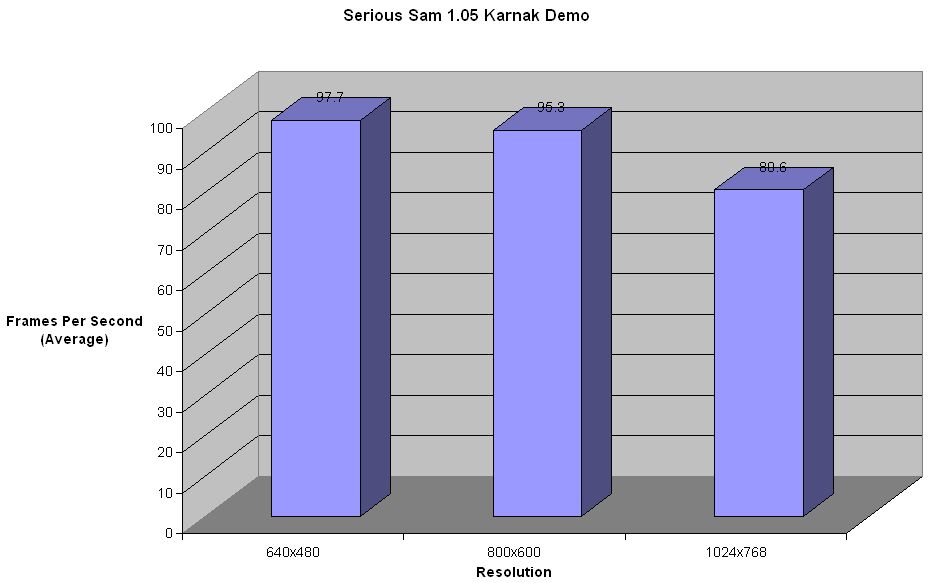
We see that at lower resolutions the overclocking really doesn’t help, because it is more CPU limited at those resolutions, but when we get into 1024×768, we can see a considerable difference.
Next on our list of fine software we have 3DMark2001SE:
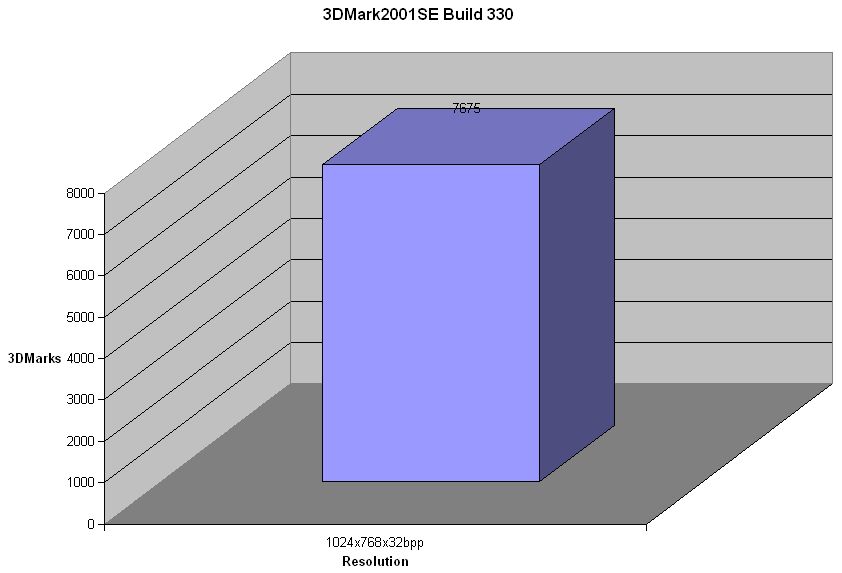
We see a small increase in the 3DMark score, about 200 points, not much but decent.
Here we have 3DMark2000, a very good indicator of 3D processing power for today’s games:
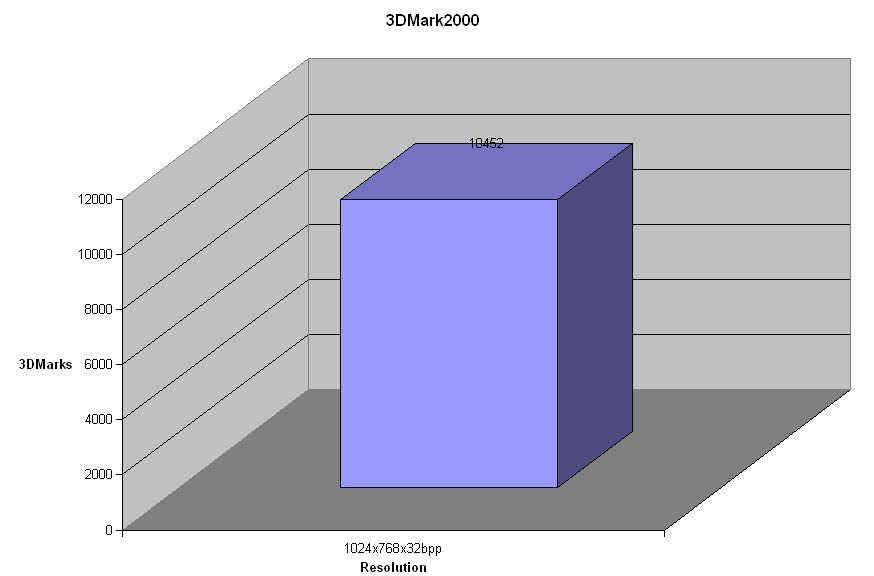
Here we see an increase in score of about 400 points which isn’t too shabby, although not really worth the extra effort it takes to overclock the card.
Last up we have, again, Vulpine GLMark. This benchmark is really pretty CPU limited, although it can be helpful in determining whether or not the extra risk and work of overclocking are really worth it:
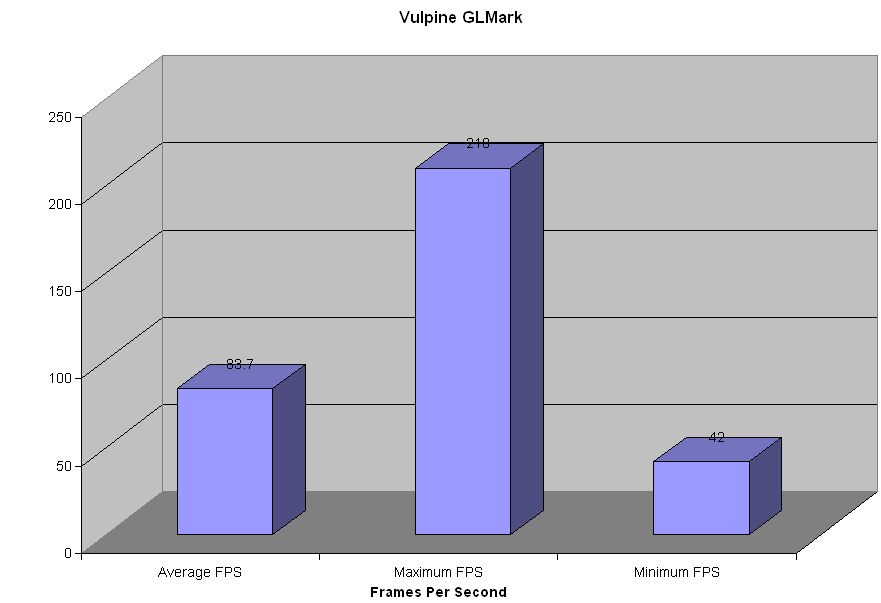
Here we see the average frame rate go up, which is really what matters most, but we see the max and minimum frame rates decrease, although not by much.
Well, now that we have all the facts, let draw some conclusions!