I think with any new interface device there is always an adjustment period. When I switched to trackballs from mice years ago it took about 2 weeks to forget I was using a new device. I have been using this board for 3 days now and that’s about the time you will notice things you don’t like or need more time to become accustomed too.
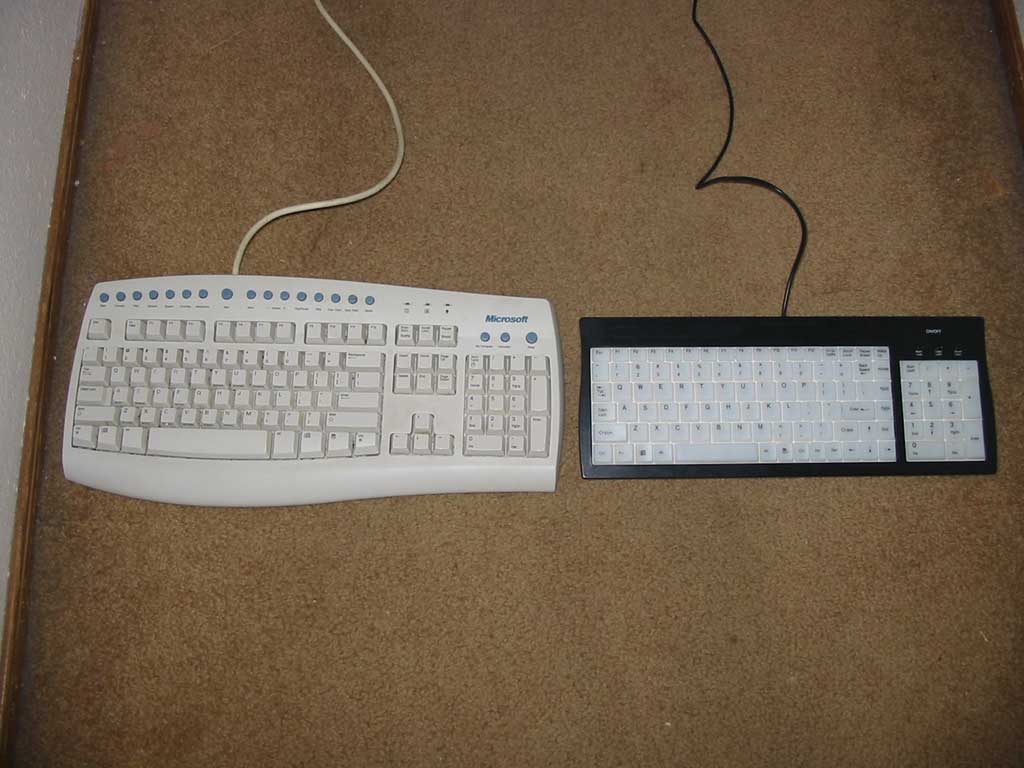
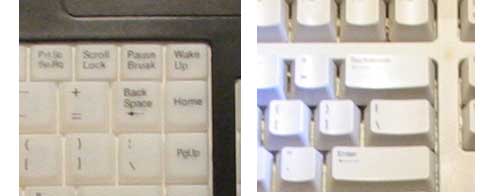
First off, the backspace key, It is a normal sized key on this board. I am used to an oversized backspace key. Being a horrible speller I depend on this key quite a bit and find myself accidentally missing it. This is not really the keyboard’s fault, just my habits.
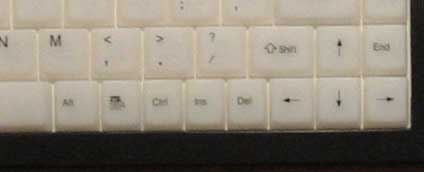
The Control, Alt and space bar keys are also a bit small for my habits, again something that requires more use on my part. The movement of the keys is firm enough to feel good when typing and the sharply defined edges of each key kept my fingers on track across the letters.
For gamers, the positioning of the control and alt keys relative to the arrow keys on the right side may not be easy to overcome. The alt key is especially far away and there is an Insert and delete key between the arrows and control key.
This may not be as big a problem as it sounds however, a simple reassignment of those keys in your game to the del and insert keys puts them right in the same spot traditionally held by control and alt. For the LAN party this board’s low profile and medium weight make it easy to pack and carry and of course the light allows you to see in a dimly lit LAN party.
The El lighting is a nice soft glow, bright enough to see very well but also easy on the eyes. Even with the El lighting off at night, the bright translucent keys are much easier to see than my old MS keyboard.
For those of you who may have difficulty adjusting to the layout I would recommend an app that allows you to disable certain keys like caps lock so you don’t accidentally hit them all the time. This is a good idea on most any keyboard.
As an avid gamer, I have used this keyboard with a few different types of games just to see if anything annoyed me. After playing Command & Conquer Generals, Unreal Tournament 2k3 and No One Lives Forever 2 I must say I forgot I was even using a new board at all. Nothing jumped out as being unusual or lacking in the experience.
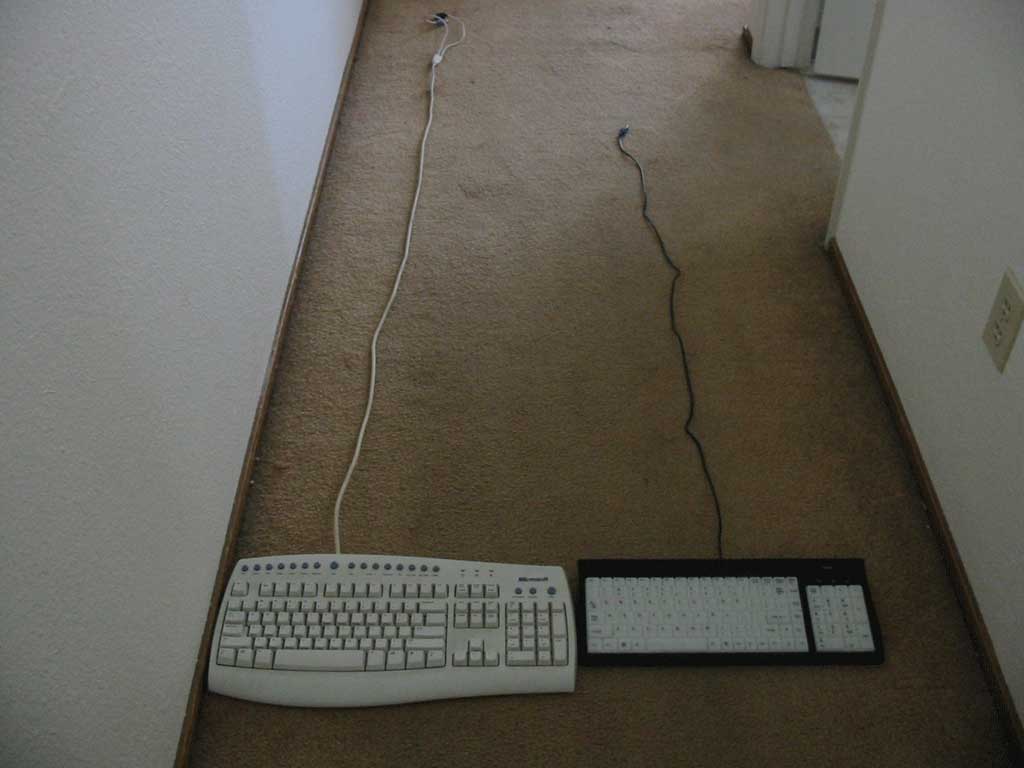
My computer is a good distance away from my chair and the cord of the keyboard is about a foot too short to reach. A nice 6 foot cord would be a great addition for those of us with large desk layouts.
Conclusion
At the end of my testing period, it has now been 2 weeks since I begn using this board. I must say I am completely at home with it now. The small backspace and space bar keys are no longer a bother as I have become used to thier size and placement.
When considering one of the many lighted keyboards available today, I think you will be very happy with this model. If for no other reason the price is just so much lower than all the others and differs little from them in features and quality of materials.
The only real shortcoming I can find is the length of the cord. A 6 foot cord is a must, and I would gladly pay an extra $5 on the price for that length. Over all a simple, easy to use design that offers fantastic features for a very low price.
I am going to give this keyboard a 9/10 and award it the OCmodshop Seal of Approval, head over to Xoxide and pick one up for yourself.
Pros

- Huge “wow” factor
- The best price in town for a lighted keyboard period
- Nice weight, the unit feels soild and has quality materials through out
- On/Off switch for the El Lighting
- Small, streamlined and low profile to fit in tight desk space
- El lighting is perfectly even across the whole surface and is easy on the eyes
- No useless internet keys
Cons
- The small size of some keys will take some getting used to
- The cord should be 6 feet long