

Although the mounting hardware is similar to that of the 9700 and 9500 line, installation is a little different. If you already have another Zalman heatsink installed, you probably won’t be able to use the existing mounting brackets, as I discovered. Our test system already had a 9700NT installed, and we figured we ould use the existing plastic mounting bracket (so we didn’t have to unmount the motherboard to install a new heatsink). Unfortunately the plastic mounting bracket is different enough that you must use the one included within the 8700’s packaging. We would have preferred to use the aluminum bracket of the Zalman ZM-CS1.
Installation on a socket 775 motherboard isn’t as straightforward as previous heatsinks, but is direct enough. You begin by securing the included plastic mounting bracket to your motherboard (the bracket should be positioned to accomodate the CPU’s tension lever). You must attach a backplate to the underside of the motherboard, and then attach the top bracket to this mount by threading the included screws through the motherboard’s mounting holes.
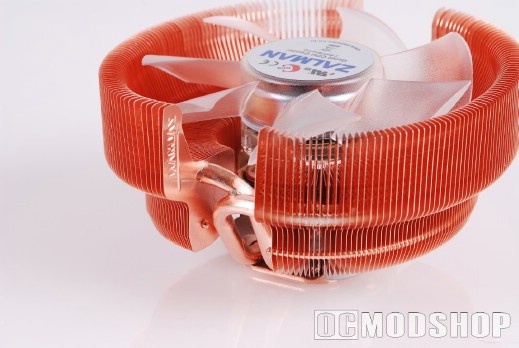
The retention bracket has two screw holes that can accomodate other Zalman heatsinks, but the 8700 must be mounted with a metal clip. A special retention clip must be used to snake around the heatpipes near the base. The clip must be turned 90 degrees before it can be slipped between the heatpipes, then can be flipped to the orientation that will secure the cooler to the mounting bracket.
The obvious “clip” end of the bracket is slipped over one notch in the retention bracket, but there is no clip on the other end. You must slip a special “key-clip” thingy over the narrow end of the clip, and then push down with your thumb. Pushing down will catch the clip-key onto the other notch, securing the heatsink to the retention bracket. This mounting method wasn’t obvious at first, but is actually much easier to install once you know the trick of it.
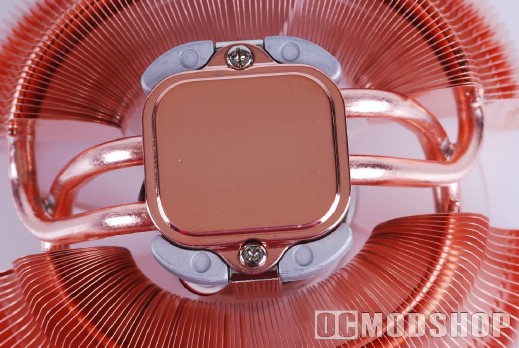
Installation on an AMD motherboard is alot easier, as no mounting frame is needed. The standard metal clip is the native clip usable on AMD motherboards, so installation is alot more straightforward. Just position the 8700 LED heatsink, thread the clip through the heatpipes, and then hook the clips onto the motherboard’s retention bracket.


1 comment
On my Gigabyte GA-EG31M-S2 (rev1.0) board, there was a problem with clearance, however there was just enough space on the NB heat-sink side, enough to work it into place…
My case has a max of 78mm of height clearance, this one with 66mm is just right, and it outperforms the Scythe Shuriken in most reviews.. which was my second choice
Excellent cooling for the size!
Comments are closed.