
The tablet sits quite nice on my desk, and is about the side of a modest mousepad. The four rubber grips on the bottom keep it in place rather well. The pad is very responsive to the pen and works just like a Wacom tablet… basically you hover your mouse over the drawing area to move the mouse, and press down to start drawing.
The pressure sensitivity didn’t register in Photoshop CS4 at first, but that was a fault with Photoshop (I had to reset my preferences by holding down Ctrl + Alt + Shift while starting Photoshop). Once my preferences were reset then I could assign various Brush properties to the tablet. The tablet supports 512 levels of pressure and does not support pen tilt, which is only introduced at Pro-level tablets.
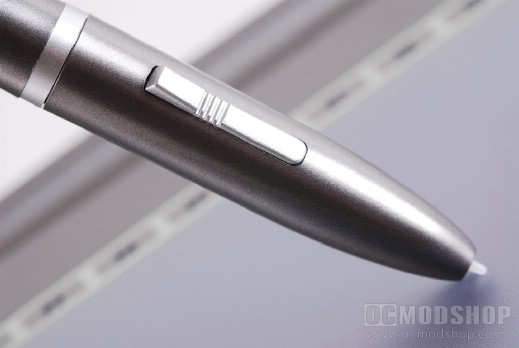
All tablets can work in two modes: absolute and relative mode. Absolute mode means that the place you put your pen is the same spot on the screen. Lift your pen and place it in another corner and your cursor immediately jumps to that location. Relative mode works like a mouse…. lift your pen and the cursor stays in place and only moves when it senses movement. Wacom tablets automatically sense when a mouse and pen is used and automatically switch between relative and absolute mode, but the Adesso model did not. You have to go into the tablet’s control panel applet to change its behavior. It really doesn’t matter much as I doubt anyone will use the included mouse.
The tablet performed just as well as the much more expensive Wacom tablet in just about every application I tested it in, from Adobe CS4 to Microsoft Office, Tablet PC handwriting tools, and even web browsers. There was absolutely no skipping or stuttering and was very fluid and smooth. The tablet kept up with very quick circular motions very fluidly (quick motions in a crappy tablet translates into a bunch of straight lines).
The tablet comes with some free software, but I would imaging anyone that needs a digital tablet already has Photoshop. All of the software comes on one CD and are listed as follows:
- PhotoImpact 12 SE
Unleash a powerful set of creative tools including hundreds of effects and tools for montages, creative design, Web graphics and more.
Take your skills to the next level with this advanced photography tools. - Free Notes
Show off your real handwriting and drawing skills in your e-mails.
This program allows you to create reminder notes for display on your desktop. You can customize and personalize the size and colors of notes. - Power Presenter RE II
Turn your screen into a Whiteboard/Blackboard with Microsoft PowerPoint. Its just like working with a natural pen on paper.
Save all handwriting, annotation and notes whenever necessary within a presentation. The Power Presenter Kit provides the best functionality to record your notes and replay your presentation. - Pen Soft Pro
Write a letter or take a note. It converts your handwriting into text. Any handwriting is recognized accurately. Write in cursive or print, or a combination of the two.
Supports English, Chinese & Japanese Handwriting recognition - Office Ink
This is special software that creates digital signatures in almost any software application. Allowing you to secure documents faster in the digital age simply by signing your name with this special Office Ink software.
