
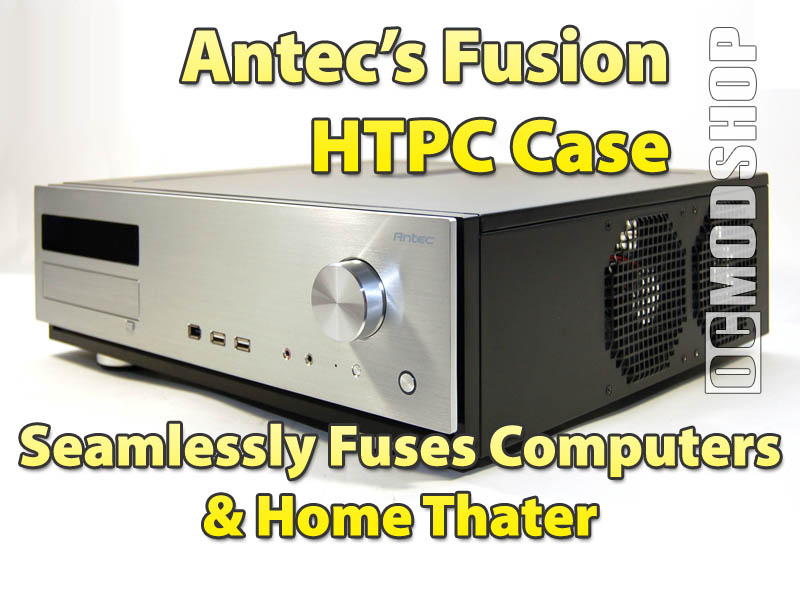
The first thing you’ll notice about this case is the front panel and huge volume knob. A vacuum-fluorescent display site above the stealthed DVD drive cover, shifted to the left of the case. In the middle of the case are two USB ports, a firewire port, and two standards 1/8th inch audio ports. These obvious computer components are real eyesores compared to the rest of the case, making it plainly obvious that this is a PC. Other home theater appliances do have USB and firewire ports, but the wimpy-looking pastel-colored AC97 audio jacks are completely out of place.
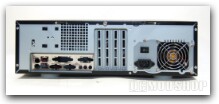
Triple chamber
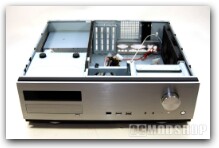
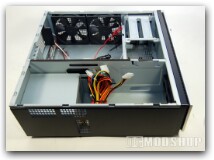
Sliding back the top cover we see how Antec has designed this case. The hard drive area, mainboard area, and Power supply area have been physically segmented into three separate chambers (the DVD drive rests in the PSU area). Cables can be routed from one chamber to another through small ports, which have rounded edges to prevent cable fraying. Each chamber has two open holes to each chamber, so you can route cables the way you see fit. The holes are oblong, and barely accommodate a flat ribbon cable, so it is best to use SATA drives, or at least rounded ATA cables. You can also use the chamber walls to tie down the cables you route.
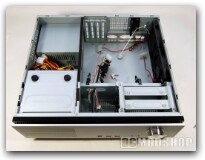
Hard drive area
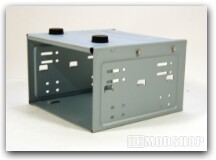
The hard drive area will accommodate two standard 3.5” hard drives, and are suspended in a cage and must be affixed using special long screws. One side of the hard drive is secured to the case’s underside, and the other side from a removable lid. Silicone grommets are used between the hard drive and chasis, so vibration is reduced as much as possible. It would have been nice if the hard drives were mounted in a cage, as any hard drive maintenance requires you to unscrew the drives from the case’s underside.
Rubber feet
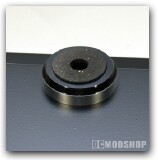
Antec tries to match this case with home theater equipment by using theater-equipment-style metal feet. Only the front feet are made to match, and use rubber on the bottom to prevent slippage. The back feet are made of plain, white silicon, and look very ugly in comparison. Sure, you’re not intended to see it, but quality gear should be consistent.
Power supply/DVD drive area
The power supply area also houses the DVD drive and VFD. There is unutilized space above the power supply. If the power supply were lifted up, it could possibly accommodate a full-size motherboard (although a few PCI slots would be unavailable). An extra hard drive could also be placed in this area.
VFD
The VFD is one of the best features of this case, and really makes it shine. The VFD uses iMON’s excellent application software, which is already perfectly tuned for home theater. The VFD is plugged in using a USB header, and power is supplied using a power supply cable. Unfortunately, no IR sensor is installed, although there is a place for one. Let’s be honest, though… if you don’t get it pre-installed you’re probably not going to ever install one. You really don’t need one if you are using Windows Media Center, as it uses its own external USB IR unit.
The software works flawlessly (after initial driver installation), and there are only a few parameters to set up before it is working. The default mode is to “auto-detect” what’s going on. If you have Windows Media Center running, then it will display information relative to your current actions (graphic equalizer when listening to music, DVD titles and chapters when watching movies, if it’s currently recording something, etc). When not running Media Center, iMON’s software will display information such as free space, memory usage, and even weather, email and RSS feeds. There is little to configure, basically just select the screens you want to be shown, what audio line the Equalizer should listen to, and what cities’ weather you are interested in.
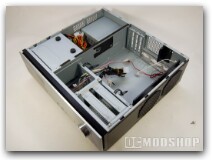
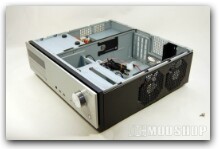
The Fusion case has stamped vents in the top of the chasis, to allow heat to naturally escape through convection. Good thing it doesn’t rely on this cooling method, as most home theater cases are going to be jammed into a rack, probably blocking this vent.
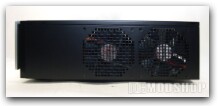
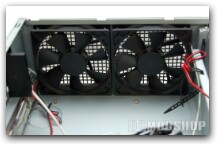
Two 80mm fans exhaust heat from the rear of the case’s right side. These fans are actually rather quiet, and there was no need to turn down their speed.


1 comment
For computer ANTEC lifestyle fusion, what is the supply voltage input: 100-240v or 200-240v?
Comments are closed.