

[ratingbox]
I’ve been a home theater PC fanatic for nearly two generations. I’ve had all sorts of custom solutions that overcame limitations that the home entertainment industry had at the time. I had progressive-scan TV before HD came out, video recording before TiVo, slick 10-foot interfaces, and automatic commercial skipping and transcoding servers. Not once have I found the one box that would do everything without some sort of caveat – the type of caveat that makes my wife want to throw the whole thing out the window.
Within all that time, I’ve been looking for the One Video Streamer to Rule them All. For a short while, the XBMC project (and Boxee) seemed like we were finally close to achieving digital entertainment Nirvana, but that never happened. Making an XBMC “appliance-like” is an awful lot of work, and still lacks native Netflix and Hulu Plus support (not to mention the lack of SAF* coverage).
*SAF (ess-ay eff): Spousal Acceptance Factor

Every solution I’ve tried either had great online streaming, or great local file support, but never both.
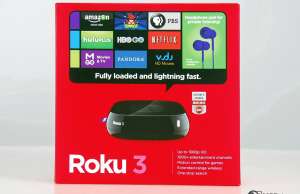
I’ve been reading nothing but good things about the Roku line of products, and after a little research it seems like the Roku 3 was the product to beat.
I disagree with nearly all of the glowing reviews of the Roku 3.
Specifications
- 802.11 dual-band (a/b/g/n) network support
- 10/100 Mbit wired Ethernet
- HDTV-only (720p and 1080p resolution)
- HDMI-only audio
- microSD card slot (for app downloads only)
- Roku 3 enhanced remote with headphone jack and motion control
- Less that 3.5 watt power consumption
- 12V (1 amp) power adapter
- Supports H.264 video (MP4 and MKV)
- Supports AAC and MP3 audio


2 comments
You should look at Plex. It is based on XBMC, is easier to use, and has an app on Roku (as well as Android, iPhone/iPad, etc.). The Roku app is $4.99. Plex will transcode any media in your Plex library to a format that an app can handle. In other words, you can have AVI or WMV files in your Plex library, and it will realtime transcode them to H.264 for a Plex client running on a Roku.
Nate, I’m aware of Plex and mentioned that in the article. My point is that I shouldn’t have to have a 300W PC just sitting around to transcode video. If I wanted to do that then I’d do XBMC and have a PC transcode Hulu and Netflix.