

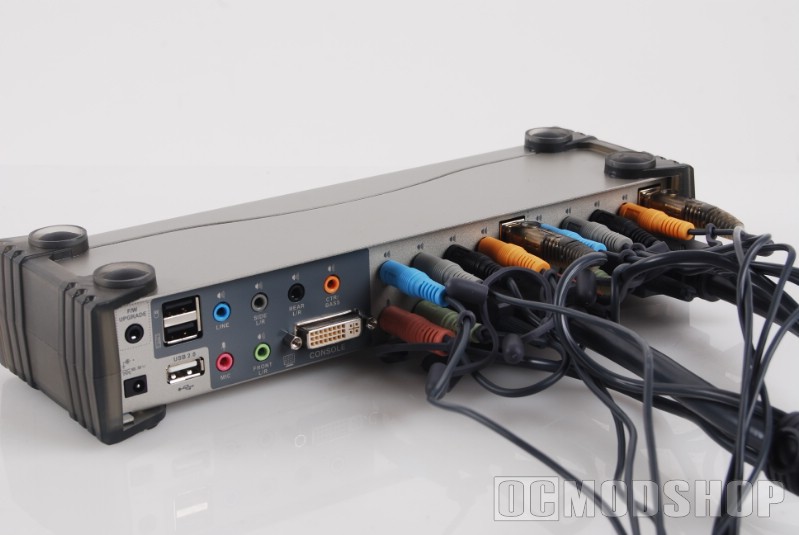
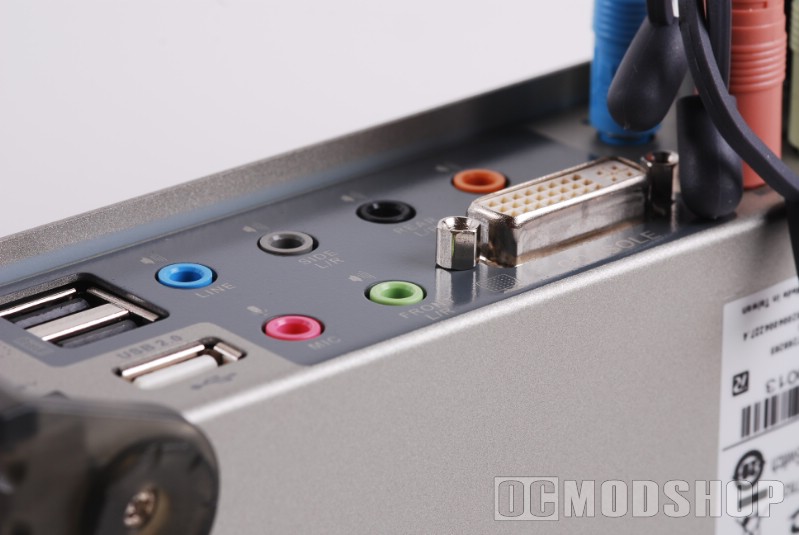
The switch has Mouse and Keyboard emulation, which is what keeps both computers thinking there’s always a mouse and keyboard constantly attached. This is the reason why there is a distinct “keyboard” and “mouse” designated USB plug.
You can change settings on the switch directly from the keyboard (like switching computers, toggling mouse emulation, etc), but these commands won’t be recognized unless your keyboard is plugged into the “keyboard” slot. Plugging a USB keyboard into a regular USB slot (or external hub) will work, but you won’t be able to access the switch’s commands (which can be very cool).
I love my Logitech Wave keyboard; in fact it has some of the most handy extra features of any keyboard in recent memory… but these features do NOT work when connected to the “keyboard” port. Plugging the keyboard into a generic port resumes the handy extra features (being able to eject a DVD from the keyboard is just awesome).
The solution is to turn mouse and keyboard emulation OFF (which just passes the signal straight through). You have to set this from the keyboard, so your keyboard must be connected to its assigned plug. To access the switches features, you do the following procedure:

- Hold down Numlock
- Press minus “-” on the keypad (the minus on the main area of the keyboard doesn’t work)
- Release minus
- Release Numlock
The switch will beep, meaning it’s ready to accept commands. The numlock and caps lock alternate back and forth letting you know that the KVM is waiting for a command.
 |
 |
 |
||||||||||||||||||||||||||||||||
|
|
|
||||||||||||||||||||||||||||||||
 |
|
 |
The F4 option is really really cool. If you want to see the current settings of the KVM, open up Notepad and make sure that window has focus. Then go into the KVM program mode (numlock + “-” + release), and then press F4. The KVM then begins to “type” into the Notepad window, one character at a time like the super-intelligent-super-computers-gone-mad in 80s movies. I almost expected it to ask me “Would you like to play a game?”.
As mentioned previously, my Ikari gaming mouse was acting erratically, no matter which port or setting I tried. Once I disabled mouse emulation, the mouse behaved as it normally did. Also previously mentioned, the extra functions of my keyboard do not work when plugged directly in the “keyboard” USB port. So I found myself changing the settings on the KVM, and then plugging the keyboard back into my external USB hub. The only function you would need to do “on the fly” is switching to the other attached computer, which can be done by the buttons on the KVM itself.
Long story short: if you have any keyboard or mouse with *any* special features, then you need to setup the KVM how you like and then disable mouse and keyboard emulation.


1 comment
[…] ATEN CS1782 2-port DVI KVMP Switch Review — OCModShop.comDescription : Many PC enthusiasts play video games and do regular computing on the same machine, and we all know that the more software you add, the more cluttered and unstable your computer becomes. Imagine batching up a bunch of videos for …http://www.ocmodshop.com/aten- .. […]
Comments are closed.