
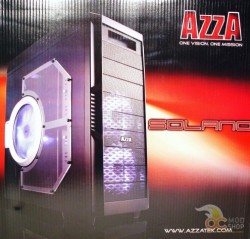
When I opened the box I was a little disappointed at the front of the case. It was about as standard as it gets when it comes to cases. Flat black from top to bottom, with ten drive bay covers covering the entire front. The fourth from the bottom bore a chrome AzzA logo, but other than that, it was Plain Jane. The top three can be popped out for optical drive placement, but the bottom seven are covering the two blue LED 140mm intake fans that reside in the front of the hard drive bays.
Things got a little better as I continued my inspection. The top has a nice little panel with all the ports and buttons on it. On the left side are the Reset button and the HDD LED. Then from left to right we have the eSata port, the USB 3.0 port, the audio ports, the USB 2.0 ports, and finally the square chrome power button. There are no fan controls on this case. The placement of these buttons and ports tells me that this is certainly a chassis designed to be set on the floor of your work/gaming space. They can all be accessed by reaching straight down if it’s set on the floor. But having it on a desk beside your monitor will most likely involve you having to stand up to get a clear look at what you’re plugging into up there.
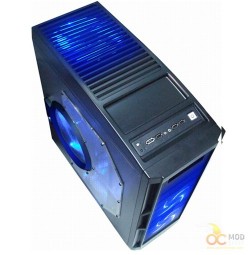
Slightly further back we have a tray built in for any flash drives or keys or wads of gum that you can’t find a proper place for under your desk. This seems to be a trend lately. Building in trays for those who can’t seem to keep track of their small objects. I would love to say something witty about people needing to keep better track of their crap so that things like this wouldn’t be deemed necessary by chassis manufacturers, but I still can’t find the 8GB drive I lost six months ago. Go a little further back and you’ll find the top exhaust vent that harbors the massive 230mm fan underneath. That monster also glows blue.