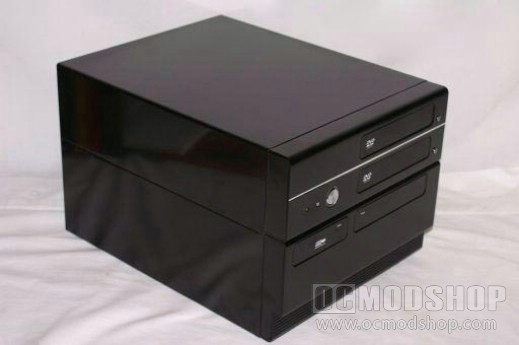
So, still a little ticked off and more than a little stressed, I went back to my office and grabbed the copy of Vista Ultimate that I had purchased for testing purposes. I got everything installed, again, and proceeded to update the PC… again. What seemed like years later, everything was done. I installed Klite again and loaded the video on. Guess what? I had video. The remote was working great, and even the small screen seemed to be a little less bothersome than I thought it would be. But I also reminded myself that a new screen was a MUST. Perfection is never attained, but seeking it can be a thrill in itself my friends.
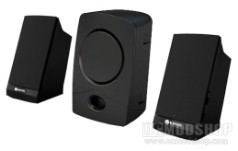
Speaking of perfection, I found one thing that kept this MCPC from being anywhere remotely near that. The sound was not working. I uninstalled and reinstalled the drivers, tried another set, and concluded that it was my speakers that had given out. See what leaving your electronics in the bottom of your closet gets you? So I made a quick run to Big Lots to see what they had available. I discovered long ago that if you want cheap recordable media and inexpensive electronics, Big Lots was the way to go. I found a set of 2.1 Stereo speakers and took them home. Now with at least a mediocre set of speakers and a small sub, I would have a little more than your basic off-brand crackling sound system. I was actually kind of surprised at what it was capable of. The sound was really quite good.
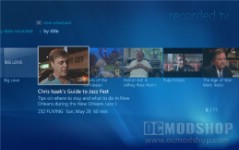
So that’s how far I’ve gotten as of now. Hopefully within the next couple of weeks I will have a new LCD, video card, and have it connected to the wireless network. That was another thing that I felt came second to simply getting the whole thing going. Now I wish I had put it right up there with the motherboard and remote. But at least I have everything going now and am on my way to a home theater experience in my own bedroom. I shot a quick video for you guys to demonstrate how easy it is to use this thing. Don’t let the crappy video and sound fool you, it’s actually much clearer when you’re using it in person. My main focus right now is upgrading that screen. That’s just puny, isn’t it?
There is a lesson to be learned here. XP MCE sucks, plain and simple. Vista is much better when it comes building a Media Center computer. And the amount of money I have put into it to make it Vista-capable was very low.
|