

The Freezone includes a full-color paper manual with many detailed pictures of all parts and a step-by-step installation. Also included are several sets of retention bars, so the kit can be used on the latest Intel CPUs (socket 478 and 775), and AMD processors (socket 754, 939, 940, and AM2). The Freezone CPU Cooler can be mounted on all ATX motherboards, most BTX and mATX motherboards (assuming you have enough room in your case).
The Freezone also includes a Thermal Control Module (TCM), which is basically a thermostat used to adjust the peltier / fan control. This unit also monitors the ambient temperature, and will not allow the peltiers to cool to the point where water condenses on them. Because of this temperature monitoring, the maximum cooling achieved is still dependant on ambient air temperature.
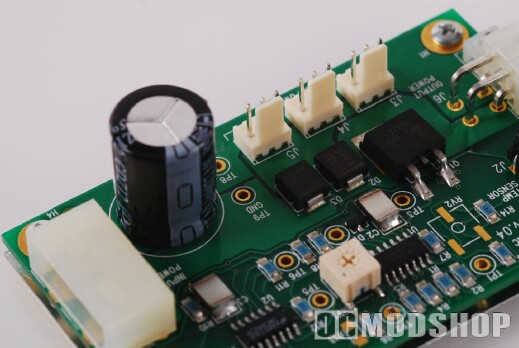
On the left of the TCM is a port for the temperature sensor cable from the Chiller. On the right there is a standard 4-pin molex connector for power, and on the bottom are three 3-pin fan connectors, one of which you will attach the 92mm fan lead. You can use the remaining fan connectors to power the other blowers in your case, so the TCM also doubles as a fan bus.
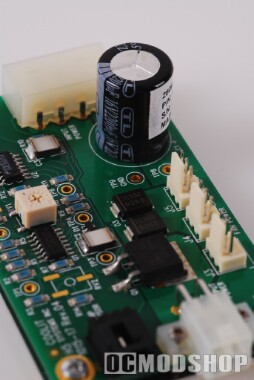
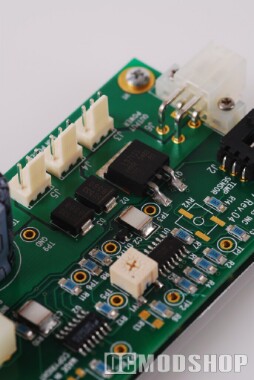
Temperature is adjusted on the TCM with a small white potentiometer. Turning this know clockwise (to the right) reduces the fan / lowers the peltiers (reduces cooling), and turning the knob counter-clockwise (to the left) increases the peltiers / increases fan speed (increases cooling). It takes a minute or so for the unit to “rev up” after you adjust the knob, and you will notice a steady increase or decrease in noise. It is rather difficult to fine-tune the knob, and is not dynamic. It would be nice if the TCM had a digital input, and were dynamic (doesn’t work as hard when the CPU is idle, and revs up under load).
