

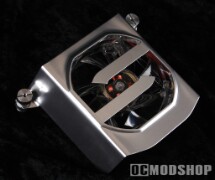
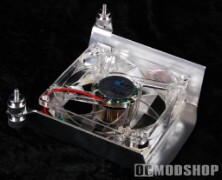
Once the Booster is installed, the fan will raise about 3.5cm from the edge of the PCI expansion slots, so make sure your case has enough clearance. The PCI Cooling Booster spans across all seven expansion slots, so it will assist cooling of all installed peripherals, from video cards, sound cards, TV tuners, and any other cards that tend to get a little warm.
Installing the PCI Booster is rather easy. You merely unscrew two case screws that hold in the first and last PCI cards of your expansion bay, and secure the included thumbscrews to those slots. You then place the Booster’s bridge over the screw heads, and then insert the extra mounting screws through the bridge. The Booster is essentially “sandwiched” between two sets of thumbscrews.
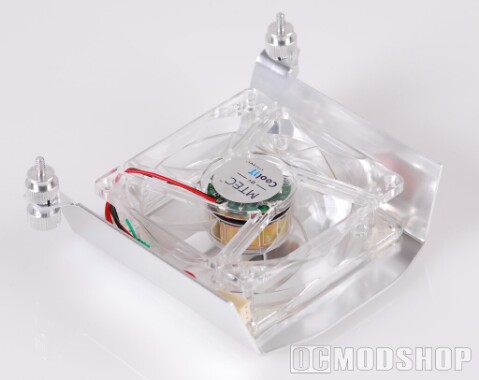
You must remove the Booster when it comes time to do any maintenance on peripherals beneath the unit. Those with screwless case designs may not be able to use this unit. Thanks to the “stackable” nature of the thumbscrews, you don’t have to loosen any cards secured by the thumbscrews: you simply loosen the top screws and remove the Booster. Man, I didn’t think I could say “screw” that many times in one paragraph. Screw.
Test System
- Intel E6600 Core 2 Duo
- Asus P5W Deluxe Motherboard (Intel 975 Chipset)
- Creative X-Fi Platinum sound card
- ADS InstantHDTV Capture Card
- XFX GeForce 7800 GT
- Crucial Ballistix Tracer DDR2-800
- 3x Western Digital 300GB SATA2
The tuner box on the HDTV tuner gets rather warm when watching over-the-air HDTV, so I tuned into a local channel. To get the juices flowing on the sound and video card, I ran 3dMark 2006 in a loop.
 |
 |
 |
|||||||||||||||||||||
|
CoolIT PCI Cooling Booster Performance
|
|
|||||||||||||||||||||
 |
|
 |
The temperature changes are not substantially significant, but it does demonstrate that the product effectively lowers component stress. This product is merely meant to augment current cooling, so a good exhaust system must still be in place. The fan is loud and a rather noticable addition to the case, so this may not be the best solution for a quiet home theater.
