

The PCI Cooling Booster does effectively cool your optional internal system components, but doesn’t really help with overall system temperature. The temperature inside your case will continue to rise unless you have an efficient exhaust system. Some cases today naturally expell heat through convection (like the Lian Li), as heat naturally rises through the holes in the top of the case. If you have a completely closed system, then the PCI Cooling Booster will only direct warm air over your PCI cards.
The placement of the PCI Cooling Booster can help cool the blistering temperatures of your video card, as well as the optional components that don’t receive much thermal attention. Multimedia cards such as TV Tuners and MPEG encoders tend to get rather hot, and can benefit greatly from the additional cooling provided by CoolIt’s solution.
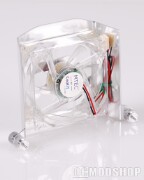
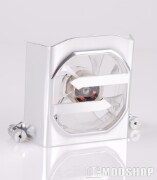
Unfortunately, the PCI Cooling Booster isn’t a completly silent option, so it may add noise to your Home Theater PC: a proposition that most users do not find appealing. The Cooling Booster does not have a way to throttle down, and there is no way to monitor its RPMs. An external rheostat can be used to find a happy balance between cooling and noise, but one should have been included in the kit.
If you already have good ventilation, the the PCI Cooling Booster may serve as a powerful addition to your overall cooling schema.
 |
 |
 |
|||||||||||||||||||||||||||
|
|
|
|||||||||||||||||||||||||||
 |
|
 |
|||||||||||||||||||||||||||

