

Your second option is Tonido. I find Tonido easier to set up than ownCloud, but I’m not as big a fan of the interface. To each their own, of course, and I offer up this option for those who feel the same way about ownCloud. Here’s how to set up your cloud server using Tonido:
- Go to www.tonido.com and click on the Downloads link. Look for Tonido Desktop Software for Windows. There is also a portable version on there that doesn’t need installing, but I’m not going to focus on that one.
- Unzip the file and drag the Tonido folder to the desktop of your PC. Right click on the executable file inside the folder and run the file as administrator. You might have to allow access through your firewall.
- Sign up for a free account when the software asks you to. Your user name will be part of the address to your server.
- Follow the rest of the instructions and you’re done. Your server is running and you can now access your entire computer’s disk drive from any place you wish. Make sure you adjust your PC’s power options so it doesn’t shut down after a while, and you have a fully operational cloud server at your disposal.
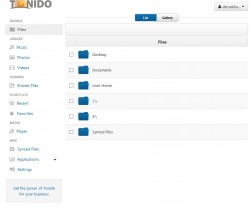
- Now you can open a browser and type in “yourname.tonidoid.com”. Replace yourname with your user name and leave out the quotes, obviously. Then you input your password and you’re off and running. Upload, download, and change things around at your leisure.

These are not your only options, but they are two of the best. If you choose to use a commercial cloud software, remember to be safe and always read the terms of usage before you click “Agree”. Some cloud services can claim copyrights on anything you upload, so always be aware of what you’re agreeing to. If you set up your own server, be sure to add plenty of security, and never give out your credentials unless you 100% trust the person you’re giving it to. Happy clouding!


