
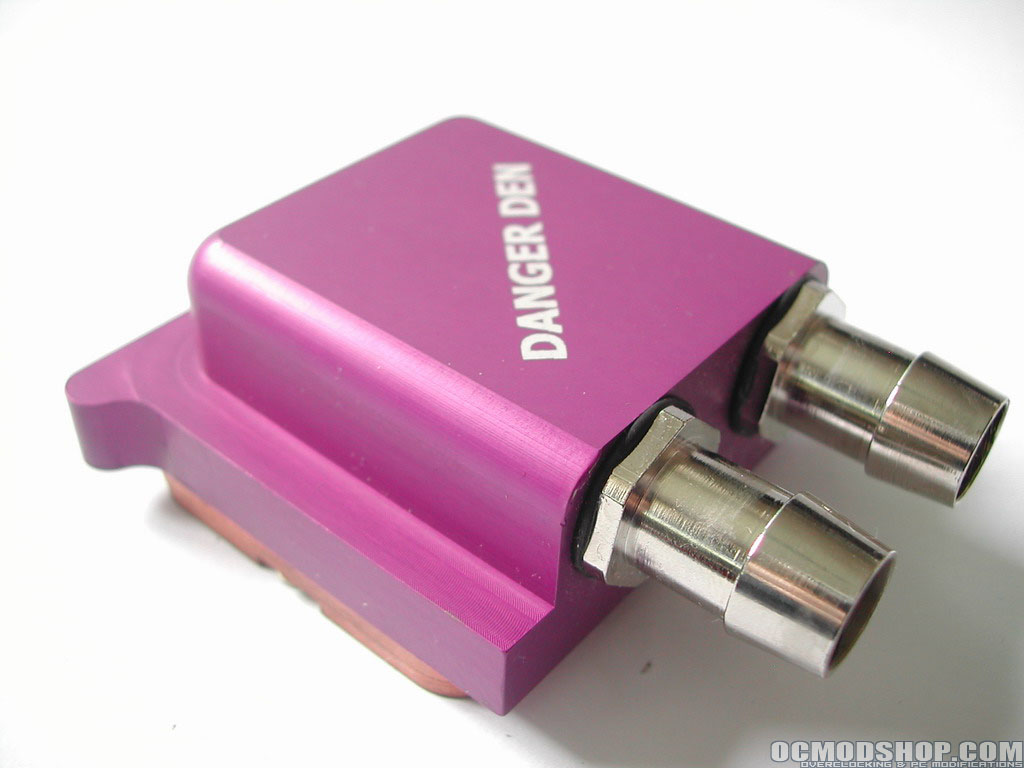
I will be installing this waterblock on my Sapphire ATI X800 Pro. This went as easy as I expected, as everything just slides into place where is should be. The block will fit on most VGA cards according to the Danger Den website.
“Compatibility ATI: Most Radeon Series blocks (9500, 9600, 9800, and X800 series) with the two hole mounted fans. Excludes the All-In-Wonders at this time, Compatibility Nvidia: As far as we can tell there is complete support for 4 series on up to 59XXFX (excluding most 6800FX). Holes are available for the 2 and 3 series and should work also.”
You’ll need to remove your stock heatsink, this is done by removing all screws, on my card there were 3 little screws. Some manufacturers use a sticky thermal paste, so if it’s stuck you can wiggle it around a bit to let it loosen up. It also helps to warm the heatsink up, that way you can easily remove it. Also don’t forget to unplug the fan connector from the card.


Next remove the remaining thermal paste with some white spirit or alcohol, and after that apply a new layer of thermal paste of your favorite brand. I’m using Arctic Silver 5.

First line up the holes of the Maze 4 up with your VGA card, and screw the threaded barbs in. On the backside of your card slip a plastic washer on both bolts, then a spring and the other 2 plastic washers. Finally tighten down the nuts, switching back and forth between them until they are about 60% loaded.


It is important to not over tighten the springs; you should give them some slack. Over tightening could lead to damage to your card or crushing the core. I leave you with now with some pictures of the block installed, on the next page its testing and benching time.


