
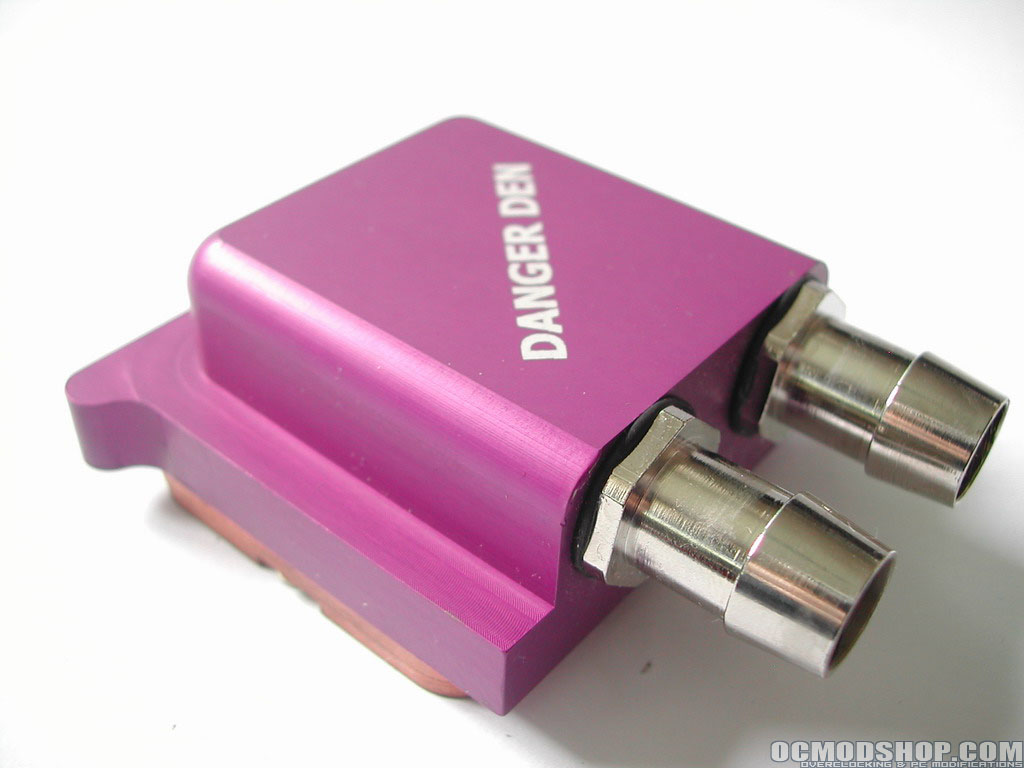
I will be testing this block on my Sapphire ATI X800 Pro. These are fast cards and with ever increasing speeds and power of today’s VGA graphics cards, the heat is also becoming an issue. However ATi can still cope with a rather small heatsink whereas Nvidia uses larger heatsinks to dissipate all that heat, but where does it all end? In a few years we might me sitting with earplugs behind our monitor because of ridiculous cooling trying to keep the card from overheating. When overclocking heat is an important issue, basically the colder the better. This is where Danger Den steps in. I did some rigorous testing with my card trying to get the max overclock possible with the stock heatsink and Danger Den Maze 4 GPU block.
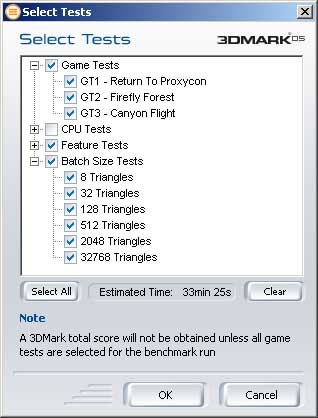
Lets get down to business. I will be testing how well the block cools and the amount of overclocking I can gain over the stock cooling. I will be using ATITool v0.0.2.2 to overclock the card and wil be making use of the internal thermal diode as well as an external diode. For testing the temperature as well as the overclock ability, I’ll be using 2 programs: the ATITool for overclocking and stability, and 3DMark05 for stability testing and getting load temperatures.

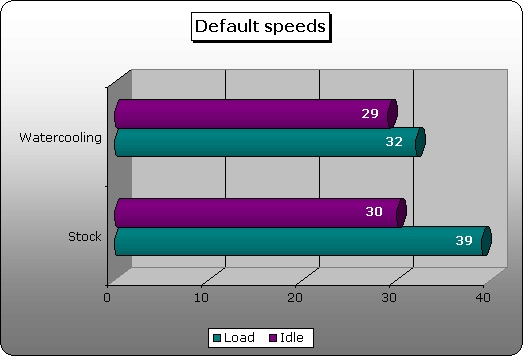
So after a better day of testing I got the following results: I kept the room temperature at a constant 23 degree Celsius, the watercooling system was first kept on for the night to get a good idle temperature. All of the results are reported in degrees Celsius. First off I tested the stock cooling and Maze 4 block with the video cards default core and memory speeds. As you can see the Maze 4 GPU block does a much better job compared to the stock cooling, especially at full load.
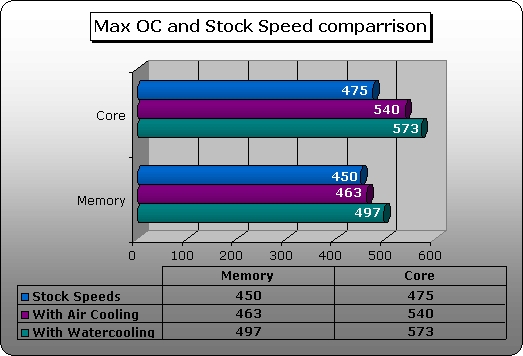
I tried to obtain the highest possible overclock until the system locked up. ATITool constantly scans for artifacts when overclocking pushing up the core and memory in little steps; this also puts an enormous strain on the card, thus heating it up. As you can see there is quite a decrease with the load temperature while using the waterblock. Though it looks like only a few degrees the difference in those “few” degrees can seriously change your overclocking results.

So how far was I able to overclock it? I was able to overclock the core speed from it’s default 475MHz to a whopping 573MHz, that’s almost 100MHz! The memory was able to be overclocked from it’s default speed of 450MHz to 497MHz.
Conclusion
Yet again Danger Den delivered another great quality product, which really did the job that it is supposed to do, keeping things cool. Although I think the bolts are a bit on the long side a Dremel should take care of that. You won’t end up losing a PCI slot with this product if you leave the screws alone, however its gets pretty close. Other than that there’s nothing left for me to say except that I am giving this block a 9/10 and awarding it the OCmodshop Seal of Approval. I would like to thank Danger Den for sending me this block.
Pros

- Good value for the money
- Great cooling
- Easy to install
- Will increase your overclock
Cons
- Bolts are a little long

