The backside of the side of the case holds the 80mm fan for the side blowhole, both of these fans for the side and top are Power Logic brand and have 4 pin Molex plugs, I looked every where to find some specs on these fans but could find nothing. Both fans do not come with grills which is also a minus, who knows how many times i’ve been working inside of my computer and had a fan blade take a bite out of me.
Upon opening the case I was impressed, the inside of the case was nice and open with a lot of cool features. There is enough room by the top blowhole that if you decide to change the PSU in the future it should accommodate any other. As you can see the case has 4 5.25″ bays, 2 3.5″ bays where you can put a floppy and another drive, as well as 4 hidden bays to hold your hard drives.


The back of the case like I mentioned before will hold 2 80mm fans which is a nice feature for cooling, if you want to get the most out of them I would suggest cutting along the edge to get a real hole. Another feature which I really like is the fact that you get 6 expansion slot covers, not only did you get a lot of them but they are the good kind which you can remove and reuse instead of the kind you punch out and have to throw away.


Taking a look at the front of the case from the inside you can see that it can hold a 120mm or 80mm fan, you can also see the jumpers on the left and a little of the PC speaker at the bottom. The cutout for the 120mm is better than the blowhole and side hole, however if you are going to use it I would suggest cuting it out for better airflow. If you look at the bottom of the case while the bezel is attached you can see that the air is going to be pulled from the bottom in-between the case and the bezel, this isn’t much room for over 100CFM to be pulled through which a 120mm fan can easily do.


The bezel of the case uses 6 screws, 3 on each side on the inside to hold it on. I find it much easier and faster when a case has clips or something of the sort which holds the bezel in place rather than screws. Usually when I am in a hurry I don’t want to have to unscrew 6 screws.

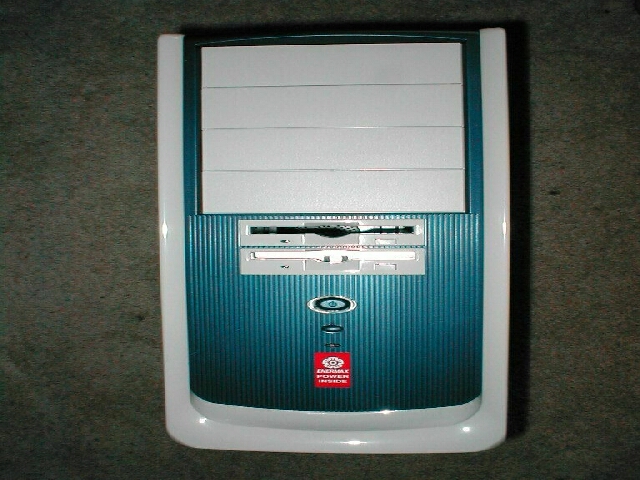
I went ahead and unscrewed all 6 screws and pulled the bezel off, it is a 2-piece unit which has 6 clips that hold the 2 pieces together, these are the kind of clips that should have been used to hold the bezel on the case. As you can see there is the power button with its 2 LEDs, the reset button, and the hard drive LED. They are easy to get to which means they will be easy to change.