This modded controller does not like to play well with rechargable batteries. Perhaps the extra circuitry requires additional juice, I’m not quite certain. Weird things can happen during the game because the controller isn’t getting the necessary voltage, so Evil recommends using regular alkaline AA batteries.
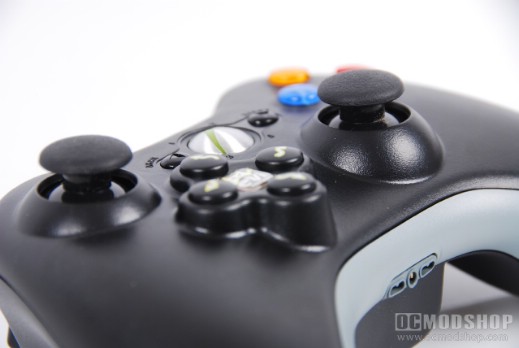
The Rapid-Fire Feature of the controller are accessed by pressing down the right thumbstick and pushing the D-pad to the right, which toggles the mode. The bottom right LED of the home button turns on to indicate the mode change. Repeat to turn this feature off, in which the LED returns back to default.
Turning on Fast Reload is the exact oppopsite. You first press the right D-pad and THEN click down on the right thumbstick. The controller’s bottom left LED flicker on to indicate the mod change, and the “X” button now has fast reload enabled. Repeat the process to turn this mode off.
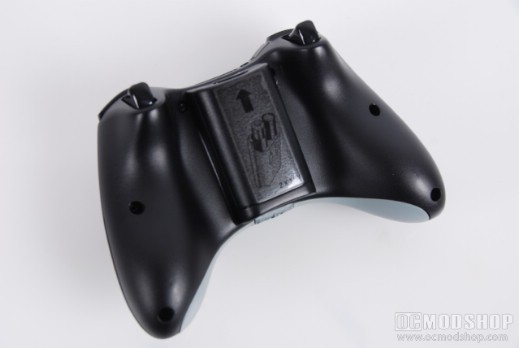
There are many other features, some of which can be adjusted. Toggling through these is either holding down the right or left trigger and pressing the left or right D-pad button, but all of the features are listed on the next page.
Some controllers come with a feature toggle button underside of the controller, which allow you to instantly toggle the mod on and off with a single switch. Since the Master Mod has so many features, this instant toggle switch is not present.
This controller has nine different modes and 19 different features:
- Rapid Fire
- Auto-Burst
- Fast Reload
- Rapid B (for chainsaw)
- Adjustable Rapid Fire
- Dual Rapid Fire
The controller works best in first person shooters, and the compatible games are:
- Call of Duty: World at War
- Call of Duty 4: Modern Warfare
- Call of Duty: Modern Warfare 2
- Call of Duty: Back Ops
- Gears of War
- Gears of War 2
- Grand Theft Auto IV
- Left 4 Dead 2
- Medal of Honor
- Halo 2
- Halo 3
- Halo 3 ODST
- Halo Reach
- Tom Clancy’s Rainbow Six Vegas 2
The mod can get in the way sometimes, like when trying to zoom down the sight of a sniper rifle with auto-fire enabled. The auto-fire macro cancels out the zooming action because it is being repeated. One must turn off the auto-fire macro in order to zoom in.
Another little caveat can occur in some games when respawning. Sometimes your character immediately respawns after dying without seeing the kill cam. If you are holding down the right trigger, then the console is receiving a bunch of “X” signals and causes the respawn. You must remember to release the trigger after your character has been killed.
There can be a few other little issues to deal with during games, such as weapon attachments (grenade launchers) to become unattached, switching weapons when throwing care packages, and other odd issues.
On the next page we reprint the instructions on how to enable every feature of the Evil Master Mod controller…