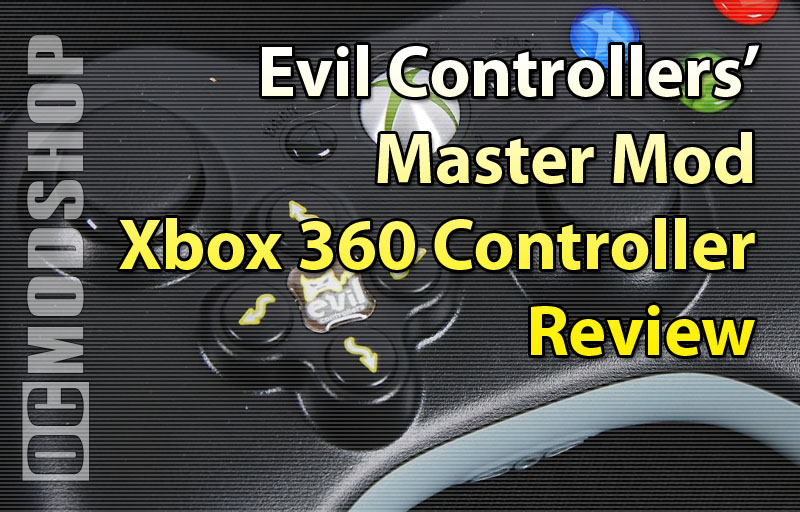
Reprinted here are the lost online instructions for the Evil Controller Master Mod Xbox 360 controller. These instructions should be included with your controller, but all online versions of this instruction sheet have been lost on the Internet (at the time of this writing). OCmodshop.com presents the re-birth of the Master Mod Instruction Sheet.
STEP 1 GAME MODES
- Use 1st mode for Adjustable Rapid Fire
- Use 2nd mode for Halo 3, Rainbow Six Vegas 2, Left 4 Dead 2, Left 4 Dead, and GTA IV
- Use 3rd mode for Call of Duty: World at War
- Use 4th mode for Gears of War 2
- Use 5th mode for Call of Duty 4: Modern Warfare
- Use 6th mode for Call of Duty: Modern Warfare 2
STEP 2 SELECT GAME MODE
- Press and hold Right Trigger
- Tap Right on the Directional Pad the designated times to match your game
- Ex. For Gears of War 2 (mode 4), you would tap Right on the Directional Pad 4 times.
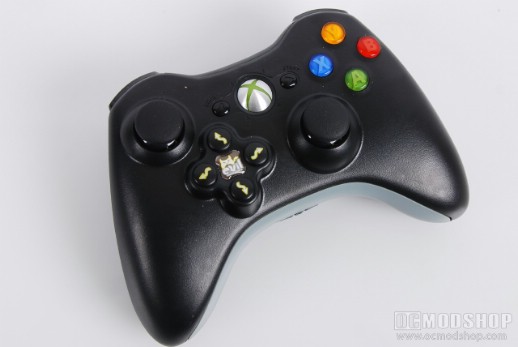
- LED Indicator
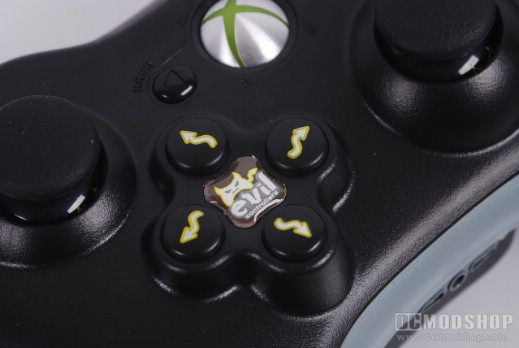
- The 4th quadrant on the face of your controller should now be illuminated. This indicates that you have selected a game mode and the mod is now ON.
STEP 3 OPERATING RAPID FIRE
- To use rapid fire, pull and hold Right Trigger
STEP 4 GAME MODE BREAKDOWN
MODE 1 (Adjustable Rapid Fire)
- Press and hold Right Trigger
- Tap Right on the Directional Pad 1 time for adjustable mode
Enter Adjustable Mode
- Pull and hold the Left Trigger
- Tap Right on the Directional Pad
- LED Indicator
- The 3rd and 4th quadrant LED will now blink repeatedly indicating you are in adjustable mode
Adjusting Speed
- Press and hold/tap Left Thumb-stick in to SLOW DOWN rapid fire
- Press and hold/tap Right Thumb-stick to SPEED UP rapid fire
- There are over 250 increments of speed allowing for precise and perfect rate of fire
- Once you have reached the minimum or maximum rate of fire, the LED will stop blinking and stay lit
- Test your speed
- Pull and hold the Right Trigger to test your rapid fire speed
- Save your speed
- Tap Right on the Directional Pad
- 4th quadrant LED will stop blinking and stay illuminated.
- Mode 1 is now your adjusted rapid fire speed!
MODE 2 (Dual Rapid Fire)
- To toggle rapid fire on/off at Left Trigger
- Hold in the Left Thumb-stick
- Tap Right on the Directional Pad
- LED Indicator
- The 3rd quadrant on the face of your controller should now be illuminated. This indicates that Left Trigger is now Rapid Fire.
MODE 3 (WAW FAST RELOAD)
- First turn Fast Reload ON/OFF
- Press and hold the Left Thumb-stick in.
- Tap Right on the Directional Pad
- LED Indicator
- LED will stay illuminated, indicating Fast Reload is ON.
- To Fast Reload
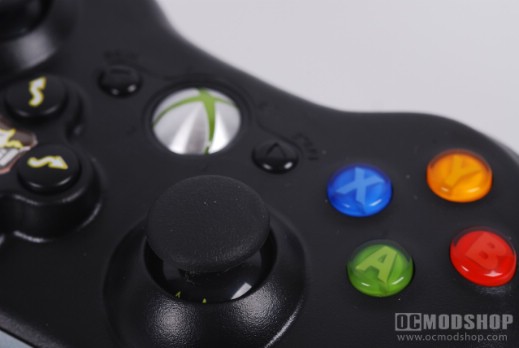
- Tap the X button
- To toggle rapid fire ON/OFF
- Press and hold the Right Thumb-stick in.
- Tap Right on the Directional Pad
World at War Fast Reload Weapon Compatibility – M1A1 Carbine, SVT-40 , Gewehr 43
MODE 4 (GOW2 ACTIVE RELOAD)
STEP 1 WEAPON MODE
- Use 1st for Sniper (Defaults to this weapon when mod is turned on)
- Use 2nd mode for Lancer/Hammerburst
- Use 3rd mode for Shotgun
- Use 4th mode for Pistol
STEP 2 SELECT WEAPON MODE
- Press and hold the Back Button
- Pull the Left Trigger designated times to match your game
- Ex. For the Shotgun, you would press and hold the Back button and pull the Left Trigger 3 times.
STEP 3 OPERATING ACTIVE RELOAD
- Tap the Right Bumper once for Active Reload
- Tap quickly, do not press and hold button.
- Sniper requires only a Right Trigger pull
STEP 4 OPERATING RAPID FIRE
- When in Mode 2 & 4 rapid fire is recommended
- Rapid fire needs to be off for Lancer
- LED Indicator
- When rapid fire is on, the 4th LED will stay illuminated
- To use rapid fire, pull and hold Right Trigger
- Rapid Fire only works with Hammerburst and Pistol
OPTIONAL STEP: RAPID FIRE OFF
- To toggle rapid fire off/on
- Press and hold the Right Thumb-stick in
- Tap the Back button
- To toggle active reload off/on
- Press and hold the Right Thumb-stick in
- Tap the Back button
STEP 5 OPERATING RAPID B FOR CHAINSAW BATTLES
- When in GOW2 mode, the left thumb-stick will always be Rapid ‘B’ button presses. This is ideal for chainsaw battles because the user must spam B button to win.
- To operate, simply press the B button to initiate the chainsaw battle with your opponent. Once engaged in battle simply press and hold the Left Thumb-stick in for rapid B and you will win!
MODE 5 (COD4 FAST RELOAD)
- First turn Fast Reload ON/OFF
- Press and hold the Left Thumb-stick in.
- Tap Right on the Directional Pad
- LED Indicator
- LED will stay illuminated, indicating Fast Reload is ON.
- To Fast Reload
- Tap the X button
- To toggle rapid fire ON/OFF
- Press and hold the Right Thumb-stick in.
- Tap Right on the Directional Pad
Call of Duty 4 Fast Reload Weapon Compatibility- M16A4, G36c, AK-47, M14, M4 Carbine, AK-74u, G3 M21, Dragunov
MODE 6 (MW2 FAST RELOAD)
- First turn Fast Reload ON/OFF
- Press and hold the Left Thumb-stick in.
- Tap Right on the Directional Pad
- LED Indicator
- LED will stay illuminated, indicating Fast Reload is ON.
- To Fast Reload
- Tap the X button
- To toggle rapid fire ON/OFF
- Press and hold the Right Thumb-stick in.
- Tap Right on the Directional Pad
Modern Warfare 2- M4A1, Scar, TAR-21, FAL,AK-47, M14, EBRMP5K, UMP45, Vector, P90, Intervention, Dragunov, G18, and RPG