Overclocking
As stated earlier, this board has absolutely no overclocking or even advanced CPU or memory settings anywhere in the BIOS. Even the included Gigabyte software, EasyTune5, which really made to help in windows overclocking is limited to hardware monitoring only. This board is just not meant for enthusiastists.
However! Nvidia’s own nTune program has stepped in to save the day for those who want rock solid reliability and ease of use right out of the box, but would also like the opportunity to tweak and push their systems a little bit. Version 5.05.18 was used to successfully (and with perfect stability) lower the HT multiplier to 4, and increase the FSB from 200 MHz to 225 MHz, resulting in a 200 MHz bonus to the CPU. Be cautious though, as this also increased the RAM speed, and there was no way to adjust memory multpliers.
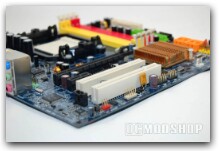
Integrated Video
The GeForce 6100 is the first integrated graphics solution I have truly been impressed with. In 2D Windows, the screen characters are sharp, clear, and allow resolutions of up to 1920×1440. The GeForce 6100 also brings full Microsoft DirectX 9 features to Nvidia’s integrated lineup.
Audio
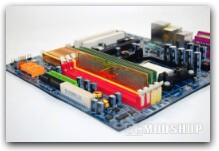
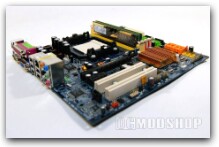
I have never been a fan of the Realtek audio chips. High CPU utilization, poor sound reproduction, driver issues, and crackling have all overshadowed Realtek. For this motherboard, Gigabyte chose to use the Realtek ALC883, which, if you go to the Realtek website, is branded as a value 7.1 + 2 High Definition audio codec. After comparing the ALC883 to the supposedly top-of-the-line ALC888, the two seem very close though, so I don’t know what makes the ALC883 a “value” product.
In any case, to be fair I gave the on-board audio a try. What I can say is – “Wow!” I would never have expected Realtek to make anything that sounds so good. Maybe I really have Intel to thank since they came up with the whole HD Audio movement, but Realtek sure got the ALC883 right.
The sound is clear, rich, vibrant, there is a very useful “Audio Manager” tool with equalizer and sound settings, and the rear audio plugs are auto-sensing and you can configure each plug individually. One thing I did notice, and Realtek should really, really get squared away on this, is that they are not correctly implementing Creative Labs’ EAX settings for games.
Some people won’t care about this, but I do, and since Realtek plainly says that they support EAX, they should. But at the end of the day, I still give this audio a big nod of approval.
| Microsoft® DirectX® 9.0 Shader Model 3.0 Support Ensures top-notch compatibility and performance for all DirectX 9.0 applications, including Shader Model 3.0 titles.Video Scaling and Filtering Scaling and filtering technology delivers a clear, clean image at any window size.Video Color Correction Color temperature correction makes actors’ faces appear natural, rather than washed out and pale, when playing videos on LCD and CRT displays. Display gamma correction ensures videos are not too dark, overly bright, or washed out regardless of the video format or display. NVIDIA CineFX 3.0 Engine NVIDIA® Intellisample™ 3.0 Technology |
NVIDIA® nView™ Multi-Display Technology Advanced technology provides the ultimate in viewing flexibility and control for multiple monitors. (not implemented on the Gigabyte GA-M61PM-S2 board)Full-Speed 32-Bit Color Precision Delivers increased image quality with no performance compromise.NVIDIA® Digital Vibrance Control™ 3.0 Technology Allows the user to adjust color controls digitally to compensate for the lighting conditions of their workspace, in order to achieve accurate, bright colors in all conditions. OpenGL® 1.5 Optimizations and Support 300 MHz RAMDAC SDVO Interface |