

You can use traditional capture methods to take screenshots of PC games, but this can be tedious as many PC games run full-screen and you can’t just jump back and forth between an image editor and the game. For this task you can run software to automate the procedure for you. One of the best programs for this is FRAPS (download it here).
FRAPS automatically copies and pastes a screenshot of your game into a pre-designated folder. You can even specify what file format to use (the free version only pastes bitmap images with the .BMP extension).
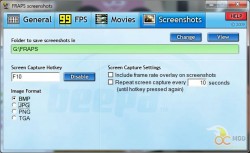
- First install FRAPS and then run it.
- Click on the Screenshots tab.
- Change the folder you want all of your screenshots to appear in
- Run your game, but leave FRAPS running in the background. Whenever you want to take a screenshot, press F10.
- Every time you press F10, a new screenshot file is added to the folder.
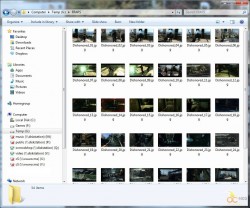
So now you are a screen-grabbing pro. Share your knowledge with the world. Or better yet, send them over to OCmodshop.com.



5 comments
[…] How to take a Screenshot in Windows @ OCmodshop […]
[…] How to take a Screenshot in Windows @ OCmodshop […]
I also added a new page about taking a scrolling screenshot of an entire web page. That way you can get everything, even if it's off screen.
Don't forget the built-in Snipping Tool (http://windows.microsoft.com/en-us/windows7/products/features/snipping-tool).
Thanks, Sekers. I forgot about this. I've added a section to the article about this tool.
Comments are closed.