The unit comes in a standard plastic blister pack that cannot be opened without a pair of scissors. Inside the package is the remote itself, a USB charge cable, and a USB receiver. The receiver is simple enough: it has no blinking lights or anything. It is just pure matte black with a standard USB connector. The USB charge cable is a standard USB A to USB mini-B cable, very much like the cables used to charge the Playstation 3 controllers.
The remote itself has a lot of features. The remote is a flip-up type similar to some “feature phones” with a flip-out keyboard. When collapsed, the remote looks rather standard. The face has many of the features you would expect, although due to trademark issues cannot use any recognizable Sony logos. The “PS” button has been replaced with a “home” button.

The “shape” buttons (triangle, square, circle, and X) have been modified so they are not identical to a PS3 button. I really didn’t know you could trademark a standard geometric primative.. but Sony apparantly did it.
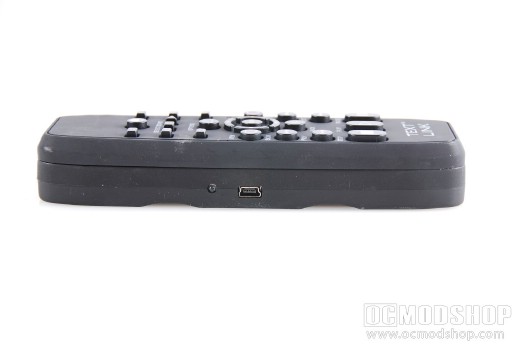
The right side of the remote has the four shoulder buttons on it: L1, L2, R1 and R2. The left side only has a USB port (used only for charging the remote’s internal battery) and a red LED that lights up when charging.
The real meat of this remote can be seen when the unit is flipped open. The remote features a full QWERTY keyboard flanked by two analog sticks, and all of the other buttons you would find on a standard game controller. When gripped in this way, the “right” of the remote becomes the top, which allows you to press the shoulder buttons with your index finger.
So how does it work? Find out on the next page…