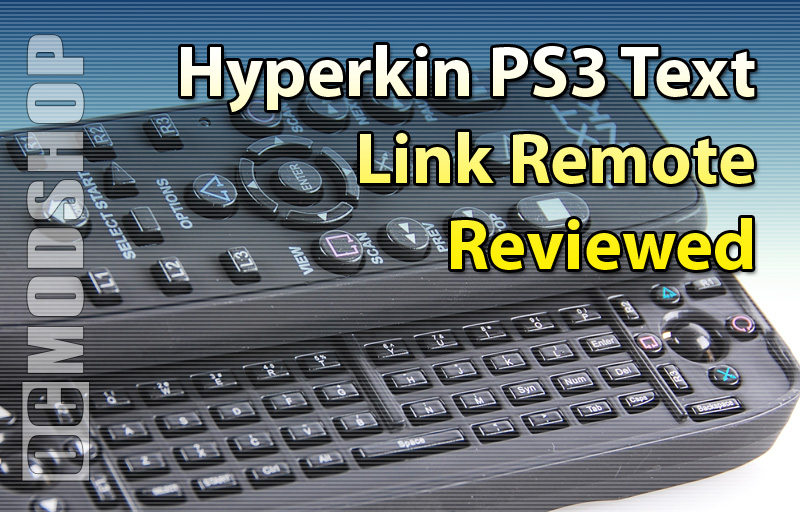
All of this looks very promising, as I stated before, but it didn’t take long to see if Hyperkin has kept its word. There are so many things wrong with this remote that I don’t really know where to begin.
Plugging the device in
The unit comes with its own USB receiver, which eliminates the need for “pairing” the device like Sony’s Bluetooth remote control. Once plugged in, the remote did take immediate control of any playing movie, but there are a few things that it cannot do. Because it has its own receiver, the remote cannot power on the console (like the Sony remote can). It also loses connection if your PS3 soft-reboots (like after applying the Weekly System Update). There are also times when the receiver “wigs out”, rendering the remote powerless, which can sometimes be remedied by unplugging and reinserting the USB receiver.
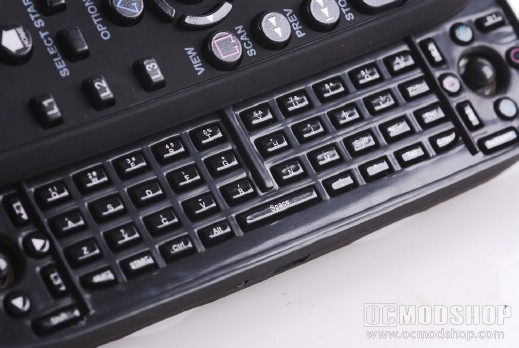
The QWERTY keyboard
One thing you’ll notice right away is the insanely bright blue LED that lets you know the remote is working. It flashes fast when communicating with the receiver, and has a steady blink when it has temporarially lost connection (which happens frequently). You usually have to look dead-on to the remote to see what you’re doing, and you are blinded by this blue LED, which makes finding buttons a chore in a dark room.
As a remote control
Using the remote’s top face, I found that it does control Bluray movies, videos, and music. Unfortunately, the buttons are so close together that it makes for a frustrating experience. The main point of contention is the placement of the “shape” buttons. They are right next to the arrow hub, so it is very easy to hit one of these buttons when navigating. There are so many times that I’ve accidentally stopped playback or navigated to the completely wrong area of a menu. Other times I have accidentally jumped a chapter by pressing one of the shoulder buttons with the palm of my hand. Sony’s remote has it right by placing these buttons diagonally to the navigation wheel so that they are not accidentally pressed.
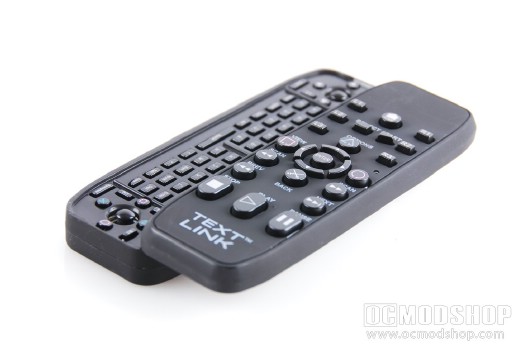
As a keyboard / controller
I understand that this remote was not meant to be a game controller replacement, but may make for easier “casual” use like Playstation Home or Internet browsing. Unfortunately, the keyboard and analog sticks are so broken that even casual use is a painful experience.
The main point of contention is that there is not enough clearance between the keyboard and the “flipped-up” part of the remote. This makes pressing anything on the top row practically impossible with your thumbs. It also takes too much pressing effort before any of the keys register, as the keys are just too shallow. The game buttons are also too small and hard to press, but the shoulder buttons are within good reach.
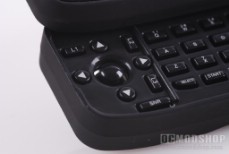
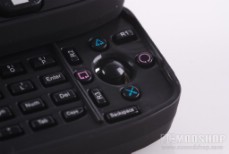
Overall the keyboard is just barely usable, and does not make typing any faster as you can probably use the onscreen keyboard just as quickly. If anything using this keyboard will cause more spelling mistakes.
The analog sticks are recessed, and feel somewhat pleasant, but it is very easy to overcompensate with them, much like the PSP’s analog stick. Also, the left stick seemed to “time out” an awful lot. In many games I would be walking forward, and my character would just stop. Sometimes control would come back, and other times I had to press a different button before the stick would resume control. Other times when pressing the stick forward my character would walk, stop, walk some more, and stop again. Regardless of the technical issue, the remote has some severe connection problems.
You really want to see the verdict? Click on the next page…