Software

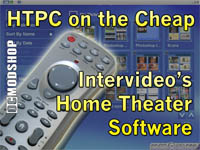
Intervideo Home Theater Software

Gold Edition
Platinum Edition
TV

  • Channel Scan
    Channel scanning will automatically search for television channels and add to your channel list favorites.
  • Channel Surfing
    The program displays video thumbnails of 16 channels at once to help you quickly scan what’s on.
  • Recording Functions
    > Fastest Recording Solution (MPEG-2 files)
    > Recording from TV, Svideo or Composite
    > Easy to schedule a program.
  • Guide
    This EPG lets you search for your favorite shows and quickly and easily schedule programs for viewing or recording. (EPG web site varies by region. In US, it is TitanTV)
  • Closed Caption/ TeleText
    InterVideo Home Theater supports both Closed Caption and TeleText. Closed Caption is only available in US, while TeleText is in European area.

DVD

  • Auto-Resume Playback
    Home Theater gives you options on how your DVDs should start playing.
  • DVD/VCD/SVCD Playback
    You can use InterVideo Home Theater to playback your VCDs and SVCDs in addition to DVDs.
  • Still Image Capture
    Grab snapshots of your favorite video scenes from DVD or VCD titles you’re watching. These screen shots can then be viewed or printed using Home Theater’s Picture application.

VIDEO CLIPS

  • Playback
    From the default location determined during Setup, your video files will be easily accessed from the video clips application.
  • Take Snapshot
    You can take snapshot of video clips. When the image you like appears, click Take Snapshot bar to capture a still image of it.

MUSIC

  • Library
    Gather all of you music files into one easy to locate Library. From here you can sort your songs by Title, Artist, Album or Genre.
  • Play CDs
    When playing an Audio CD you can view the tracks with the artist, album and genre information on screen.
  • Playlists
    Using a Playlist lets a user control how they organize and arrange the way their music plays.
  • Multi-Speed Playback
    If you are in a hurry, you can listen to a 15-minute recording in only 10 minutes using the multi-speed playback. Using this feature will help save you precious time.

RADIO

  • My Favorite
    Save your favorite stations from the My Station list.
  • Recorded Radio
    Record your favorite songs, talk shows, news programs, or anything else you like.

PHOTO

  • Print Picture
    Found a shot that you want to send to a friend? Or put into a frame? No problem – from the remote you can send the picture directly to the printer.
  • Slide Show
    View your pictures as a full screen slide show complete with music!
VIDEO CLIPS

  • Burn Videos
    Now you can not only watch video clips in InterVideo Home Theater but also burn the video clips on a disc. 


    See bigger image

MUSIC

  • Burn Music & Playlists
    Burn your favorite music and playlists onto an audio CD or MP3 disc! 


    See bigger image

PHOTO

  • Burn Pictures
    Burn your favorite pictures onto a CD or DVD disc for long term storage, or you can create a picture slideshow disc to watch on your living room DVD player or share with family and friends. 


    See bigger image

Features Comparison

Features IHT 2 Gold IHT 2 Platinum
DVD
• DVD playback X X
• VCD/SVCD playback X X
• Frame capture X X
• Dolby 2/6 channel support (option) X X
• Time Stretching (2x) X X
TV
• Channels scan X X
• Channels surfing X X
• Schedule TV recording X X
• Time Shift X X
• Frame Capture X X
• Close Caption X X
• TV Audio X X
• Teletext subtitle X X
• iEPG (US) X X
• Record to MPEG2 X X
Picture
• Print picture X X
• Transitions effects X X
• Slideshow Music X X
• Burning&Authoring (default theme) X
Video Clips
• Support MPEG1/AVI/WMA/ASF X X
• Frame Capture X X
• Burning&Authoring (default theme) X
Music
• Playlist support (WMP, Winamp, MusicMatch) X X
• Music file (wav, wma, mp3) playback X X
• Support Fast Forward at Music playback X X
• Adjust vitalization button X X
• Burning (Audio CD/MP3 CD) X
Radio
• Channel auto-scan X X
• Favorite Channel X X
• Add Channel by manually frequency tuning X X
• Record to MP2 X X
• Sort by name & frequency X X
Burning
• Output as DVD-V format X
• Support Media: CD-R, CD-RW, DVD-R, DVD-RW, DVD+R, DVD+RW, DVDRAM X
• Output Disc format: (Video) VCD, SVCD, DVD X
• Output Disc format: (Audio) CDDA, MP3 Disc X
• Output Disc: (Picture) Slideshow DVD/VCD , backup picture files X
• DVD-RAM: UDF 2.x support X
System Requirements

Computer Part Minimum Recommended
Processor Intel Pentium III 500 MHz Intel Pentium III 800MHz or compatibleIntel Pentium IV 1.6G (for Time Shifting& Recording feature)
RAM 64Mb 512 MB
Operating System Windows 2000 Windows XP
Display 800×600, 16 bits color 1024×768, 16/24/32 bits color
Sound Windows compatible sound card that supports 48KHz playback (PCI recommended)
Free Space 100MB for installation, 400MB for application
DirectX DirectX 9
Pages ( 2 of 3 ): « Previous1 2 3Next »

Related posts