
Some of the more common graphical environments that can run on Linux include the following. The KDE GUI (Graphical user interface). Matthias Ettrich developed KDE in 1996. He wanted a GUI for the Unix desktop that would make all of the applications look and feel alike. He also wanted a desktop environment for Unix that would be easier to use than the ones available at the time. KDE is a free open source project, with millions of coders working on it throughout the world, but it also has some commercial support from companies such as Novell, Troltech, and Mandriva. KDE aims to make an easy to use desktop environment without sacrificing configurability. Windows users might note that KDE has a similar look to Windows.
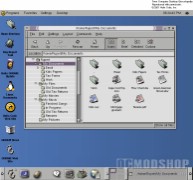
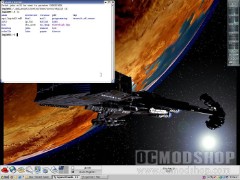
Another popular GUI is GNOME. GNOME puts a heavy emphasis on simplicity, and user ability. Much like KDE GNOME is open source and is free to download. One notable feature of GNOME is the fact that it supports many different languages; GNOME supports over 100 different languages. Gnome is license under the LGPL license (lesser general public license). The license allows applications written for GNOME to use a much wider set of licenses, including some commercial applications.
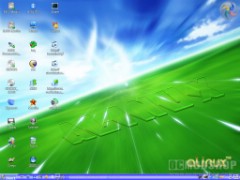
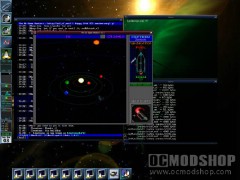
The name GNOME stands for GNU Network object model environment. GNOME’s look and feel is similar to that of other desktop environments. Fluxbox is another example of a Linux GUI. With less of an emphasis on ease of use and eye candy, Fluxbox aims to be a very lightweight, and a more efficient user of system resources. The interface has only a taskbar and a menu bar, which is accessed by right clicking over the desktop. Fluxbox is most popular for use with older computers that have a limited abundance of system resources.
Although most Linux distributions offer a graphical environment, to simplify the user experience, they all also offer a way for more technically involved users to directly communicate with the Kernel via a shell or command line. The command line allows you to run the computer without a GUI, by executing commands from a text-based interface. An advantage of using the command prompt is it uses less system resources and enables your computer to focus more of its energy on the task at hand. Examples of commands include the cd command for changing your directory, or the halt command for shutting down your system, or the reboot command for restarting the computer ect.
Now that we are more familiar with the Linux operating system, we can note the many ways in which Linux differs from the worlds most popular OS, Microsoft Windows. From this point forward we will discuss some of the more prominent ways in which Linux deferrers from Windows.
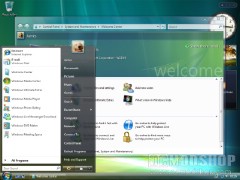
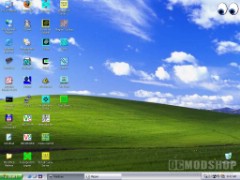
For starters there is only one company that releases a Windows operating system, and that company is Microsoft. All versions of Windows, weather Windows XP Home, Business, or Vista, all updates, security patches, and service patches for Windows comes from Microsoft. With Linux on the other hand there is not one company that releases it. Linux has millions of coders and companies throughout the world, volunteering their time to work on patches, updates, newer versions, and software applications.
Although some companies, charge for TECH support, and others charge for their distribution of Linux, by packaging it with non-free software, you will always be able to get the Linux Kernel for free, and you can get full-featured Linux desktops with all the necessary applications for general use, for free as well. The vendors that charge money for their distribution of Linux are also required to release a free version in order to comply with the GPL License agreement. With Microsoft Windows on the other hand you have to pay Microsoft for the software, and you will also have to pay for most of the applications that you will use.
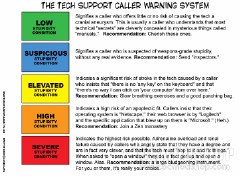

Windows and Linux also differ on TECH support issues. Windows is backed by the Microsoft Corporation, which means that if you have an issue with any of their products the company should resolve it. For example if Microsoft Windows is not working right, then you should be able to call Microsoft and make use of their TECH support to fix the issue. TECH support is usually included with the purchase of the product for a certain amount of time, maybe a two year period, and from there on you may be charged for the service.
Although IBM backs their Linux products, for the most part if you use Linux you are on your own. If you have a problem with Ubuntu Linux you cannot call Ubuntu and expect any help. Despite the lack of professional help, you can however receive good TECH advice, from the thousands or millions of Linux forums that are on the web. You ca also get great help from social networking sites such as Myspace, by posting questions in the many Linux groups. You can usually receive responses for your questions in a matter of hours form many qualified people.


3 comments
You should add that in Linux you have a real 1-click to ALL YOUR PROGRAMS (kernel, Firefox, OpenOffice, Messenger, Video player, etc…), while in Windows you have 1-click ONLY for MS programs and need to other programs seperately.
The article incorrectly and contradictorily states: "The Linux Kernel is an operating system".
A kernel is not an operating system. Linux is the kernel used by what is formally referred to as the GNU Linux operating system, or less formally, (like a nick name,) the Linux operating system. But the kernel is not the operating system. It is a part of the operating system.
The article isn't correct in some things:
U can many GUIs in windows (geoshell, litestep)
U can use nix soft under the unix layer of windows (not installed by default)
U will be able to run severals subsystem of apis, but is not used by devs outside ms with the unix layer
Security could be as good as in linux if u configure the system
And other things that are usually forgotten
Comments are closed.