

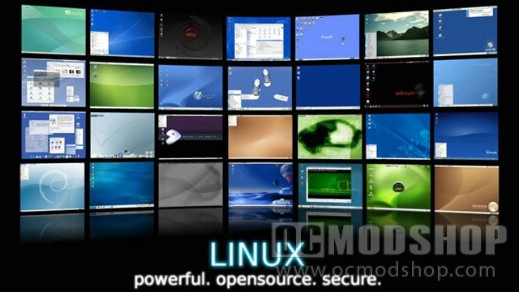
Configurability is another key difference between the two operating software’s. Although Windows offers its control panel to help users configure the computer to their liking, it does not match the configuring options that Linux provides especially if you are a real TECH savvy user. In Linux the Kernel is open source, so if you have the know how, you can modify it in virtually any way that you see fit. Also Linux offers a variety of Graphical environments to further suit your needs. As mentioned earlier Linux is capable of running full-featured graphical environments like KDE, or more lightweight and resource friendly GUI’s like Fluxbox, or Blackbox, to suit users with older computers.
There are also versions of Linux that are designed to emulate the Windows look and feel as closely as possible. Distributions such as Linspire are best suited for users that are migrating over from the Windows world. There are also distributions that include no graphical environment at all to better suit users that need to squeeze out all of the computing power that they can get for various computing activities, and for users that are more advanced than others. All of this configurability can be problematic sometimes, as you will have to make a decision on which desktop is right for you, and to make things easier on yourself you will need to only install applications that are native to your distribution and graphical environment.
The cost effectiveness of Linux is another way it separates itself from Windows. For home use Linux is cheap and in most cases completely free, while Windows varies in cost depending on which version you buy. With Linux most of the applications will also be free, however for Windows in the majority of cases you are suppose to pay for the applications. For most cases, with Linux there is no need to enter a product activation key when performing an installation, you are free to install it on as many computers as you’d like.
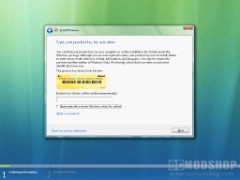
With Windows you are only allowed to install it on one computer and Microsoft uses product activation software to enforce this rule. When installing Window’s you must enter a product activation key, which will expire after so many uses. If you wish too, you can purchase Linux from a variety of vendors, which will include a boxed set of CDs, Manuals, and TECH support for around 40-130$. Of course If you purchase a high-end version of Linux used for servers it may cost any where from 400$- 2000$. “In 2002 computer world magazine quoted the chief technology architect at Merrill Lynch in New York, as saying “the cost of running Linux is typically a tenth of the cost of running Unix or Windows alternatively.” (ref#1)
Installation of Windows is generally easier, than installing Linux. “With Windows XP there are three main ways to install. There is a clean install, in which you install Windows on a blank hard drive. There is also an upgrade install, in which you start with an older version of Windows and “upgrade” to a newer one. An advantage of upgrading is that all of the files on the older system should remain intact throughout the process. You can also perform a repair install, in which case you are installing the same version of Windows on top of itself in order to fix a damaged version of Windows. There is also a recovery, which Technically is not an install; it is used to restore a copy of Windows back to its factory settings.
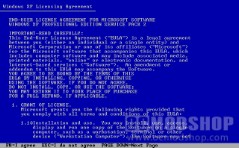
The disadvantage of recovering Windows is the fact that you will loose all of your data, which resides on the damaged copy of Windows.” Also with Windows you can rest assured that your hardware will most likely be supported by the operating software, although this is not much of a problem with Linux you cant be sure if Linux will support all of your hardware. With Linux installation varies greatly from Distro to Distro. You may be presented with a graphical installer or it may be a text-based installer, these variations make Linux a bit more difficult and unpredictable to install than is Windows, (although the difficulty is disappearing).
You may perform a clean install of Linux or dual boot it, to co-exist with another operation software. With Linux rather than having to buy an upgrade CD, you can install updates by downloading and then installing them while your desktop is running. With Linux it is also not necessary to reboot your computer after most upgrades, It is only necessary to reboot after an upgrade to the kernel. It is also possible to run Linux without ever needing to install it on a hard drive; there are many distributions of Linux that will allow you to run it straight off of a live cd. The advantage of this is that you do not need to alter your system in order to



3 comments
You should add that in Linux you have a real 1-click to ALL YOUR PROGRAMS (kernel, Firefox, OpenOffice, Messenger, Video player, etc…), while in Windows you have 1-click ONLY for MS programs and need to other programs seperately.
The article incorrectly and contradictorily states: "The Linux Kernel is an operating system".
A kernel is not an operating system. Linux is the kernel used by what is formally referred to as the GNU Linux operating system, or less formally, (like a nick name,) the Linux operating system. But the kernel is not the operating system. It is a part of the operating system.
The article isn't correct in some things:
U can many GUIs in windows (geoshell, litestep)
U can use nix soft under the unix layer of windows (not installed by default)
U will be able to run severals subsystem of apis, but is not used by devs outside ms with the unix layer
Security could be as good as in linux if u configure the system
And other things that are usually forgotten
Comments are closed.