
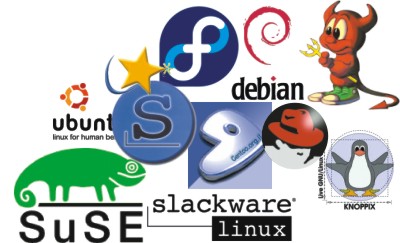
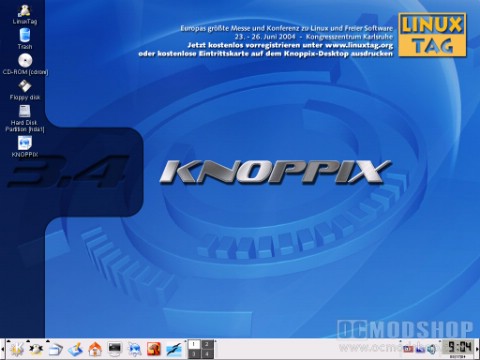
Try Linux. You can run Linux off of the CD so you do not have to damage your Windows partition. Other advantages include the ability to rescue a broken Linux system. If your Linux computer will not boot, then you may insert a live cd and boot off it, so you can repair the damaged version of Linux. Also you may use a Linux live cd to recover files from a damaged Windows computer that will no longer boot up. Since Linux is capable of reading NTFS files you may copy files form a Windows computer to a USB flash drive or floppy drive ect.
Another major difference between Linux and Windows is the applications that you will use with either OS. Windows includes a much wider abundance of commercially backed applications than does Linux. It is much easier to find the software that you are looking for with Windows than it is with Linux, because so many software vendors make their products compatible with Windows only. With Linux you will for the most part be forced to let go of the familiar applications that you have grown accustomed to with Windows, in favor of lesser-known open source apps that are made for Linux. Applications such as Microsoft office, Outlook, Internet Explorer, Adobe Creative suite, and chat clients such as MSN messenger, do not work natively with Linux. Although with Linux you can get Microsoft office and Adobe creative suite to work using software from codeWeavers called cross Over Office.
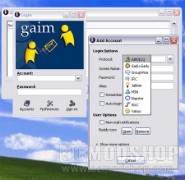
Instead of using these applications you will need to use Linux apps such as open office, The Gimp Image Editor, The ThunderBird email client, Instead of the MSN messenger you can use the GAIM messenger, and you can use Firefox as your web browser. Also with Linux it can be difficult to install software even if it is made for Linux. This is due to the fact that Linux has so many different versions. Software that is made to install on one version probably will require some configuration in order to install on another version. An example would be if you were trying to install software that was made for the KDE graphical environment, on the GNOME GUI, This app would not easily install on the GNOME GUI, and would require some configuring on your part to successfully install it.
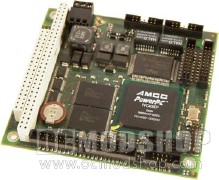
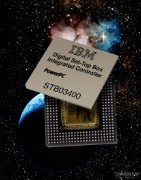
The type of hard ware that Linux and windows runs on also causes them to differ. Linux will run on many different hardware platforms, from Intel and AMD chips, to computers running IBM power Pc processors. Linux will run on the slowest 386 machines to the biggest mainframes on the planet, newer versions of Windows will not run on the same amount of hardware as Linux. Linux can even be configured to run on apples, Ipod’s, or smart phones. A disadvantage of Linux is when it comes to using hardware devices such as Printers, Scanners, or Digital camera’s. Where as the driver software for these devices will often be easily available for Windows, with Linux you are for the most part left on your own to find drivers for these devices. Most Linux users will find comfort in the fact that drivers for the latest hardware are constantly being written by coders throughout the world and are usually very quickly made available.


3 comments
You should add that in Linux you have a real 1-click to ALL YOUR PROGRAMS (kernel, Firefox, OpenOffice, Messenger, Video player, etc…), while in Windows you have 1-click ONLY for MS programs and need to other programs seperately.
The article incorrectly and contradictorily states: "The Linux Kernel is an operating system".
A kernel is not an operating system. Linux is the kernel used by what is formally referred to as the GNU Linux operating system, or less formally, (like a nick name,) the Linux operating system. But the kernel is not the operating system. It is a part of the operating system.
The article isn't correct in some things:
U can many GUIs in windows (geoshell, litestep)
U can use nix soft under the unix layer of windows (not installed by default)
U will be able to run severals subsystem of apis, but is not used by devs outside ms with the unix layer
Security could be as good as in linux if u configure the system
And other things that are usually forgotten
Comments are closed.