
People choose a Linux firewall distribution mainly for the features exposed in its interface. For those who aren’t complete Linux nerds, then you may be more comfortable using an add-on for IPcop called BlockOutTraffic, or BOT. This addon has a seamless GUI configuration that incorporates with IPcop’s interface rather well. You can set up restriction rules by MAC address, IP addresses and interfaces, as well as other constraints.
The main issue with BOT is that it is pessimistic in nature. By this I mean that it blocks ALL traffic until you set up rules to let it through. Right after installing it you must set up rules so a computer can manage your firewall, else you can’t connect to it at all (meaning reinstalling IPcop). Most people know the common ports to let through, but you’ll certainly run into issues where something just doesn’t work.
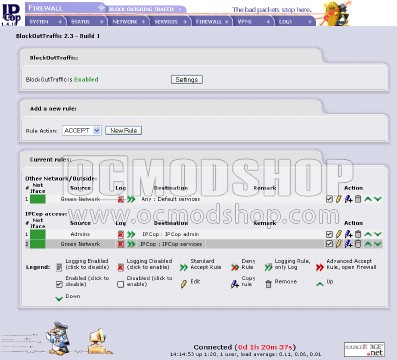
If you have custom Internet traffic needs (like web gaming) then you’ll find that none of these services will work. You must then scan your firewall logs to determine which ports you need to open in order for your application to work.
This seems like a lot of headache, but if you need additional security then you’ll just have to accept the fact that there will be headaches. It may have pessimistic rules, but it definitely prevents unwanted traffic from getting onto the Internet. Just be ready to play “tech support” to your family when none of their online games or email programs work.
A more elegant solution is to use IPtables. We look at that on the next page…

