

Laying eyes on these headsets makes a very good first impression. Even though the majority of this headset is plastic, it looks very durable and can take a beating. The earcups rotate about 100 degrees, so they can lay on a desk with the cups facing down (and the controls facing up).
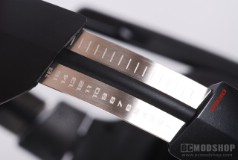
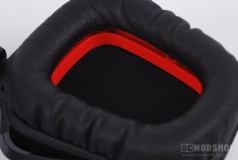
The headset has a typical layout: There’s an adjustable headband, but this holds a few surprises. The headband is rigid plastic, but has a thick strip of memory foam underneath. If you’ve ever laid on a bed of this material, then you’ll understand that it is some of the most comfortable stuff in the world. The fact that someone thought to use this in a headset is just pure genius. The headband can be expanded by pulling out two aircraft-grade aluminum strips, which are notched in 16 positions each, Each notch is about 3mm apart, so if you extend both strips then you have an additional 10 centimeters (approximately 4 inches) of expansion. Because they’re notched means that they stay in place pretty well, but do drift a bit.

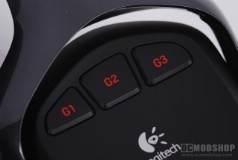
The right earpiece is void of any buttons or cables, and the left cup is the one with all the gadgets. On the top of the cup are a total of 3 G-buttons (Logitech’s branded reprogrammable function buttons), a microphone mute button, and a volume scroll wheel. The bottom of the cup has a USB jack and a charging LED. The back side of the cup has the power button and Dolby Surround toggle switch.
The microphone can be flipped up out of the way or pulled down, and auto-mutes when the microphone is flipped about 45 degrees up. A red LED turns on when the microphone is muted (either by flipping up or pressing the mute button on the side. The sample I was given doesn’t have one, but the one I tried at the PAX 2010 Logitech booth did, and the red light is obvious, but not intrusive… it’s fair to say that you will know if your microphone is muted.
The programmable buttons and volume control are simply a joy to use. The three G-buttons are positioned so that if you lift your left hand up to your ear, then your three middle fingers fit naturally over the keys. They can be programmed for all sorts of things, and you can have different profiles, but unfortunately profile switching is handled through software. This means that if you switch from listening to music to playing Left 4 Dead 2, then you must go into the software to switch the profile (assuming you’ve programmed special functions for the game).
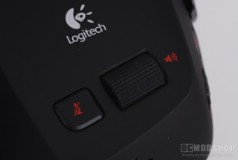
The volume slider is really neat, and works similarly to the G510 keyboard. Rotating the wheel from top to bottom, it takes 8 finger-swipes to change the volume from 100% to 0. The Logitech G510 keyboard’s wheel can do the same job in 6 swipes. There is a little more granularity for the volume on the headset, but it means furious swiping if you need to change the volume drastically.
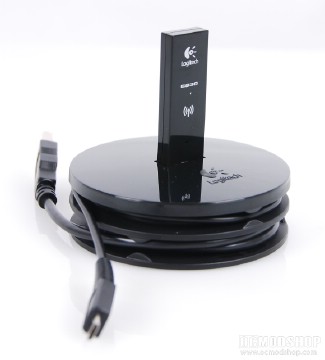
The headset also comes with a nifty little USB charging base that looks a bit like a hockey puck, or more accurately the internal chuck of a weed-whacker. The top center of the round base has a single USB port, which is intended for the headset’s wireless receiver stick. The receiver will work just fine when directly attached to a PC, but plugging it into this base allows you to place the receiver closer (and thus get better reception and longer range). It would have been nice if more than one USB port was included, as it would make hot-plugging USB sticks a lot easier (the main reason I use the Belkin USB hub in the first place).
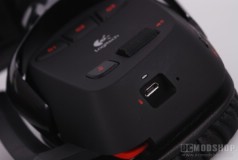
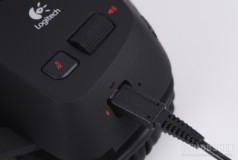
There are two parts of the USB cable. The part that attaches to your PC is a full-sized standard USB-A plug, and is wrapped around the bottom portion of the puck and is about 3 1/2 feet in length. The top cable is thinner and uses a smaller proprietary connector (the same one used on the G700 mouse) that attaches to the bottom of the headset’s left ear-cup. The connector fits more tightly than other USB plugs, and will not unplug itself accidentally, even with a good tug. The cable is about 5 feet long, which is plenty if you’ve placed the puck on your desk somewhere.