

The MX Revolution is a nice mouse and has great ergonomics and has a solid steel scroll wheel that can spin freely for about 5 seconds, allowing you to speed through vast amounts of text quickly. Also the zoom buttons on the side are good, not to mention the stylish desk charger, and the battery performance is superb too.
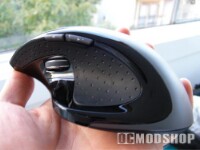
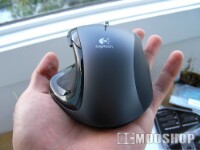
BUT when I wanted to navigate around the forums, I couldn’t open up tabs like I use to do with my mouse button… no the middle mouse button on the Revolution does not serve that task. Instead it manually goes from tactile click to free spin, so in effect there is no mappable middle mouse button! Can I not assign one of the other buttons to it? Am I doomed to right click open new tab for the rest of this mouse’s life?
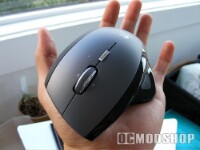
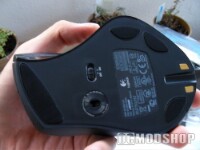
Well apparently yes, there is no such thing as a middle mouse button on the Revolution, I’ve Googled for hours to see if I can set it. According to Logitech it is possible but my own experience and that of other people conclude that it just cannot be done. Basically Logitec says they took 5 years to develop the best mouse ever… But in that they forgot the middle mouse button? Either I’m daft or they have gone bananas.
Don’t get me wrong; the Revolution is a great piece of kit; it’s just not for everyone. So somewhere in that 5 year development period of the Revolution they probably thought “there’s no need for a middle mouse button, so let’s rip it out”.
This mouse is great for those who need to navigate heaps and heaps of text manuals and web pages. But not for Firefox users: as long as you cannot assign a button to act as a true middle mouse button then you might want to look for another mouse… And that’s exactly what I did. I went back to the shop, said the mouse was shizzit and got that G7 mouse I was eyeballing from the beginning. Just a heads up for all those fellow FF users, and people who cannot live without the middle mouse button.



10 comments
Actually, the option WAS in fact, in the Setpoint 3.01 that came with the MX Revolution.
Daft, it is.
This article was written over 3 years ago, and at that time there wasn't a way to set the middle mouse button. It has apparently been resolved since then. I advised Daniel not to shun the mouse based on a few features, but that's why this was an editorial.
Make middle button work by:
1) open setpoint
2) click the mouse tab
3) number 3 button
4) press choose function
5) in the dropdown box find and choose the "Generic button" option
6) go to the wheel tab
7) make sure the option "Press the wheel to switch scroll function"
it has a middle button, if you have a problem with a specific program then give it program specific mappings, if firefox is the problem then add it as an exception with the manage programs option, you might have to put game detection on and such.
@Gazeebo: Well this was written when the logitech software wasn't as mature as it is now.
Pretty sure you're just daft. SetPoint allows you to configure all the buttons on the mouse.
Well, I assume you mean "the MX Revolution may have a middle mouse button, but I cannot use it to open a new tab in Firefox". In that case, this will interest you: http: blog.briandicroce.com 2007 12 27 opening-a-new-tab-in-firefox-with-the-logitech-mx-and-vx-revolution-series-mouse
Wow, what an incredible unaccurate article. The Revolution has a middle button. You have to use the SetPoint software to turn it on and off. And if you use "uberoptions"-software too, you can program the search button as the middle button instead (or any of the other buttons for that matter).
About time to the article maybe. You've googled for hours?
Er…I dont know about you, man, but the setpoint software that includes both the drivers and the software for the mouse can do a LOT with it. also, if you click both left and right mouse buttons, it does a middle click.
rtfm before you denounce great products.
Um….my MX Revolution has a Middle Mouse Button. Not sure if you got one has was messed up or something, but both MX Rev's I've had have had a Middle Button.