
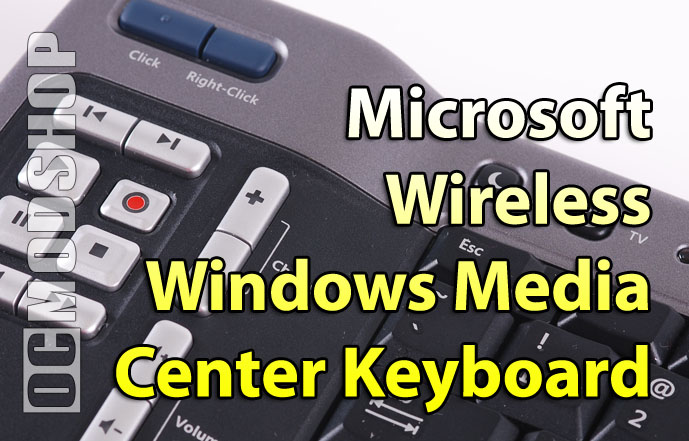
The keyboard has an interesting layout that is optimized for Media Center users. The main keyboard area is rather compact as to fit all of the arrow keys, function keys, and other special keys that will probably not get much use on a HTPC. Above the main keyboard area is a button to power on your PC, TV, and turn on the keyboard’s amber backlight. (although only the Media Center functions are backlit). On the front side of the keyboard (pointing away from the user) is an IR transmitter window (which is also where the keyboard “learns” from other remotes).
Flanking the main keyboard on both the left and right are raised areas with Media Center functions. These raised areas serve as handles and make the keyboard very satisfying to grip with both hands, leaving your thumbs free to press the remote buttons. They keyboard feels awkward when you’re not holding it in this fashion: like when you actually have to type something.

On the right side of the unit are buttons to navigate your Media Center. The standard D-pad/OK ring is here, along with an analog joystick for the mouse and quick-jump buttons for common MCE locations (My Videos, Guide, etc).
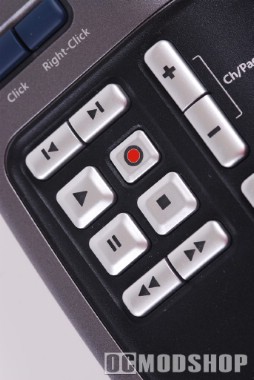
On the left side are the secondary nav funcitons and play control. At the top are mouse left and right-click buttons, and below that are standard media controls (play, pause, skip forward/back, fast forward/back, and a recessed record button). On the bottom of the keyboard is a lock/unlock (or power switch depending on how you want to look at it) to prevent draining the batteries if something accidentally presses the keys.

If you already have a fully-working Media Center PC then this keyboard works right out of the box (after you insert two AA batteries, that is). The keyboard uses the Media Center IR receiver that came with your MCE remote (the keyboard does not come with one). All media functions work great, and the keyboard is fine in one-handed operation. It is alot easier to change channels and find media by typing on the keyboard than using the standard MCE remote.


2 comments
Um… the home button is right above the backspace…
found just the thing but 10x smaller, look up mini pro wireless keyboard on amazon, bye bye junky keyboards.
Comments are closed.