

The Mionix NAOS 3200 Mouse looks very similar to one of my favorite mice, the SteelSeries Ikari Laser mouse. It has the standard features of just about every mouse today; two thumb buttons, a notched scroll wheel, and of course left and right mouse buttons. The major difference in appearance is its ergonomic design. There is a little bit of a thumb rest on the left side of the mouse, and the right side is sloped with large ridges to comfort one’s ring and pinky fingers. This slope on the right side will keep your fingers completely off the desk, which helps reduce drag and is a feature I wish more mice would use.
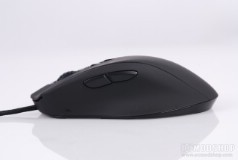
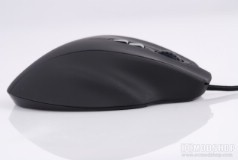
Left and right sides of the mouse. Note the ridged slope for your extra fingers
The features that really distinguish this mouse are the LED lighting in the scroll wheel and Mionix logo, and the DPI switching buttons just below the scroll wheel. The USB cord is wrapped in a tight nylon mesh, and the USB plug is gold plated with a light ferrite choke near the end.
The underside of the mouse is pretty standard. It has a large base, thanks to the extra finger support, and has four friction pads on the top, right, l, aneft and bottom of the mouse. Right in the center of the mouse is an invisible infrared laser sensor, but isillumenated with a bright red LED. The underside LED does not change color with the rest of the mouse’s lights.
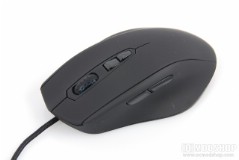
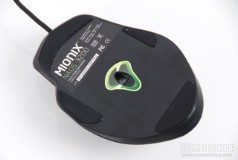
Underside and top of the Mionix Naos
The mouse’s LED switches between three vivid colors: red, green, and blue. The mouse does not feature any profiles, so the light color designates the current DPI resolution. Most people recognize a gauge or other meter to intuitively understand “less” or “more”. For example, if there were 3 LEDs, then 1 LED would indicate the lowest DPI setting, and 3 would show the highest. Most people won’t associate a color to a DPI setting. In addition, there are only 3 DPI modes available, which are outlined in the table below:
| color | resolution |
| red | 800 dpi |
| green | 1600 dpi |
| blue | 3200 dpi |
The mouse wheel is notched and is very comfortable and offers a satisfying transition between each notched segment. The mouse is also extremely light, weighing in at 99 grams (or 3.6 ounces, the same as the Ikari Laser). There is no adjustable weight system on this mouse.
Although the NAOS takes a lot from the design of the Ikari, it doesn’t include one of my favorite features. In lieu of a single DPI toggle switch below the scroll wheel are two buttons, which are by default programmed to toggle through three steps of DPI resolution. Many FPS gamers need to instantly switch between “run for your life” mode and “sniper” mode, which translates into high DPI for movement and low DPI to hone in on an opponent’s head. The time it takes you to hunt for the right button and then toggle through a few modes could cost you your virtual life.
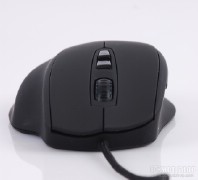
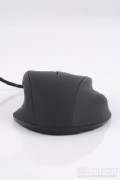
Front and back views
The major problem with the NAOS as a programmable mouse is that there are aren’t enough buttons for any customization to be useful. Most games today understand the thumb buttons and middle click, which leaves the DPI up and down buttons as the reprogrammable candidates. If you are a FPS gamer, then you really need these. You can use the “Dpi roll” function on one of these middle buttons, which leaves only one useful programmable button.
On the next page we show you the customization options of the Naos…


