
I noticed that my CPU usage went up noticably while this monitor was connected, but was manageable when the screen didn’t change very much. Although you can play video on this monitor, CPU usage goes up dramatically. Even on a modern notebook, all other functions suffered considerably while video was playing. This is due to how the software works with the monitor. You can actually reduce the workload of the host computer by reducing the color depth to 16-bit, however.
Using the monitor in landscape mode is rather odd. For one, there is no auto-rotate function. Once the software is installed, you can right-click on a little icon in your taskbar to change the orientation and color depth. Once the monitor is configured to 480×800 mode, the virtual position of the desktop is lowered BELOW your normal desktop by default, which decreases the “desktop pocket” that your mouse can fit through reach the second monitor. You can easily correct this by opening Display Properties and dragging the monitor’s position to what suits you best. I found that the landscape mode works better for IM and chat windows, but moving your mouse back and forth is a real pain (basically just aim for the bottom right corner of your main monitor).
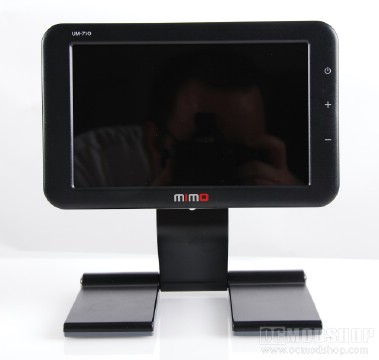
The display works well for applications that don’t require many screen refreshes, and isn’t recommended for video or gaming at all. The monitor isn’t the brightest thing in the world, and doesn’t have the best viewing angle either, but it is adequate. It certainly is cute and will certainly turn some heads. I also noticed some weird multimon caveats, like some applications not initializing if the monitor wasn’t plugged in. Uninstalling the software was buggy, too. For its price, you could easily purchase a regular monitor, so its really meant to be very portable. It works with Windows Vista and XP, and drivers exist for Macintosh (but only works with Intel-based Macs).
 |
 |
 |
|||||||||||||||||||||||||||
|
|
|
|||||||||||||||||||||||||||
 |
|
 |
|||||||||||||||||||||||||||